Tagged 'layer'

Outliner

756 votes

 The Outliner 2.0 is a fast and easy to use scene management tool. It has a wide range of features, including selecting, hiding, freezing, linking and grouping objects in the "Hierarchy Mode". In the "Layer Mode" you can organize your scene by dragging&dropping objects from one layer to the other. What's more, the Outliner offers support for nested layers, to manage scenes more efficiently. The interface is nimble enough to keep it open constantly.

StrTools

14 votes

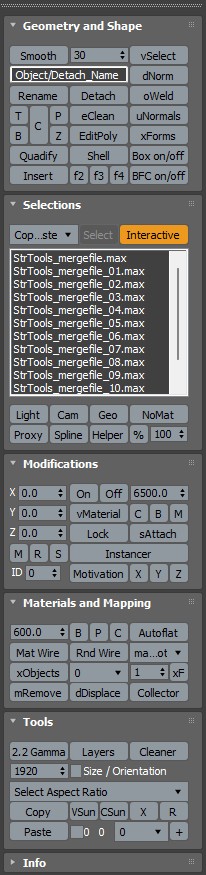
Quick tools in one place. Dockbar!

OutFiler file browser

8 votes

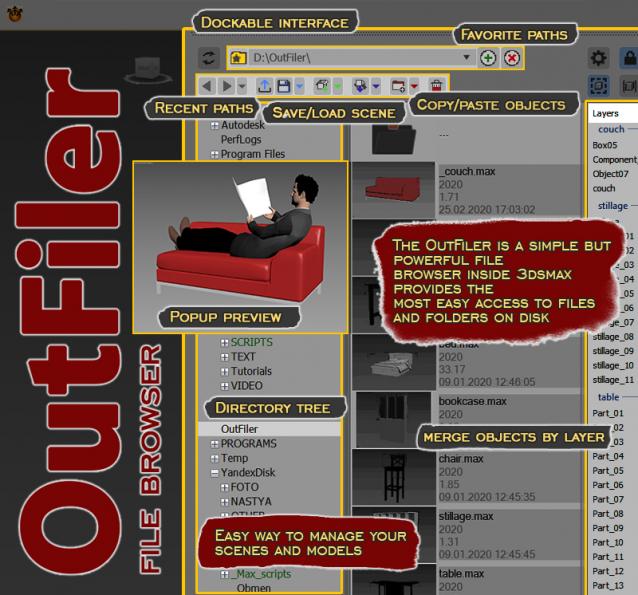
The OutFiler is a simple but powerful file browser inside 3dsmax that completely replaces standard save/load/save selected/merge/import/export dialogs. I believe folder tree much more comfortable and transparent.

The OutFilers provides the ability to quickly find the necessary folders, save the history of movements along them with back/next buttons and recent list and the favorite paths for quick access to working scenes.

Layer Preset Manager

0 votes

Updated 2025/11/16

Layer Preset Manager for 3ds Max: a game-changer for artists. This tool streamlines the process of creating, customizing, editing, and reusing layers with ease. Featuring tokens for keyword definition that can be tailored with specific values for layer generation. Check out the video below for a demo of its capabilities.

Changelog

v0.0.1

- initial release

v0.0.2

- Improved visuals of tokens in editor

miauu's LayerColorizer – color-coded layers for 3ds Max

1 vote


miauu's Layer Colorizer allows you to assign custom background and text colors to any layer in the Layer or Scene Explorer.

You can also apply the same color to all child objects of a colorized layer for better visual organization.

You can save your preferred colors in a Color Palettes and reuse them anytime.

Isolation Levels

10 votes

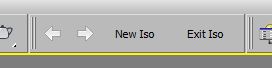
Create nested isolations, go back and forth between them. Hope it helps.

Universal Select By

9 votes

Delete UnRemovable Layer

2 votes

You might encounter a situation where you want to remove an empty layer that you created earlier, but the delete option is grayed out in the layer manager. and you are unable to remove that layer. After all you have to remember that 3Ds Max never allows you to delete a layer while it contains nodes or the default layer called “0”. But in some rare situations, even an empty layer that you created and then finished with, may not be deletable in 3Ds Max. This happens because of some unclassified nodes that come with your imported models from other programs. These nodes are not visible in the viewport or the layer manager. The only way to eliminate them is to select those nodes using MaxScript and delete them manually, so the layer’s delete option becomes available again.

Layer Manager to files Exporter

6 votes

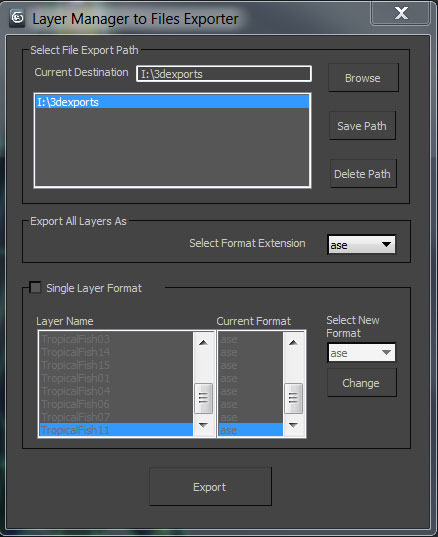
A simple tool designed for 3d modelers to save time on exporting multiple objects and to allow them the freedom to continue working in one max file. Script allows exporting to the following formats using the layer manager: FBX,OBJ,3DS,ASE, and separate max files.

LOL – Lost Object Layerer

0 votes

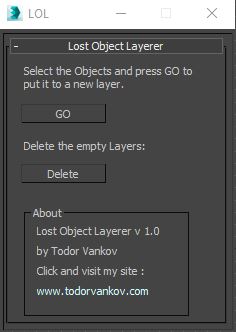
This script move the selected objects in a new layer, if your object are not listed in the layer Manager. If you have some problem with your max version please text me.

Script category: “#todorScripts”.

You can see an example here, how to install my script per Drag and Drop:

Syndicate content