3ds Max | All

3DS Max - 2D - Create Parametric Lines

4 votes

In this video, I will present you with a new script I created to help the User creating 2D lines with specific length and angles. The script Allows you to modify the length of the last created line at any time.
This is a feature I always wanted to have in Max and for some reason, The developers are neglecting this simple feature.
I will try to update it as much as possible to add more features to it,
And if you have any suggestions, please leave them in the comment
Area. If you like the script please press the like button and Subscribe to the channel. Thank you! :)

Environment Generator

14 votes

Generates environment with options for surface - sunlight - land - sky - fog - previewing and rendering.
Updated for max and viz 4.x by swami*

3D Studio Max - Plug n Play Toolbox

2 votes

The plug and play toolbox allows you to easily browse and run scripts and plugins within your browser.

No need for complicated installs, simply browse click and play.

When you restart max non of the tools exist, only when you run them, so there's no chance you can get any startup errors or slow-downs.

To see the toolbox in action check the video link below :-
http://youtu.be/ZKMw1UtcOjU

Check out the site below for download information.
http://www.3dsmax.ninja

Open Root Directory

6 votes

When executed the script opens windows explorer at the root of the current opened file. Giving you easy access to your project files. In a general work enviorment you will have a folder stucture where you store your working files for max including other folders for all related content and information. This Script gives you quick and easy access to the root of all these folders.

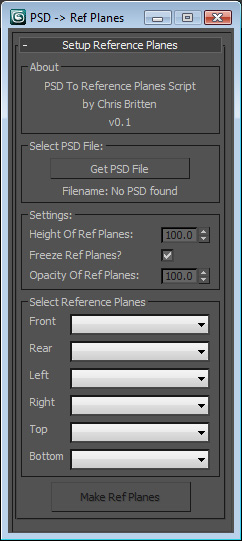
Create Reference planes from a .psd

47 votes

PSDtoRefPlanes

- My first script, so all crits are very welcome!
- Run this script to create up to six reference planes (front, back, top, bottom, left, right) from a layered .psd file.

- To use:
1. Run script in max
2. Select .psd file (note this only works with photoshop files)
3. Select the height (in current file units) that you want for the reference 'box' - all other dimensions will be determined from the image aspect ratio.

Log Console Zorb

3 votes

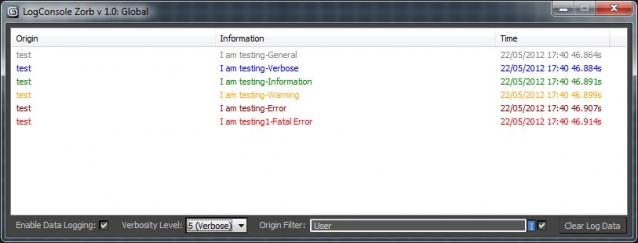
This script is a general Log Console to be used by max scripters, a great way to quicly add information logging to your script Once installed you will have access to the LogConsole by creating an instance (you can create as many as you want) by using something like:

foo = ZorbConsole title:"Log A"

You may open the log by using: foo.showme() And write to the log with the AddLog function like so:

foo.AddLog #("test", "I am testing-General", 0)

The Information may then be filtered by verbosity or by the information origin (handy to add what function is sending the log info)

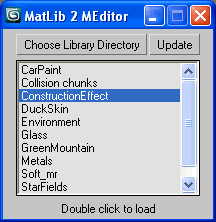
ML2ME (Material Library To Material Editor)

27 votes

Quick load Material Libraries to the Material Editor.
Quick code just from scratch as well.
Generally useful for all people that found 24 ME slots for not enough.

ML2EM

Collapse Geometry

19 votes

I wrote this tool as I was sick of the default collapse tool crapping out when trying to collapse large amounts of objects. So far this has tool has been pretty rock solid. I mainly use it when I need to work with CAD files that I have imported. It is pretty self explanatory.

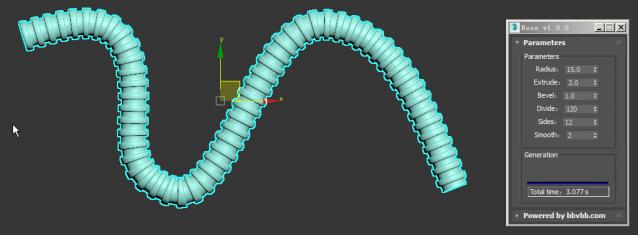
Hose

3 votes

MAXScript for build hose model.

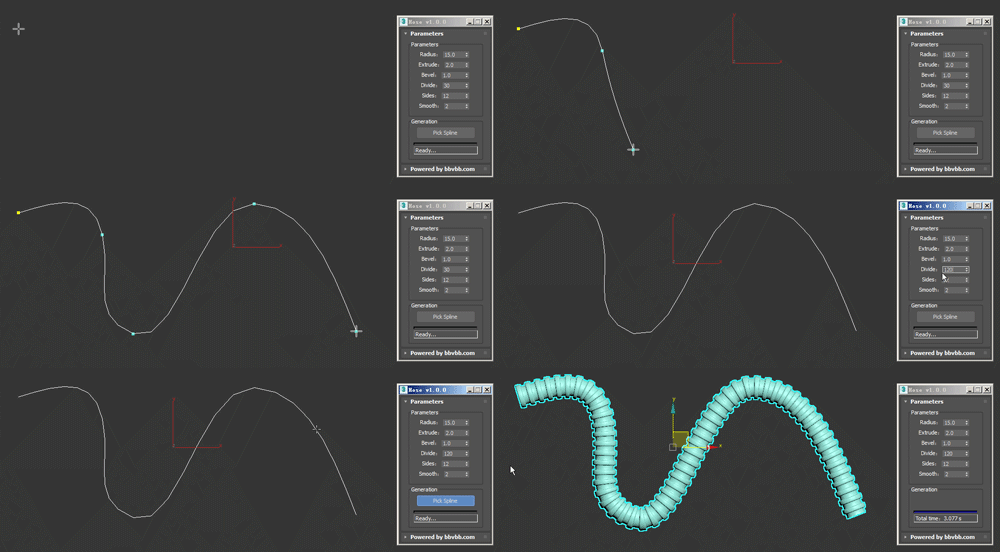
Usage method: 

1 run Hose-1.0.0-en_US.mse.

2 create a spline in the Max view.

3 Click the "Pick Spline" button, and then pick the Spline. 

Load Material Library from path

12 votes

Select a path where all you material files are. Click the pull-down menu and select a material library, it will automatically load in the material browser. This is a macroscript, after running the script you will find it in the "3idee Tools" category.

Syndicate content