select

Check Total Lengths SplineShape

This simple and funny script, you can measure the total length, check the number of segments and the Knot of SplineShape. Very useful :)

ctlss

Camera Lister

its a simple script for selecting cameras in your scene

v3.4 functions:
-fixed epic bug with history file
-safe frame replaced with camera correction

v3.2 functions:
-script now remeber its position and size

v3.1 functions:
-removed bug with locked selection
-added help button so help menu don't appear on script start

v3 functions:
- removed some unnecesary functions, fixed bugs and added window resizing
- 2click...select camera target
- click...use camera
- 2click+shift...selest camera and target
- 2click+crtl...toogle safe frame on/off

v2 functions:

CamLister

A very simple Camera Lister which allows to select and assign cameras by clicking it in the list.

Leftclick: Select the camera
Rightclick: Assign to current active Viewport

Very simple one but still my most used Script for daily work ;)

ClaverTech-KeyStones

This tool just holds a list of key objects u want to quickly select or view. helpful when in a scene with a crapload of nodes when ur really only animating a few of them. Additionally if u right click an item in the list u will zoom extents of it (if geometry), or look from its perspective (camera or light). It also keeps the list variables as persistant... so u can open and close it without changin the list.. even closing and loading the scene.


FilePathFinder Pro & Light versions

FilePathFinder Medium and FilePathFinder-Light now is free for users of 3ds max 9SP2& 2008!


FilepathFinder it is a power tool for working with asset files in 3ds Max.
With FilepathFinder you can easy find, collect and sort asset files.
Utility supports XRefs of all types and processes all XRefs scenes linked to current.
Unlike all other such scripts, it really finds all resources (images, HDR-images, Proxy, IES-files, shaders).
FilePathFinder help you quick select objects in your scene or find desired materials and textures and placed they to Material Editor.
Also with this tool you can easy create or use existing materials and merge 3dmodels into your scene.

Update History:

FilepathFinder PRO v3.9.60

 New features:

  • Adds support to renderer Octane - working with asset files .
  • Adds support to renderer Octane -  rendering previews.

Bug fixes:

  • Fixes issue with blocking 3ds max hotkeys after opening menu “File”.
  • Fixes issue with setting a default renderer in Batch Render&Relink.
  • Fixes issue with applying render-preset in Batch Render&Relink.

Grab Children

Select all children on picked object(s).

Requested modification of my GrabHierarchy script.

Grab Hierarchy

Selecting whole heirarchy by picking one belonging object.
Similar to Sergo's "Pick Hierarchy" script but simplified code.

Material Toolbox

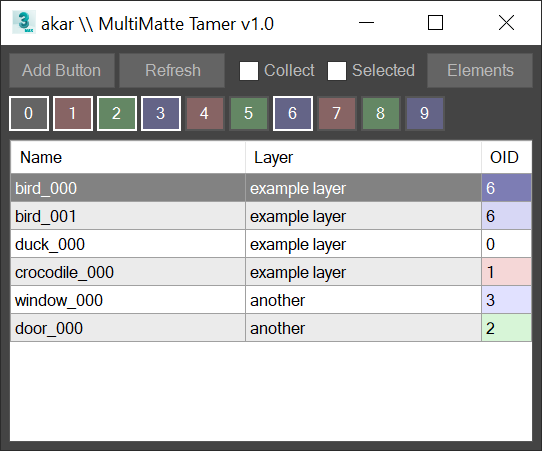
Manage the Material assignment, Material ID number, and Wirecolor of scene objects.

Feature List:

+ Easily Select all objects with shared Material, Mat ID, or Wirecolor

+ Interactive Clipboard to store Materials, Mat ID's, or Wirecolors

+ Create a gradient of unique Wirecolors across selected objects, based on their Material assignment or Mat ID

Inspired by everyday production needs at Digital Kitchen

MaxSpotlight

gui

Small UI with powerful selection functionality, featuring a quick and spotlight-like search behavior.

miauu's Select Edges by lenght

With this script you can select edges which is less, equal or grater than the value that you want. Also, you can measure the lenght of single or multiple edges.

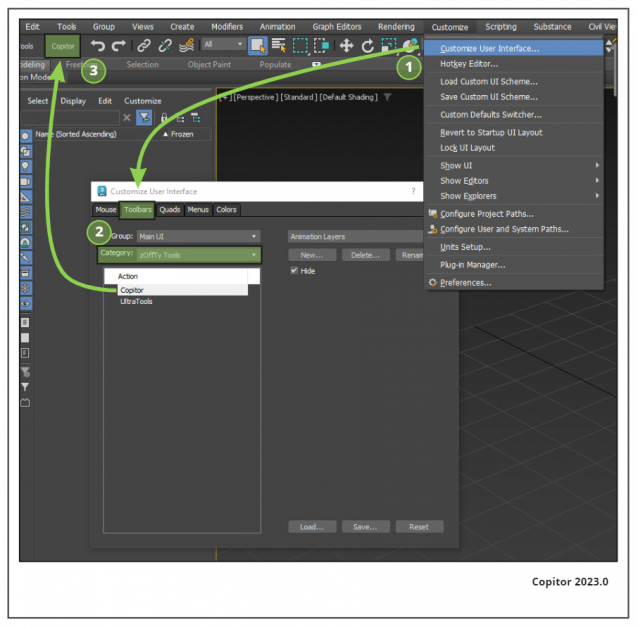
Instalation: Drag-n-drop mzp files in 3ds max. Go to Customize-Custumize User Interface, under "miauu" category you will find the script.

Syndicate content