Q:
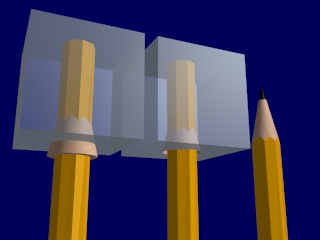
Is there a quick way to make a smooth transition from a hexagon cylinder
to a round cone. I am trying to produce a realistic looking pencil.
A:
I assume you are using 3DS R4 (please next time say it clearly!)
My first idea is using boolean substractions.
There are two ways, the first is for a novice, the second is a bit more
complicated.
1.Two boolean substractions:
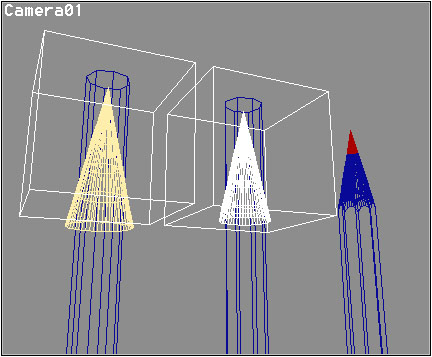
Create the hexagonal cylinder and the cone. The base of the cone should
be bigger than the cylinder! Create a Box that is some bigger than the
cone. Put the cone with the sharp side into the box and substract it
from the box. (Create/Object/Boolean)
Put the cylinder into the box where the hole is - Substract the box
from the cylinder. You have just sharpened your pencil!
2.One Revolution and one Boolean substraction:
You can create a shape in the 2D Shaper like this:
<--R-->

______

|     |

+     |

|    /

|   /

|__/
The + is the Hook, R is the radius.
Get the shape into the Lofter, use SurfRev with Diameter=2xR to create
your "sharpening tool" and use boolean substraction as described in 1 to
sharpen the cylinder.
If you happen to use MAX, read the manuals, there was a pencil
somewhere...
Addition:
The second way is too complicated, but it gives you total control over the angle of sharpening - in the first case you would need to 2Dscale the cone until you get the form you need...
After writing this I went home and tried it out - IT WORKED! :o)