This is how to do it:
Let's create a Chameleon Material:
If you start the animation now, you will see no effect. You should RENDER the scene to see the drops changing their Basic Material to the Sub-Material when they hit the deflector.
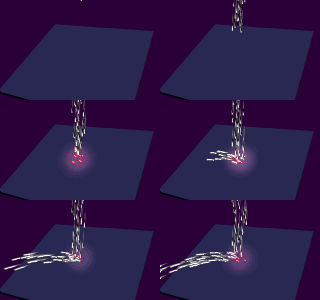
Now you can go further and use some Video Post effects like Glow. Because we have set the Material Channel of the Sub-Object to 1, if you set the same value in the Glow Filter, the particles will be affected only when hitting the deflector!
You can even use the same Material for Basic and Sub Material, and just let the raindrops glow without visibly changing their material when hitting the Deflector - only the Material Channel will change...
Download the sample .MAX Scene here
PART 2
Now let's go even further. We want to change the material not WHEN hitting the deflector, but AFTER that.
The only things to do are: