Q:
One object following two paths?
Is this possible?
In my case I have made a pencil, and the point of the pen follows
a path (text). But my problem is : I want the other end of the pen
to follow another path, or "look at" another path.
How can I do that in 3ds Max?
A:
Try this:
Create 3 dummies.
Assign the text path for the pencil to the first
dummy.
Link the second dummy to the first dummy.
Assign the second path (the look-at path for the pencil) to the 3rd dummy.
Assign a Look-At controller to the second dummy - it will point with the negative Z at the third one.
Now rotate the pencil to point with its one end at the
text, and with the other one at Dummy 03.
Link the pencil to the second dummy.
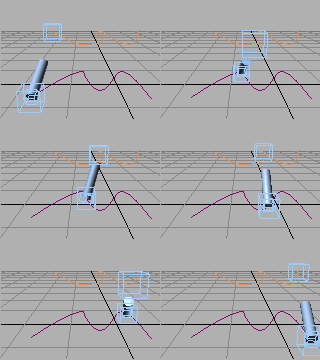
Result:
Dummy 01 will follow the text path.
Dummy 03 will follow the other path.
Dummy 02 will move with Dummy 01 on the text path, while looking at
Dummy 03 with its -Z
The pen will follow the movements of both Dummy 01 (writing) and
Dummy
02 (looking at Dummy 03)
The axis of rotation for the pen will be at Dummy 02.
 Here is a sample MAX scene to Download