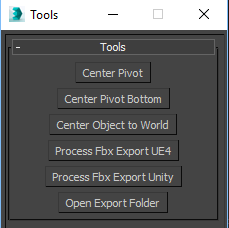
A very simple script, create to simplify game engine export process, with minimal options.
Center pivot : do a simple center pivot on selected objects,
Center pivot bottom : like previously, but on the bottom (-Z) of the transformation matrix.
Center object to world : align selected objects to 0.0.0.
Process fbx Export UE4: Make a clean simple unreal 4 export :
Reset Xform, collapse, center to world, save as fbx (in /export folder of your project), replace the object at this orignal position.
Process fbx Export Unity: Make a clean simple unity export :
Reset Xform, collapse, center to world, rotation matrix -90 0 0, save as fbx (in /export folder of your project), replace the object at this orignal position/ rotation.
Open export folder : open your /export projet folder.