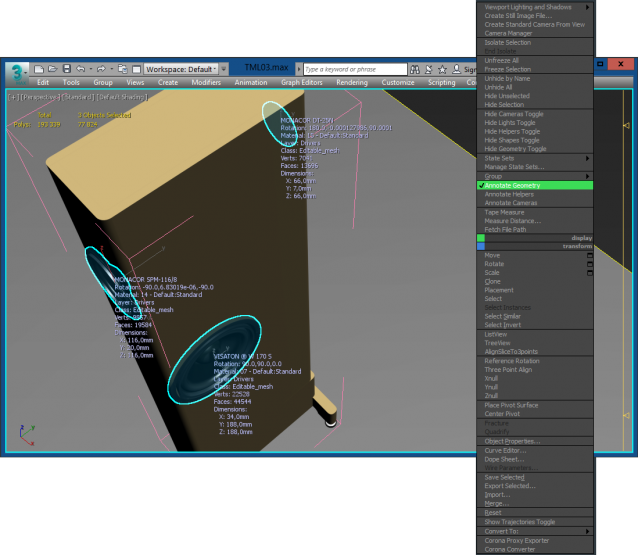
MacroScript that display selected Geometry informations in the active Viewport.
Script
By hrrasto · 2020-08-12
MacroScript that display selected Geometry informations in the active Viewport.
Tags: macroscript, display, manufacturing, geometric, informations, active viewport
Update 4.3
hrrasto · 2020-10-26
Thanks for the comments and inspiration ...
There is a new version 4.3, which brings some improvements:
- material information
- rotation information
- scale information
- possibility of configuration for common parameters so far only using the configuration file "Tools-AnnotateGeometry.ini"
Thank you for the script
dmitrybelonosov · 2020-10-09
Hello! Thank you for the script. Great idea. Can I share ideas for improving it? 1. is it possible to display the material superimposed on the selected object? 2. You can create an additional window where you can turn on and off items that you need or don't need. And then the number of lines becomes large, and some lines may not be needed.