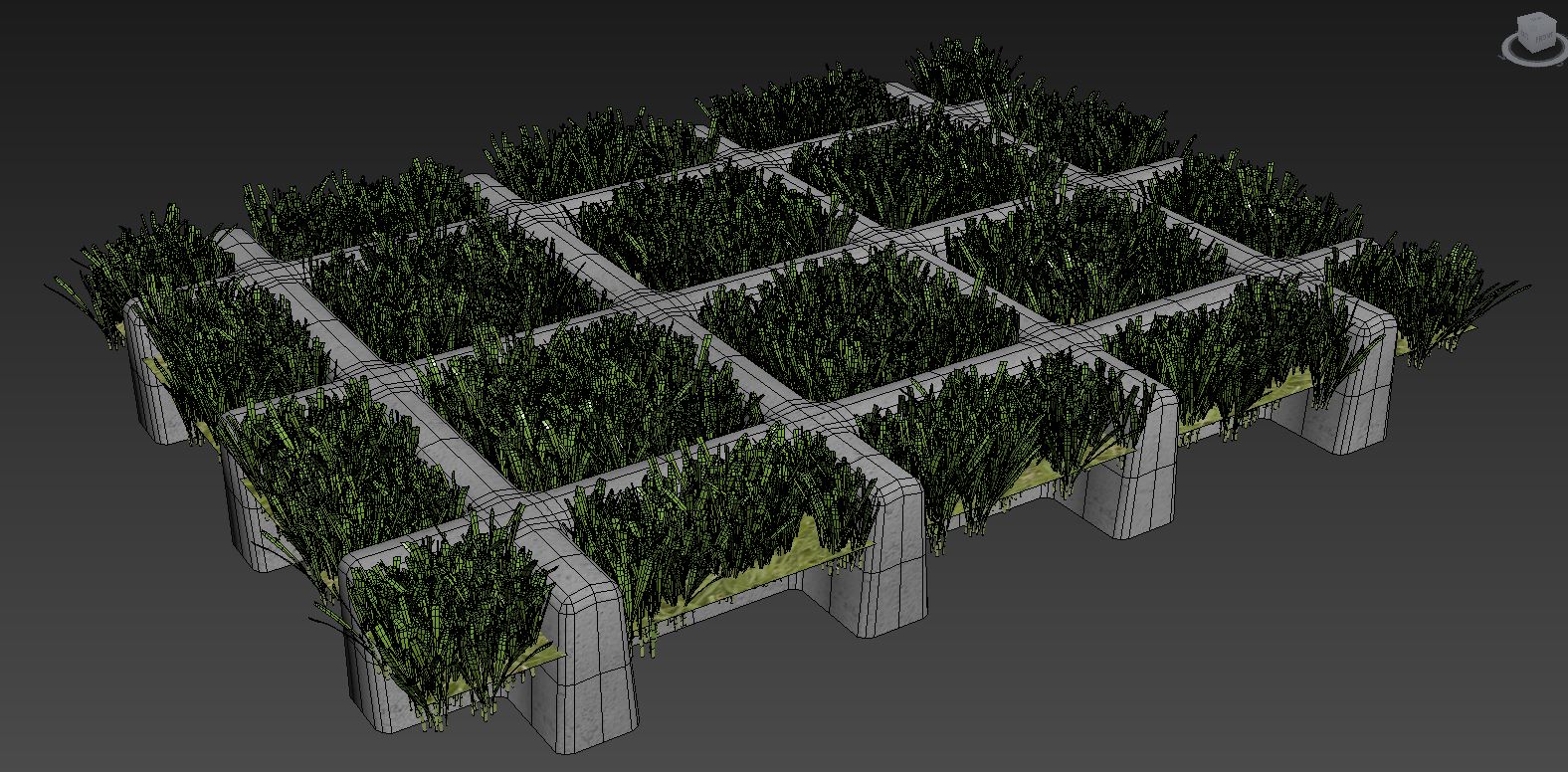
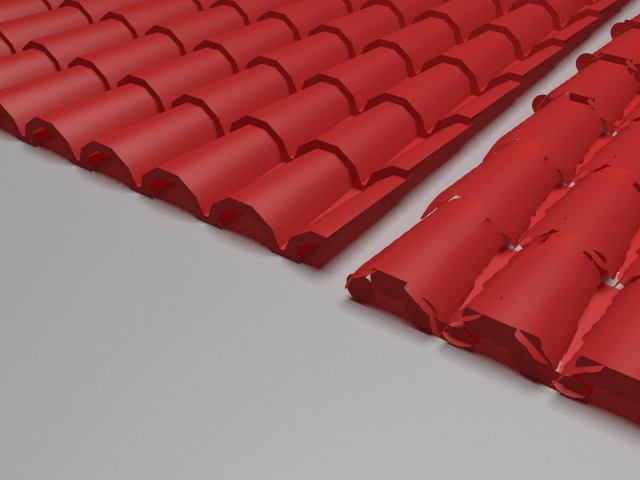
ATiles is scripted 3ds Max plug-in for creating roof tiles, tiled floors, brick walls, fences, and more.
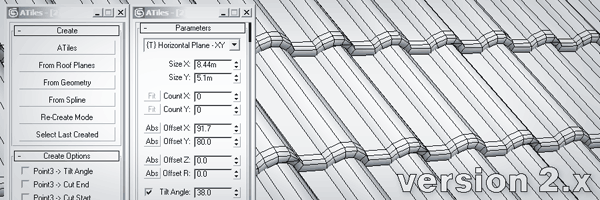
Script
 By atanasbak · 2010-07-18
ATiles is scripted 3ds Max plug-in for creating roof tiles, tiled floors, brick walls, fences, and more.
Pro version of the script (commercial) includes all the futures of the free version plus:
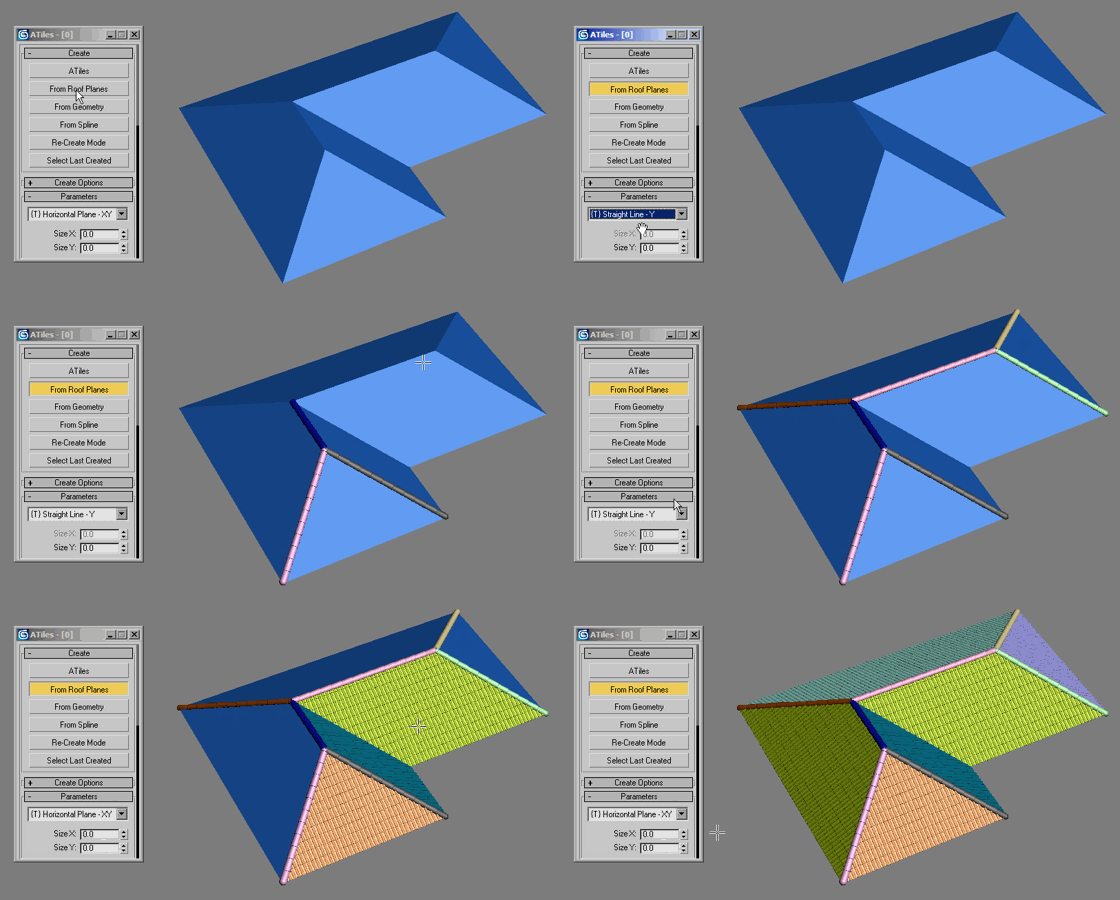
New in version 2.63:
New in version 2.62:
New in version 2.61:
New in version 2.60:
New in version 2.52:
New in version 2.51:
New in version 2.50:
New in version 2.02:
New in version 2.01:
New in version 2.0:
New in version 1.4:
New in version 1.3:
New in version 1.2:
New in version 1.1:
Installation:
Tags: fence, roof, tiles, paving, brick wall
Fantastic
obaida · 2015-09-08
i was using v.2 i didn't notice this improvement its fantastic thank you very much for making free copy of it .
 helgajones · 2015-05-16
Hello there! Thank you for sharing this post. I will surely try the latest version of this. Thank you for your suggestion.
titane357 · 2014-11-13
Your script is a real time saver !!! Thanks
ATiles Pro v2.50
atanasbak · 2014-11-12
The latest version of the script is a free update to all current 2.x Pro users.
To update your Pro copy of the script, install the free version from the site over your Pro copy.
This will update your Pro copy of the script to the latest 2.50 Pro version.
Suggestion
 tiagodmed · 2014-07-28
Hello I would like to suggest a feature for Atiles ... it could accept as a custom model a proxy (vray, mental ray or corona)?
I tried using a model with many polygons and it crashes.
Thank's for your attention.
Proxy
atanasbak · 2014-07-29
Hello, thanks for your suggestion.
We are looking for solutions to extend ATiles script to work with proxies, but the problem is that the tiles on the edge of the object should be editable(for slicing and boolean operations) and proxies are not editable.
Option to generate random material/face ID?
 3dbybrunolopes · 2014-02-11
It would be usefull have an option to generate a random material/element id. to use for example with a multisubobject material and the modifier material by element, or with vraymultisubtex map, or multitexture from cg-source...
What you guys think?
Random Material ID
atanasbak · 2014-02-14
There is such option in "Variations" roll-out - Random Material ID.
You can also set random material ID only for one specific ID of original object without modifying others.
Quick tips
atanasbak · 2013-11-18
These are five new quick tip videos for ATiles script:
- Quick Wooden Facade
- Quick Stone Veneer
- Quick Stone Walkway
- Quick Wooden Porch
- Quick Roof Construction
freezing, lagging, crashing with V2
igamaximus · 2014-01-08
Thank you for this beautiful script. I had beatuful time with this script in V1.4 but in 2.00 version everything in Max 2012 x64 seems slower and random freezing (when opening or closing Max) or crashing Max on rendering start now ruins the experience. What about those issues in your latest update (2.01), are they fixed?
Thanks!
Igor
atanasbak · 2014-01-08
Hi Igor,
Sorry for your bad experience with version 2.0.
We introduced a lot of new features in this version so the script may be a little bit slower in some cases.
You can send me a sample scene at tools@avizstudio.com and I'll check it for errors.
New version 2.02
atanasbak · 2014-01-26
Hi Igor,
Try the latest version 2.02 of the script.
It should run faster and with no crashes in you system.
Best regards
Thank you very much for your work Atanasbak!
igamaximus · 2014-01-27
I strongly believe you improved all performance aspects of the script, i will test deeply as soon as i can and send report here.
Apart from anything else, this is one of the best scripts on scriptspot, realworld and every day tool.
Thanks a lot, i am just reading about PRO features and i will do my best to support your valuable work by purchasing it.
Igor
top course is not proportioinate
vanderloo5 · 2013-08-04
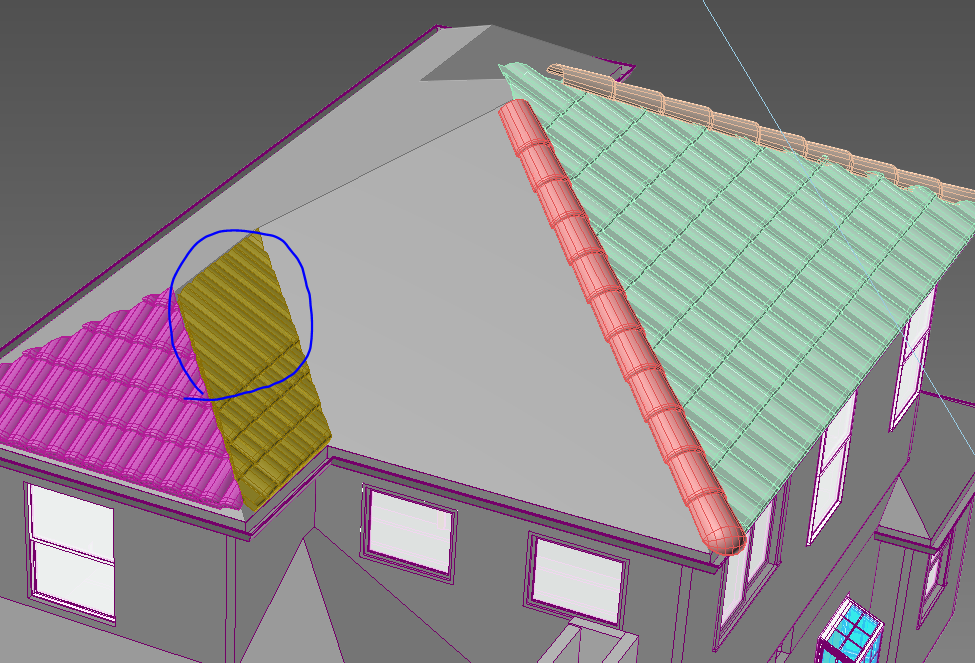
I just downloaded this script and when I add my roof sections all of my top courses are way too long. I kept messing with the settings and all of the sudden it looks right. But, as you can see from the attachment, they aren't inserting correctly and it takes a ton of time to get it to look right and I'm not even sure what I did to correct them??
Welding
grasshopper · 2012-11-09
Hi, I have exactly the same issue as harumscarum. Is there a resolution to this please?.. Great script other wise tho.
unexpected weld threshold when using cut shape + units is meters
 harumscarum · 2012-08-22
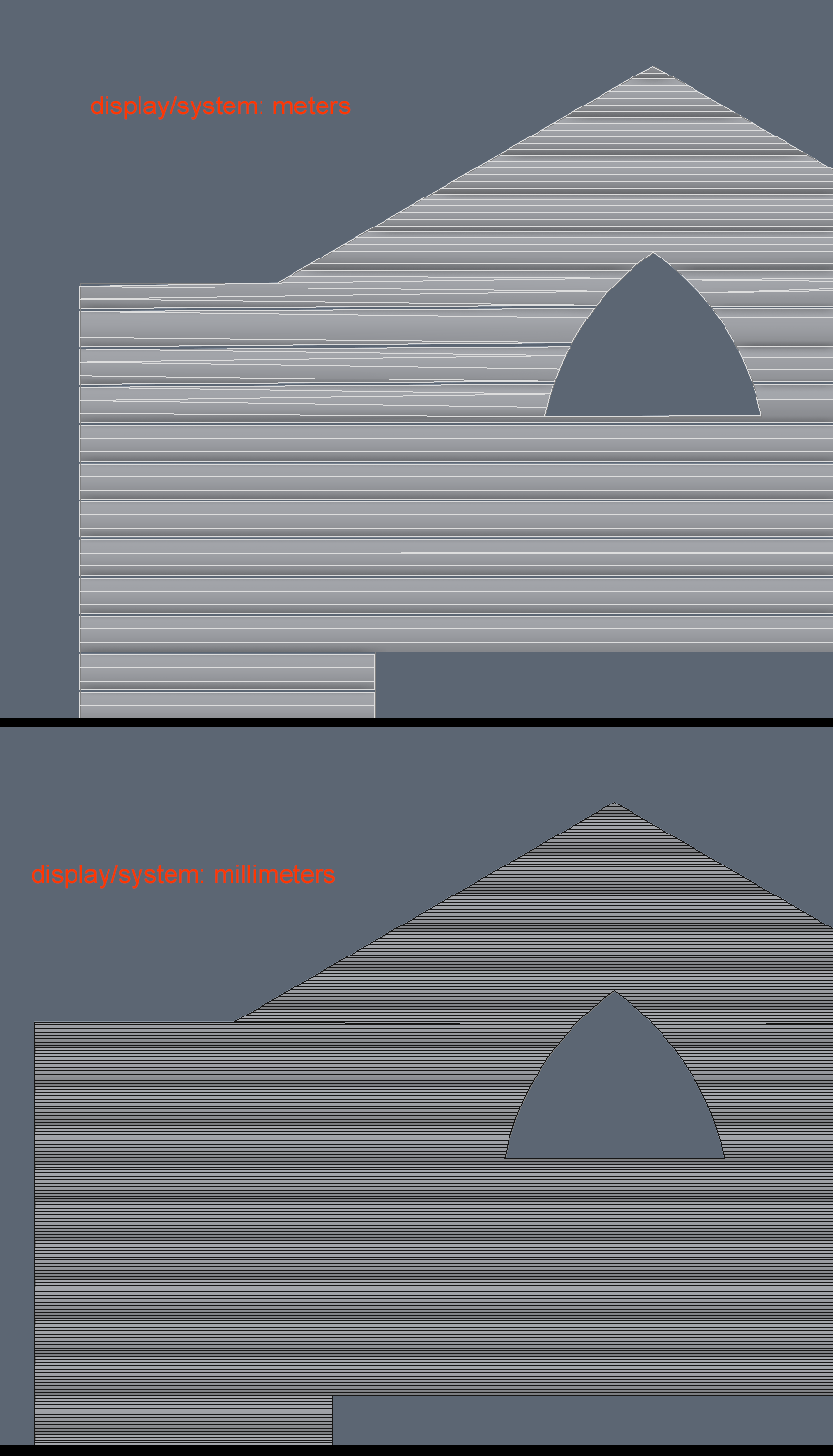
here is same object i, but created in different scenes which units are meters and millimeters. i work only with exteriors and my units are meters, but ATiles object kind of welding vertex or something when region shape is aplied. is it bug or i need work in millimeters only?
unexpected weld
atanasbak · 2012-08-22
Does this happens when you set "Define Region" option to "None" ?
This may be a result of Max accuracy when calculating boolean operation with very small objects.
You can sand me this object to check it for errors at tools@avizstudio.com
ozgurtar · 2012-05-05
It's a great tool, thanks very much.
curmeiste · 2012-03-05
Thank you for your wonderful work on this script
It is not work! Please help me.
maxlee · 2011-09-10
Hello!My system is win7 64bit and 3ds max2010 64bit ,I was running the script,but there was nothing happened!
titane357 · 2011-09-10
running the script add a new category in the geometry rollout : Avizstudiotool and macros to run the script. Best is to put .mse in startup script folder.
Macros are in the "populate" category.
Wonderfull script !!!!!
Thanks!
maxlee · 2011-09-13
Thank you for your help!I got it!
GREAT SCRIPT
 no1nja · 2011-09-09
Just wanted 2 say dis is one of best scripts i've come across
very useful
hewotar · 2011-05-29
its great
Scale XYZ
atanasbak · 2011-05-20
Yes, independent scale of sub object could be useful.
I'll try to add more options in next version.
Units Setup and Brick Dimensions.
shopkeeper · 2011-04-27
Great scripts! There are a couple of things I am having problems with:
1) The size of the bricks seem to be 250mm x 65mm. I appreciate that this is the standard for Russian brick dimensions but in England the standard size is 215mm x 65mm. Quite a large difference. This can make accurate modelling difficult and buildings don't quite look correct with the different proportions.
Is there or will there be a way to customise brick dimensions, since standards vary around the world?
2)I model with my System Units in millimeters (mm)and Display Unit Scale in millimeters for acurracy but when using ATiles with these units setup the bricks are very small?
Is this a problem with my units setup or is there a work-a-round?
To shopkeeper
atanasbak · 2011-04-28
You can create custom bricks for a couple of seconds:
1. Create standard 3ds max Box. Set the Length,Width and Height (In your case Width=215mm and Height=65mm).
2. Create new ATiles object. Press [Pick Custom Object...] button. Select the box that you've created in previous step.
3. Adjust Offset X, Offset Y and Offset R.
Built in elements (Bricks,Roof Tiles ...) in the script are just examples.
It is possible to scale them in Advanced Parameters -> Scale Element and Scale Offset (for best result use the same value for both).
The best work-a-round is to model a custom object with the dimensions and in the units you use. This way you have full control over dimensions, material IDs and texture coordinates.
shopkeeper · 2011-05-15
Thank you!
Didn't realise the custom option could also be used for bricks. But its a shame that we lose the full functionality of the built in BrickWall1 and BrickWall2 presets because the custom options loses the 'back' wall of these presets and we are left with 'slits' where the brick mortars would be.
Also the Scale Elements option effects all axis. What would be great is the ability to independently scale X, Y, and Z so the preset bricks don't uniformally scale. (Unless this is possible and i'm doing something wrong!)
But still, despite these limitations this script is a HUGE time saver. I hope more brick presets can be added in a future release.
Oblique
martijne · 2011-03-10
Hello,
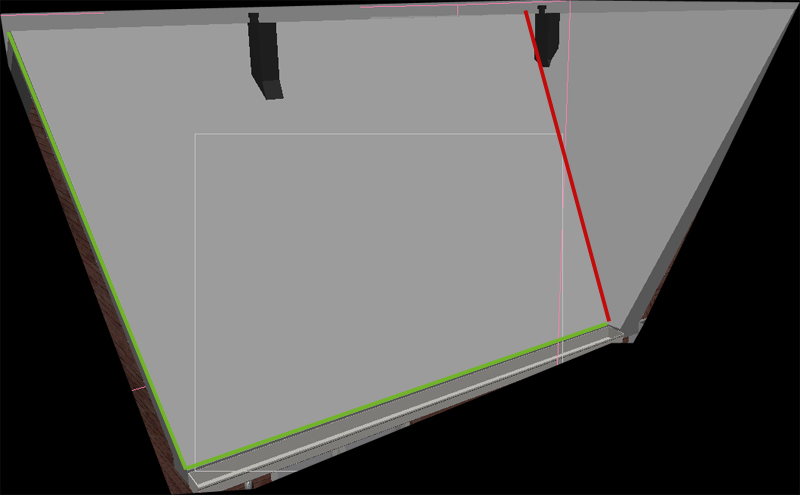
Thanks for the script! But how can I get the roof Oblique as in the video? In the attachment you can see what I mean. The green lines I can get but the red line not.
Thanks a lot,
Martijn
To Martijn
atanasbak · 2011-03-11
Enter values for "Cut Start" and "Cut End" bigger then 90 degrees to get the red line from your example. You have to enter those values manual depending on the roof. If left and right object in your example have the same angle then for the object on the left you have to enter "Cut End" = 135 and for the object on the right you have to enter "Cut Start" = 135
Hi Does it work on 3dsmax
Rollo · 2011-02-22
ok it works!! :)
Thank you very very much!!
cecofuli · 2011-02-10
Hi, my fault. It's the new "point cloud" option in the VRayProxy :) If you change near zero, all will be ok :)
Proxy Screenshot
cecofuli · 2011-02-09
In attachment the problem :)
To cecofuli
atanasbak · 2011-02-09
ATiles object is very similar to Standard and Extended primitives in 3ds max.
Try to convert ATiles objects to Editable Mesh first and then export as VRay mesh.
I export couple of ATiles objects directly to VRay Proxy and the render was fine.
Huge problem with RoofTiles and VRayProxy
cecofuli · 2011-02-09
Hi atanasbak
very nice script. But, if you convert your ATile Rooftiles in a VRayProxy, the Proxy rendering is not correct. I think the ATiles rooftiles geometry is not compatible with the VRayProxy. It's possible to fix this problem?
problems....
Phokka · 2011-02-07
Do not run the script. I start it and nothing happens any idea?
3d max 2011 x64
To Phokka
atanasbak · 2011-02-09
When you run the script noting happens because 3ds Max only load it to the memory.
To create ATiles object go to Crate tab (where you crate box, sphere ...) > from drop-down menu select Avizstudio Tools > select [ATiles] button
AWSOME!!
Insania360 · 2011-01-27
Damn man, i registred to this site just so i can say thanks for this time saver!! Its truly a god send for the tedious work you would have to do without it. So Thank you very much for this, i cant say it enough, realy awsome script mate!
peace
Wow! What a time-saver!
 artrager · 2011-01-23
This tool is exactly what I needed to for various architectural modeling tasks. The first time using it was a breeze. I'm sure I will use it all the time now. Thanks a million!
Eli Robinson · 2011-01-16
Fantastic Script!
curmeiste · 2010-12-10
thanks for this update
2nd row
k2000 · 2010-12-08
Hi mate!
The script is really great!!! Thx
Could you please add options for 2nd row (to make like running bond type brick/tiles) - then it would be absolutely perfect.
Regards!
atanasbak · 2010-10-28
Thanks to all for great comments and suggestions...
New version coming soon.
Shift Line Improvement please
appius · 2010-10-15
nice script, but a a line shifting option would be appreciated in the custom object parameters. It would be useful to set some shifted lines of roof tiles. (flat custom tiles)
atanasbak · 2010-09-13
While piking third point hold Alt + 3D snap.
Hold Shift if you want tilt angle to be zero.
Script_Butler · 2010-09-14
Perfect.
Thank-you very much!
Script_Butler · 2010-09-13
Excellent script.
I can't make the tiles automatically align to a roof. I've tried various snap combinations but they always be created flat.
How, in your video, are you doing that? What kind of snaps to you have turned on? It looks like vertex, but i cant see whether 2, 2.5 or 3D. I've tried them all anyway to be honest and none work.
Cheers.
pifitas · 2010-09-03
Thank you very usefull script!!!
I have one suggestion:
-Add option to specify size of elements (box, roftiles, paving tiles, etc) as well offset between them please? for example: make a glass wall and specify 1.20 x 2.40 x .01 mts elements, with a separation .01 m each.
 Kstudio · 2010-08-30
Very useful and simple for use script.
Thanks !
atanasbak · 2010-07-22
To ivobakker:
I don't work with Maya, may be someone can write something similar it's simply coping an object multiple times.
To wicq08:
Hi, script get slower when you increase the count of tiled elements.
Here how to increase the speed when you create or tweak your ATiles:
-Try working with "Plane" until you are ready and then switch to object you want to use.
-Use your object but set "CountX" to 3 or 4 and when ready set it back to zero.
-Use your object but in "Advanced Parameters" set "Scale Offset" to 10 or 20 and when ready set it back to 1.0
wicq08 · 2010-07-21
HI, well I achieved what I was trying to achieve. which is to put paveing2 in a very large spline-shape weird floor. it is very tricky but it can be done. thank you for this amazing plugin
wicq08 · 2010-07-21
Hi, amazing plugin, but I think you should add a size spinner to make the geometry tile bigger since when creating a large floor it has too many boxes and is imposible to increase the size of the boxes to make this works, it takes too much for the samll size of every box. and when chossing paviment 1 or 2 is imposible to work . there is no resize the floor pattern. im not talking about the whole geometry, im talking about the pattern. it is so little taht makes the computer very slow(intel quad 4 gigas ram) it is imposible to work.
 48design · 2010-07-21
WOW!
That's great, that's amazing!
Thank you for giving us this for free!
ivobakker · 2010-07-20
This is really great!
But...i work with Maya.
Is it possible to port this script to Maya ?
fajar · 2010-07-20
many thank
fajar · 2010-07-19
Cool ...awsome...well.... I want to said that this is very excellent script, no comment @ all
Congratulation, I give you 2 points for this......
Thank very much for this plugins
Waxmodeler · 2010-07-19
Excellent Tool.
It works great in Max 8 and I am looking to add this to one of frequent tools to use.
Very Cool.
Thanks for This!
 kilad · 2010-07-19
Pretty cool!
Thanks for sharing