ATree3D is simple to use 3D plants generator for architectural visualizations. With this script for 3ds max you can create trees, bushes, flowers and grass. You can use it for low or high polygon models with precise control of the level of details on each sub-element. Script works inside of the 3ds max viewport and show instant preview of your changes.
If you like this script please share your plants and trees(.at3d files) with the community.
Additional Info
New in version 3.10
Overall speed optimizations.
Fix for sections noise function.
DefaultOpen&Savebutton behavior has been simplified. From now on to access the advanced open and save options you’ll need to hold Ctrl key and click on the corresponding button.
NewSMulparameter for 1&2 sides trunks and branches in Level Parameters roll-out.
NewInvert Volume Selectionoption in Advanced Parameters roll-out.
NewRadius Constraintparameters in Advanced Parameters roll-out.
NewLevel Defaultsparameters in Advanced Parameters roll-out.
A lot of new options, optimization and UI improvements.
New in version 1.20:
Option to set UV map tile for branches and trunks. (Thanks to YANN for original idea)
Option to set volume for the tree branches.
New in version 1.12:
Fix open and save trees (*.at3d files) in 3ds Max 2013.
Fix pick new mesh function for leaves. Now the start point of the new leaves is at the same position as the pivot of the original object.
New in version 1.11:
New macro script to modify selected ATree3D object with keyboard shortcut or toolbar button.
When painting new trunks or branches, the name of the selected level does not change.
New in version 1.10:
Change the orientation of branches and leaves relative to parent or world.
Multiply branches and leaves count.
All leaves and branches now can be generated in spiral shape.
Leaves support more than one UVW map channels.
Paint with mouse the shape of trunks and branches.
New in version 1.00:
Load & Save files.
Load last used settings.
Bug fixes.
New in version 0.25:
Speed improvements.
Now you can modify already created models.
New download page with more information about the script.
How to install:
Download, extract and install the latest version.
Restart 3ds Max.
To add a keyboard shortcut or toolbar button go to 3ds Max menu, select: Customize > Customize User Interface... > in "Keyboard" or "Toolbar" tab select Group: Main UI and Category: AvizStudioTools. Assign keyboard shortcut to "AvizStudioTools - ATree3D" from "Keyboard" tab or from "Toolbar" tab drag and drop "AvizStudioTools - ATree3D" to a new or existing toolbar to create UI button for the script (for Windows 7 or Vista you may need to run 3ds max as administrator).
Is the leaf an alpha image?
I want mesh leaves that do not use alpha
Alpha image
atanasbak · 2019-02-12
You can use meshes with or without alpha image. All the leaves in the included examples are only meshes without maps for the alpha channel.
Aaksmfakt132 · 2019-02-12
Is the leaf an alpha image?
I want mesh leaves that do not use alpha
Great Script
Nevil · 2013-04-26
thank you for sharing this
SScript_Butler · 2013-04-24
A great script I'm just dipping in to.
Would it be possible for some Vray support? I'd love to be able to pick a vray proxy for the leaves. ;-)
Great script - encoutering a few issues
Aarieas · 2013-01-15
I really like the script, not used it too much, but messed around with it, and will be definitely be using it to make trees for game usage, which this is perfect for with its options, actually looking forward to building up a tree database much faster than my previous attempts.
I have only held off using it much so far, as I am having a number of issues which make it unusable or tedious to use for anything intensive.
Using max 2010, 64bit. After some editing, closing edit mode, and building, going back to editing, I encounter the Maxscript garbage collection error, only indicating an error occurred while max was performing garbage collection.
With that, an error box with a code like x112.02.0059 (not sure if it is different on each occasion), and the options to 'try to recover and restart script' and 'close script'.
Hitting the recover option, turns up a Maxscript rollout handler exception, 'Type Error: Call needs function or class, got; undefined'
Close script works, and I can edit again, but it'll pop-up again when editing.
Sometimes, it causes 3dsmax to freeze, in turn making the whole system lock up for a minute.
Two other issues I am having is my undo levels, are erased when using the script and the errors occur, and when moving anything in the scene, even in subobject mode, they move right off centre from the actual cursor position. (Edit: this has been mentioned before, pretty much, when I move, scale etc, it does it in huge steps)
Not sure if its my copy of max, some settings conflicting.
I am very much interested in using the script a lot in future, as its pretty much what I have needed, easy tree creation, but directly in max.
few issues
atanasbak · 2013-01-15
Hi arieas,
Thanks for the feedback.
Every now and then I get similar to the first error that you describe usually on a 32-bit system with big tree. I believe it is memory related. If you can send me your tree I'll check it for errors.
Two things that you can try:
- Go to Customize -> Preferences... -> Max Script -> Memory - set it to 50MB or more.
- When possible work in "Speed edit" mode ([s] button in edit filters).
I'll check the undo system, script should not clear the undo levels but it happens.
The last problem - I don't know what causing it but the only solution is to restart max.
Stunningly!
3D_Animator · 2012-11-29
Simple, and with great options.
Thank you very much!
Leafs dont orient to parent if its the trunk
PPhilip999 · 2012-07-31
Hi
This script is awesome! However, I have a bit of an issue. Leafs that I assign to the trunk, don't take on the orientation of the trunk like they can do with the branches. Not sure if I'm doing something wrong here but its working on my branches. (see attached) I would like them to go evenly around the trunk, like they are on my branches.
I should perhaps also mention that they do go evenly around if the trunk is upright, but as I want it to go parallel to the ground it not working.
Hi Phil,
The orientation of the truck is always align with the world XYZ axis. This is the reason way orientation of the leaves looks wrong in your example.
For plants like this I suggest to uncheck Built [T] filter, set simple straight line for the trunk and make the shape of the first level branches like your current trunk.
See the attached image.
Hi atanasbak:)
Thank You for fast answer:)
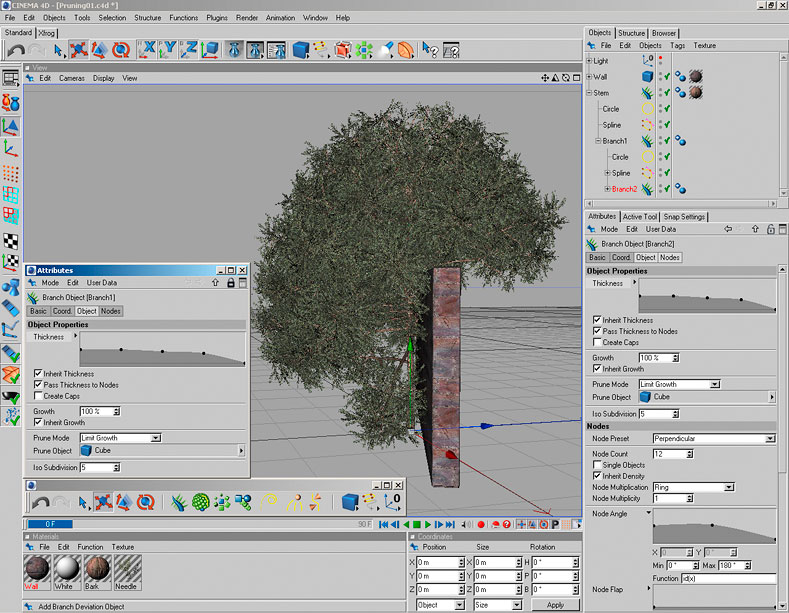
I don't want to force myself upon You...It's rather my dream or little proposal:) but maybe in next few months (maybe some new year 2013 update? :) ) is possible to add very advanced function to pruning trees? I suppose that is very hard to do that:( But time to time some trees are staying very,very close to wall or fences...maybe is possible to add option (in some next months) to PICK OBJECT (some simple box or other simple mesh) and give a script info where branches should be added to the trunk (and option for some percentage of margins how strong pruning should be - script should use 100% volume of picked object or less).
Thank You in advance! I'm still so impressed that so complicated stuff is released fo free:)
Christopher Czerwinski
Is possible to add this feature?
HHris · 2012-07-04
First - Thank You very much for every second of Your work to create this script:) i made with ATree3D many,many trees (shared via http://3dtreexchange.net/).
If it's possible - can you add ONE option for leaves? I try to describe it:
In most often situation i'm trying to use only one level of LEAVES. But i'm using a multimaterials for them. And in situation when i have one level of leave and multimaterial - i can assign some material for example from number 3 to 6 as a LEAVE materials. But is possible to add one options to put some percentage chooice - if i want assign submaterial Nr.03 to 30% of leaves, Nr.04 to 50% fo leaves and submaterial Nr.06 to 10% of leaves. Maybe in future You'll find some piece of time for many other new features:)
Thank You very much for Your hard work.
Christopher Czerwinski
atanasbak · 2012-07-05
Hi Hris,
Thanks for you feedback.
I'll see what can be done for percentage of each material ID :)
is it possible to create them wind-friendly?
crystal3d · 2012-05-18
i mean, like a rigged tree?
atanasbak · 2012-05-18
Not for now.
In my tests with 30-40k separate max objects script and max viewport get really slow.
atanasbak · 2012-03-18
New video: Low Poly Tree with ATree3D - 200 polygons
Tthemaxxer · 2011-07-01
I have a problem with one of my trees in fact with the uvw coordinates when I built it. in preview it's ok, but if I click "build" then it messes up, but only on the first level of branches, the others are ok.
Does this happen to all trees or only this one?
if you send me the tree in .at3d file I'll check for this error.
Tthemaxxer · 2011-06-25
what if I want to use a complex mesh as leave where I have a twig and a lot of needles and the script overwrites the matID's? is there a way to keep the matID of the custom leaves? or does the script always overwrite them?
if so it would be nice to have a option to keep existing ID's.
thanks a lot for your effort.
best regards
themaxxer
atanasbak · 2011-06-25
Yes you can keep existing ID's - just enter zeros for "MatID From-to" values.
Mmjbg · 2011-06-25
Thank you very much
i guess i havent tried changing the orientation of the leaf shape
To mjbg
atanasbak · 2011-06-25
You can download from here file "Plants_LeavesABCD.zip" and load it into the script. You can see your 4 examples and the setting that I would use if I have to build that kind of leaves. Hope this helps.
leaf arrangements
atanasbak · 2011-06-24
To use A and C type of leaves you can build group of five leaves as single mesh and then use it as "leaves level mesh" in the script.
Mmjbg · 2011-06-24
sorry, i couldnt figure out how to do it. I tried it almost every way possible.
at this moment i can only create the B option.. and A option if using only the trunk.. it would be great if i could use the A and C arrangements in branches also.. lots of bushes have this kinds of leaf arrangement
Mmjbg · 2011-06-23
i dont belive it's windows, since i tested it on 4 different machines using windows 7, vista and xp.
could it be unit related? i'm using metric-centimeters
1 unit = 2,54 centimeters.
or maybe max version. haven't tried other versions but i belive it can be a max bug in scripts. noticed this "bug" on some other script. maybe the mouse tool?
atanasbak · 2011-06-23
I tried using different units but still no errors in my system.
If you start the script and build some trees without modifying them do you get this "bug"?
Can you try on clean max install without any additional plugins or scripts?
Mmjbg · 2011-06-23
i will try on different max versions.
i have used it only on max 9 sp2.. 32 and 64 bits.. the only plugin installed is vray.
but dont bother with it.. if nobody else is getting this bug it's probably something with my max
To themaxxer:It will be
atanasbak · 2011-06-23
To themaxxer: It will be difficult to add such functionality and I think script will be too slow to work with. In such cases I use Vol.Select>Select By Mesh Object on final editable mesh of the trees.
To mjbg: Yes I understand exactly what you mean. I get exactly the same error from time to time but not when I'm using this script. Usually it happens when I move object and for some reason mouse cursor jump from one end of the screen to the other. The only thing that fix it is to restart 3ds max. Unfortunately I could not manage to reproduce on purpose this behavior with or without running the script. For now I don't know if this is Windows, 3ds max or script related.
Tthemaxxer · 2011-06-25
I thought it is to diffucult. :)
but I am a fan of automated things like growIVY from guruware and cebas xFrog for cinema (which I haven't tried, because I love max)
you guys did a very good job with this script and it's as simple as iPhone. :)
best regards
themaxxer
Tthemaxxer · 2011-06-22
really a great script! congrats
would it be possible to implement a collision detection? I think it would be great because you can then make trees that interact with objects for example a tree grows near a wall and no branches are generated where the wall object is located. I was inspired from xfrog for cinema4D... http://www.3dpowerstore.de/images/Software/xfrog/xfrog_03.jpg
best regards
themaxxer
Mmjbg · 2011-06-21
i dont speak english very well but i will try to explain
after i build the tree, the commands move/rotate/scale start to act exponentially..
on move tool its like every pixel i move the mouse it multiplies the value it should move instead of adding.. so if i move the mouse to the right 10 pixels, the object move like 100 pixels.. if i move 20 pixels the object moves 1000.. and so on
the same with scale and rotate..
i hope you understand what i am trying to say
BTW.. thanks for this awesome script
ps. i´m using max 9 sp2
Mmjbg · 2011-06-07
best script ever!! i use it almost daily..
but theres one thing.. i dont know why but it mess with the move command after i use it.. so i have to save and then close and reopen max before i continue working..
To mjbg
atanasbak · 2011-06-21
Script do not use move command or tool and I never experience such a problem. If you describe it with more details I'll try to find if it's related with the script.
Ttestout · 2011-04-05
cool script i used it without any problems i hope to be able to save my own tree data to reused it in future
and thanks for this is nice script
Tthemaxxer · 2011-04-04
hm, thank you a lot, but it doesn't work!
I can't even download the zip file...
what's going on here? I have also tried with other browsers.
would you upload it to another server, like rapidshare, or you could e-mail it: info[at]pixelschmiede.ch
thanks in advance.
best regards
themaxxer
site offline
Tthemaxxer · 2011-04-02
why is your site offline? I can^t download it!
please re-up it.
thanks in advance
best regards
themaxxer
atanasbak · 2011-04-03
Site is up and running.
Try F5 or reload the page if you get this massage again.
z0mbie · 2011-04-01
error ,still my system language is chinese thank you a loooooot
To z0mbie
atanasbak · 2011-04-04
May be it's your system language. Try this version:
The 2.5 x versions can be installed to my system is perfect
It can be very intuitive and easy to adjust trunk form
I'm testing
atanasbak · 2011-03-30
Thanks to all for great comments!
To z0mbie:
Script should run fine in your system.
1. Download the latest version 0.25.
2. Extract the zip archive in new folder.
3. From max menu select MaxScript> Run Script ...> Run_ATree3D.mse (in the new folder)
Other then that I don't know what may cause this error.
z0mbie · 2011-03-30
-- Error occurred during fileIn in
-- Error occurred in anonymous codeblock; filename: D:\Program Files\Autodesk\3ds Max 2011\Scripts\AvizStudioTools_ATree3D.mse; position: 118419; line: 491
>> MAXScript FileIn Exception: -- Syntax error: at string, expected name
-- In line: <<
test in max 2011 x64 and max 9 x64
my system is windows xp sp2 64bit
:(
error
Michele71 · 2011-03-29
Yes, this plug is fantastic!!! Thanks
santex · 2011-03-28
this is the best tree/plant/flower generator i have ever seen. so easy to use.. seems the only limitation is my imagination :)
thank you so much !
Ccurmeiste · 2011-01-23
thanks a valuable scrip
New file to run script
atanasbak · 2011-01-23
To make it faster and easier to run ATree3D script I've added a new file "Run_ATree3D.mse" to the zip archive.
To solozar:
I guess modifying UI require administrator rights in Windows 7 and this is the reason for the first error. I can't be sure about this but you can always use the second file to start the script.
cool..
Nnonex · 2011-01-22
havnt try it yet...but looks cool and amazing..thanx
Ssolozar · 2011-01-21
When run through the button then MaxScript Listener message appears:
- Error occurred in anonymous codeblock; filename: C: \ Users \ ********* \ AppData \ Local \ Autodesk \ 3dsMax \ 2011 - 64bit \ enu \ UI \ usermacros \ AvizStudioTools-ATree3D.mcr; position : 161; line: 7
- Frame:
- RunATree3D: undefined
>> MAXScript MacroScript Error Exception: - Type error: Call needs function or class, got: undefined <<
But if I run acrossRunATree3D.mse, then everything works fine. In MaxScript Listener wrote:
"ATree3D loading ..."
"ATree3D loading ... done."
"ATree3D started."
Thanks for the script and for their support.
Ssolozar · 2011-01-21
I run the script manually. Added a button in the menu. And when trying to run its drop an error.
Call function or class, got: undefined
Hi solozar
atanasbak · 2011-01-21
I get this error only when the script was not started.
Download this file RunATree3D.zip and extract it to the same folder with "AvizStudioTools_ATree3D.mse". From max script menu select: MaxScript> Run Script ...> RunATree3D.mse.
Let me know if you get any errors in MaxScript Listener (F11 or MaxScript>MaxScript Listener ...)
Ssolozar · 2011-01-20
I can not start. Displays a message:
Tipe erroe: Call function or class, got: undefined
and
macroScript ATree3D
category:"AvizStudioTools"
internalcategory:"AvizStudioTools"
tooltip:"AvizStudioTools - ATree3D"
buttontext:"ATree3D"
(
RunATree3D ()
)
win7/64 - max 2011
Run script first
atanasbak · 2011-01-20
If you run script manual you have to run it again with every new 3ds max session.
If you want to load script automatically, copy the content of the archive in the 3ds Max root folder\scripts\startup\
Budi G · 2010-11-17
cool script, awesome.
Michele71 · 2010-11-14
Thank you! Great script :)
atanasbak · 2010-11-14
New video on how to create flowers and groups of flowers with ATree3D.
WWaxmodeler · 2010-09-21
Very Nice Script. Is Versatile and Saves a lot of Time for Custom Vegetation
Works Great in Max V.8
atanasbak · 2010-09-20
For some people script work with 64-bit version of 3ds max and for others did not. Let me know what errors you are getting and I'll try to fix it.
To Insanto:
Image should load properly on this page.
Graph · 2010-09-20
fyi your demo image doesn't work/show
when trying to access it directly i got
Forbidden
You don't have permission to access /tools/ATree3D_demo.jpg on this server.

Additionally, a 404 Not Found error was encountered while trying to use an ErrorDocument to handle the request.
and i gotta say it's looking damn good (the tool that is)
tried growing digital trees myself and didnt come out quite that nice, congrats
z0mbie · 2010-09-20
I can‘t use it
my system is win 64bit
max9 64bit and max2011 64bit
br0t · 2010-09-19
without having tried it yet, thank you for sharing!!
superrune · 2010-09-15
This looks amazing, very impressive work!
Ffajar · 2010-09-15
Hooooo hoooooo....thank again , excelent tool again from aviz .....
thank
tiagodmed · 2010-09-14
I'm here applauding my monitor! Simply stunning!
Congratulations, your script is awesome.
 By atanasbak · 2010-09-12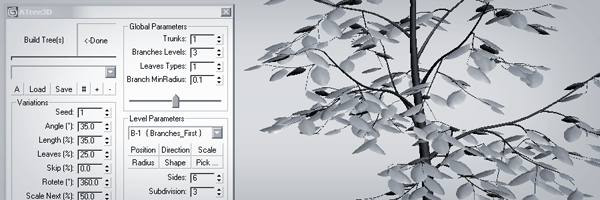
 Nevil · 2013-04-26
 3D_Animator · 2012-11-29
 crystal3d · 2012-05-18
 z0mbie · 2011-04-01
 Michele71 · 2011-03-29
 santex · 2011-03-28
 Budi G · 2010-11-17
 Graph · 2010-09-20
 br0t · 2010-09-19
 superrune · 2010-09-15
 tiagodmed · 2010-09-14
 Francisco Hermida · 2010-09-13