3ds Max | Scripts

Kitbasher 3dsMax

9 votes

antiNURBS chamfer

6 votes

Usefull tool for antiNURBS modeling technique.

It can chamfer whenever other vertices or edges on the way, the script will eat them all and you'll nice and clean regular geometry along the edge.

For evaluation of the script you'll need to:

1. Select ONLY ONE edge loop of one EditablePoly object. When you've done, run the script and adjust a radius of a chamfer.

2.Then press OK and get the result.

Stretchy IK Chain

7 votes

This script will convert a bone chain into a stretchable IK chain, in either squash or scale mode. Just double click the first bone of the chain and run the script.

The macroscript will be under the "Toke Scripts" category.

AttachToSurface

1 vote

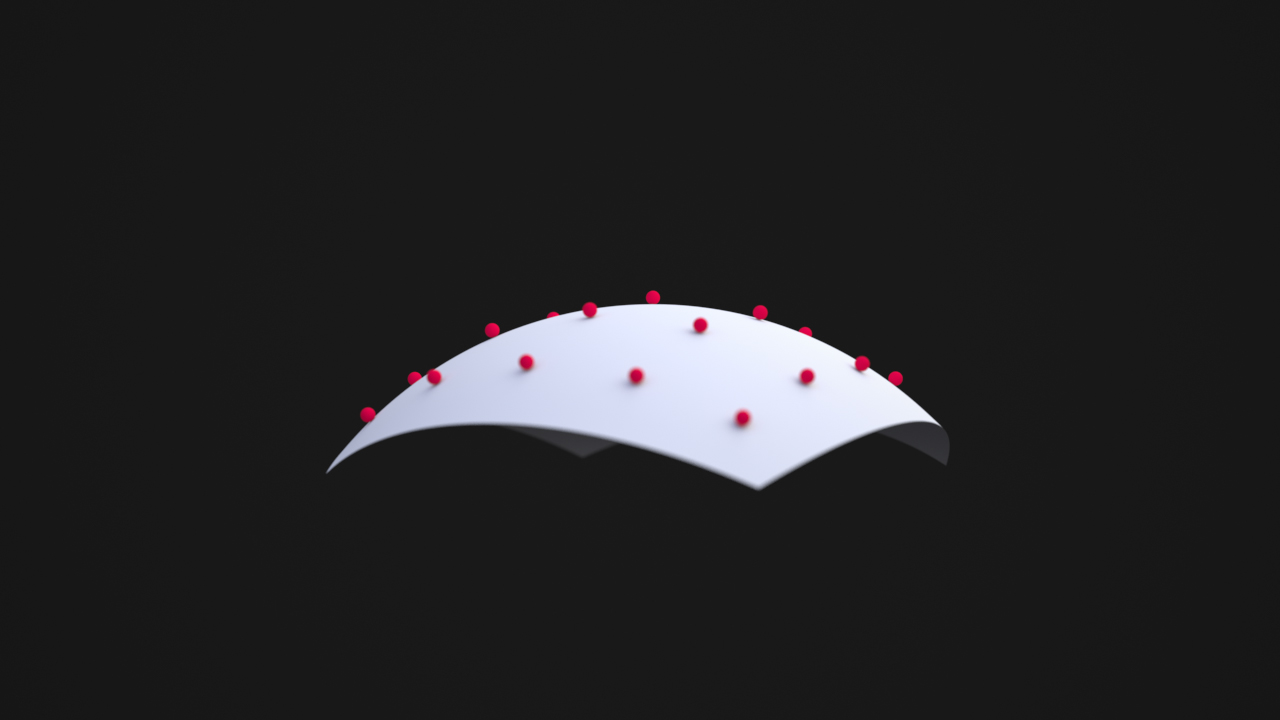
The macroscript will attach the objects from the list to the nearest point on the surface of the picked object.

P_TexturePathManager

6 votes


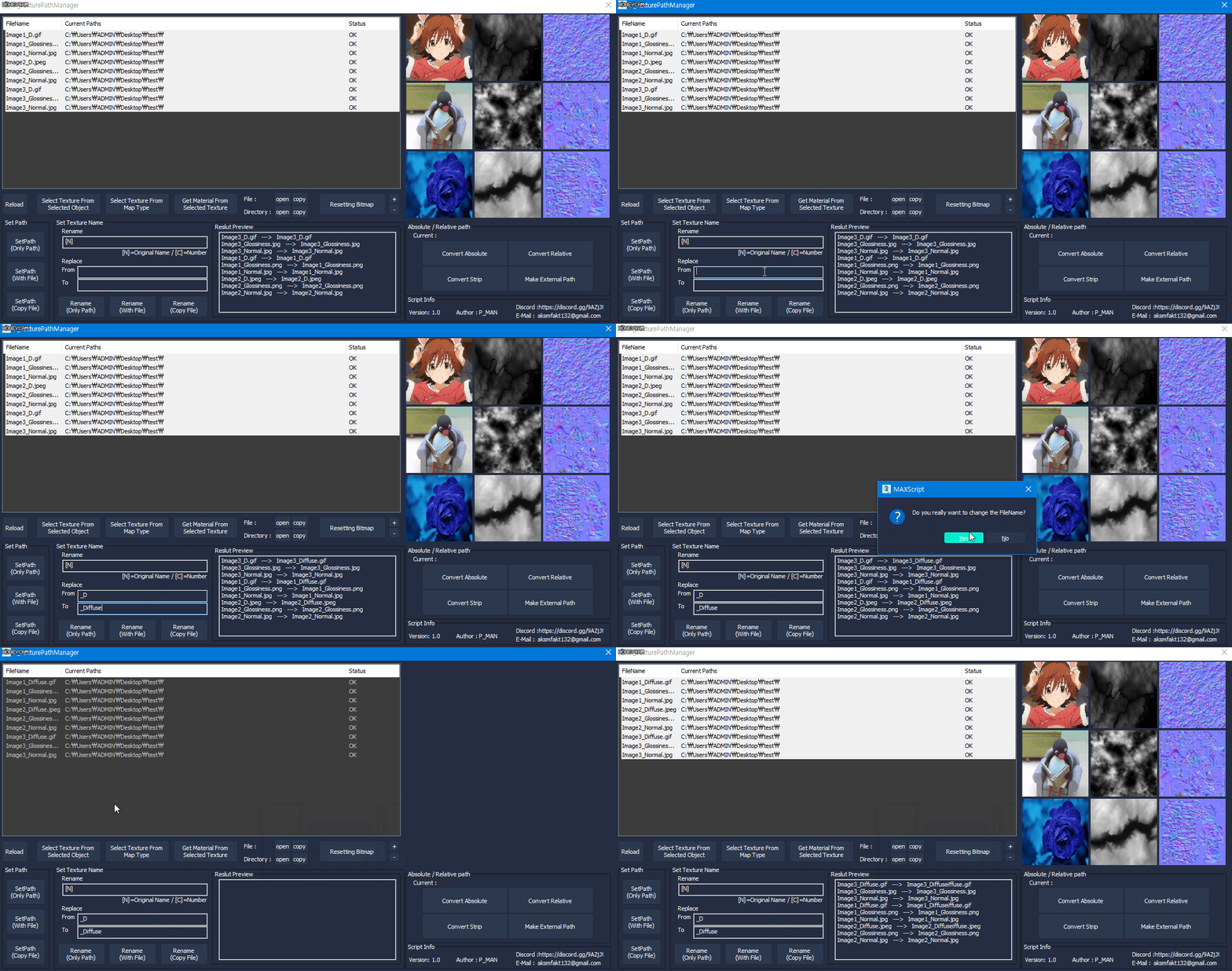
P_TexturePathManager is a script that manages the texture path.
The basic functionality is similar to Asset Tracking, but provides some distinctive features.

- Texture Preview
- Texture selection from map type (ex: Normal map texture Select etc.)
- Select material From texture
- Set multiple file paths (path only / with file / copy file)

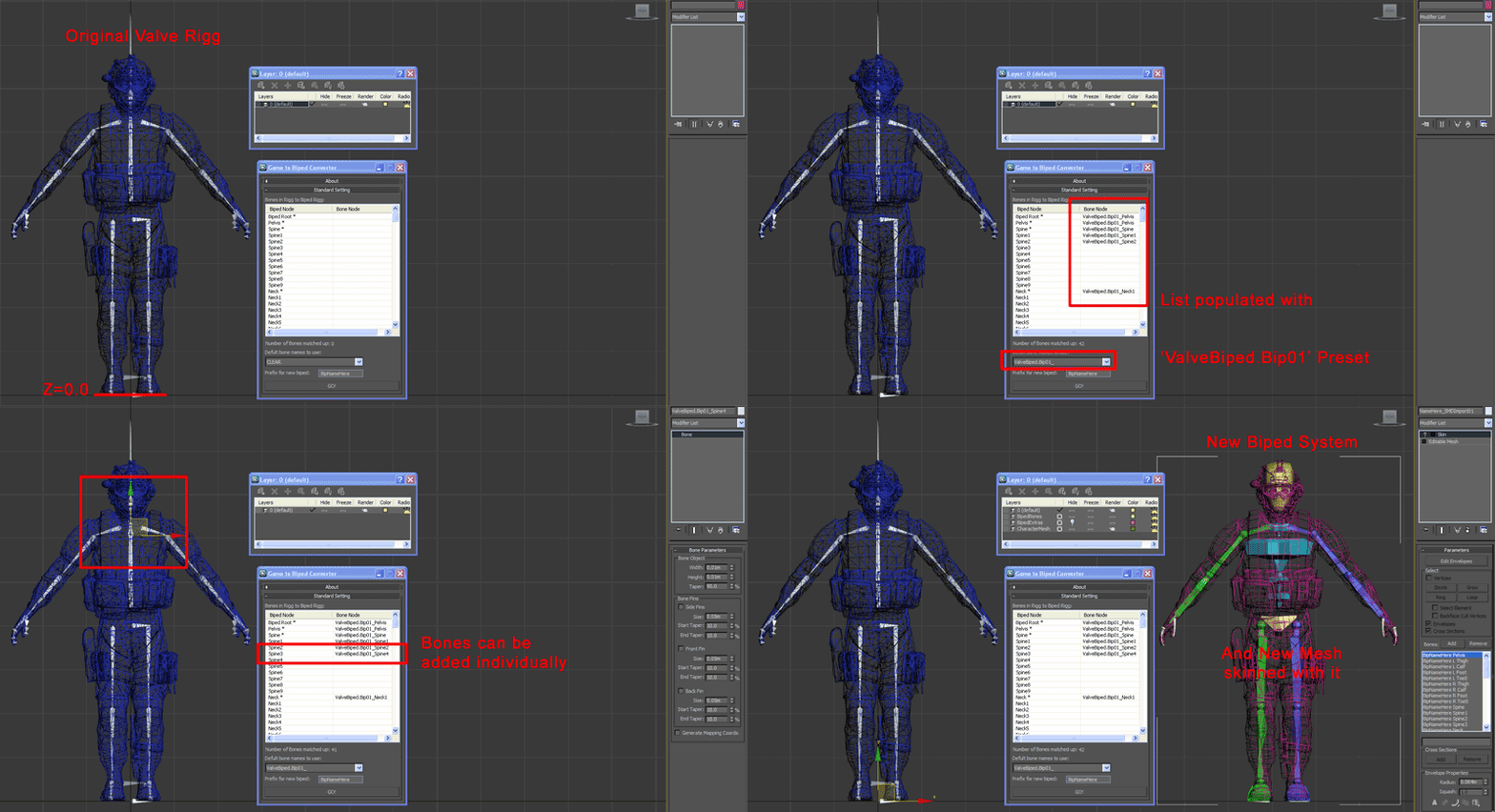
Game Rigg to Character Studio Biped

14 votes

gametobiped1


<removed>

1 vote

retail shops generator

7 votes

I am working now over a complex tool to create retail shops from shop front line. Just draw a line of shopping gallery and create out of it a random retail shops with one click. it creates one shop on one spline segment, randomizes inshop light texture and shopfront textures.

Select objects by wirecolor

0 votes

A macroscript tool for selecting objects based on their wireframe color. This macro needs to be loaded as a quad menu item. Unzip the macro and place it in your macroscripts folder (typically: C:\Program Files\Autodesk\3ds Max XXXX\UI\MacroScripts). You'll find the macro under "DAS Tools" when you go to "Customize\Customize User Interface\Quads\Category: All Commands". The macro is called "Select By Color". Place the macro in any right-click quad. If you are not familiar with loading macroscripts see the max help regarding Customizing the User Interface.

Purge Unused Materials

2 votes

A simple macroscript to delete all unused materials from the Compact Editor Material Slots AND the Slate Material Editor Views.
The Compact Editor Code is from the existing Macro found under the Compact Material Editor "Utilities" menu.
I have added the code to also purge the SME at the same time.

You might want to check out the "Purge Empty Layers" macroscript as well. There are some awesome scene management tools out there but these are both small, simple tools without a lot of overhead for doing a little housekeeping before saving your file.

Syndicate content