
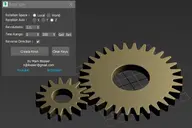


This is a fork of Jim Jagger's biped select tool, with some added functionality. The original script from Jim Jagger has not been updated for years, and is no longer available. It also relied on external maxscript files and icons scattered around varous folders.
This new version is fully self-contained, all icons and functions are embedded into a single maxscript.
USAGE:
LClick = select body part
RClick = select body part + children
CTL + LClick = add to selection
ALT + LClick = subtract from selection
Top row buttons allow various display options like hiding/displaying the biped, turning on box mode and x-ray mode.
Bottom row buttons are common keyframing tools like setting planted/sliding/free keys, deleting keys, etc.
Comments (0)
Comment policy