3ds Max | Scripts

Connect vertex selection to the last selected vertex

3 votes

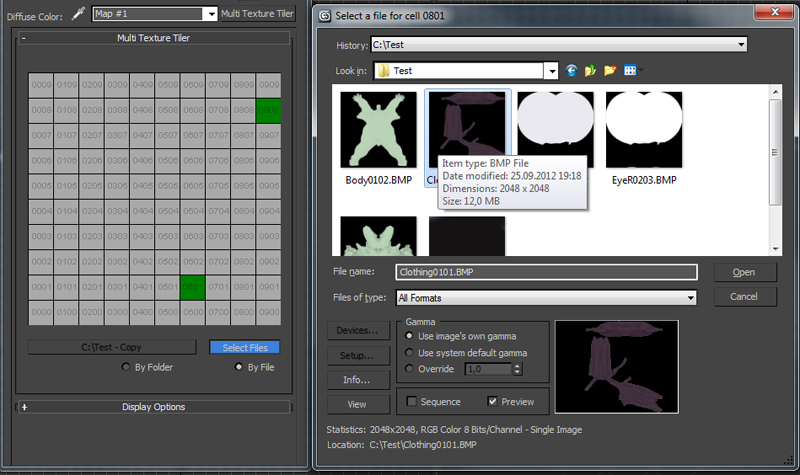
Multi Texture Tiler

4 votes

New version update: Possibility to use files without any prefix choosing them manually (thanks to Branko Živković for pushing me in that direction).


The Multi Texture Tiler (MTT) is a plugin for 3DS Max 2008 - 2013 to apply multiple textures to multiple UV-Tiles immediately.

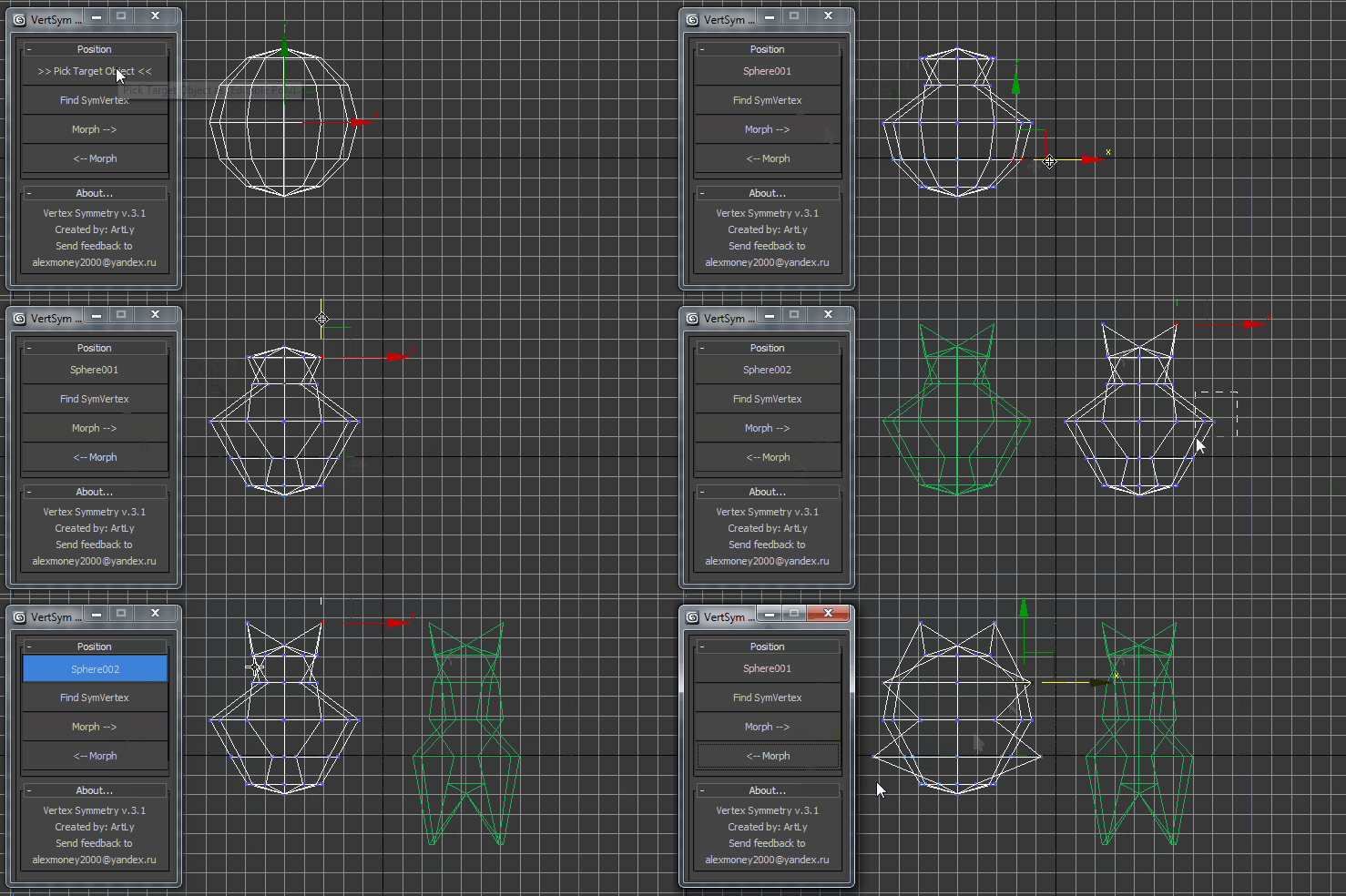
VertexSymmetry

12 votes

This script use for morpher symmetry + video Tutorial Transform move (Left to Right) (Right to Left) 

autoKeyon

3 votes

This script uses callbacks to turn Autokey on when Max starts up, loads a file, creates a new file, and resets a file. It also toggles Key Mode. I got tired of turning on autokey and key mode every single time I opened a file. I know that sounds like I'm lazy but after working with Maya I got used to my software package remembering my presets. It uses callbacks to turn autokey on and key mode.

Scripts for VrayProxy

39 votes

Export Mesh to VRayProxy with material.

Create VRayProxy with material.

Load VRayProxy Material.


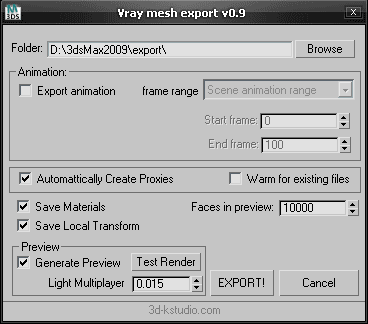
Vray mesh Export v0.9

  • Adds "Test Render" function.
  • Adds "Light Multiplayer".
  • Adds capability for saving settings the utility.

Fixes issue with loading materials


diaResizer-v10-FREE

12 votes

Open Source now :)
diaResizer-v10-FREE

ParticleshapeUpdate_Script

0 votes

It's a sample max file show how to use PF script update particle shape per frame.
sorry I don't know how to make it as a tool,
So,just open max file and see how it work.

only for 3dsmax 2011 upper.

3DS Max Multi/Sub-Object Material Browser Script

2 votes

When dealing with various bitmaps to be applied on multiple objects (i.e large video walls), this script comes really handy. The purpose is to scroll through the Multi/Sub-Object Material diffuse bitmaps and apply on one or several objects.

Change Log:
v0.9b :

  • Bug Fix.
  • Added icons and macroscript.
  • v0.9a :

  • SubObject Support.
  • Preview before applying.
  • Improved Code and functionality.
  • New features added.
  • LIDAR Loader

    4 votes

    This is a Simple LIDAR Loader.

    You must use a file with simple XYZ data on it (Usually a .txt)

    I do recommend not to import Large Point Clouds or it will crash...

    Options are pretty simple:
    -Load LIDAR file
    -Choose between Box, Triangle (Recommended) or Point Cloud
    -Choose the size of your points
    -You can collapse all the points in a single EditablePoly if you are using box or triangles (recommended for display speed)
    -Hey Ho!-->Press GO!


    FumeFX RGB Light Rig

    1 vote

    Since there is no way to export a Normals pass from FumeFX for re-lighting in comp, I set this up to set your Red, Green, and Blue lights to fake an RGB pass. It's pretty straight forward.

    Syndicate content