ScriptSpot

Script

Max2013 - StateSets to NetRender

By henriquemelo · Credited author: Henrique Melo · 2012-05-08

Version requirement
3ds Max 2013
Date updated
2012-05-08
Votes
2
Download
Download
Description

I was using 3ds Max 2013 and I realized that you cannot setup State Sets to send all StateSet to Backburner automatically, like in 3ds Max 2012 (with button "Net Render" at Render Setup), you must activate each StateSet by hand and send to Backburner. stupid, right?

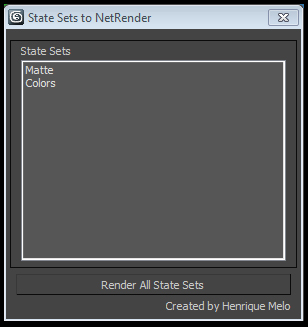
It’s a very basic script but works perfectly. This script load all StateSets into a listbox (except Objects StateSet). After you click at "Render All State Sets", it will do a loop inside StateSets to activate each StateSet and open NetRender Dialog.

You can also setup the script do render automatically to backburner using NetRender Manager (see NetRenderManager at MaxScript document).
Additional Info

You can download this script at: HMelo.com www.hmelo.com/downloads/script_3dsmax2013_stateset2netrender.rar Or Google Drive: https://docs.google.com/open?id=0B2Hi7z7BAHHvbjZEcEJKZmx1RFE
Attachments
Comments (3)

kachoudas · 2014-01-14

Hello Henrique

None of the above links seems to work. Is there a way to download the script ?

best
Jerome

mhdmhd · 2012-07-19

why this code results in an error(*system exception*) in 2013 but not in 2011 ?

Code:

render_m = NetRender.GetManager()
render_m.connect #manual "10.0.0.60"
if( render_m.QueryControl #wait ) do
( render_m.getcontrol() )
render_m.wantControl = true
render_m.SetUpdates false
job = render_m.newJob()
job.name = maxfilename
job.suspended = true
job.submit()
job.state
render_m.Lock false
render_m.wantControl = true
render_m.SetUpdates true
render_m.disconnect()

arooj799 · 2013-05-23

It is a very useful script.
spss help