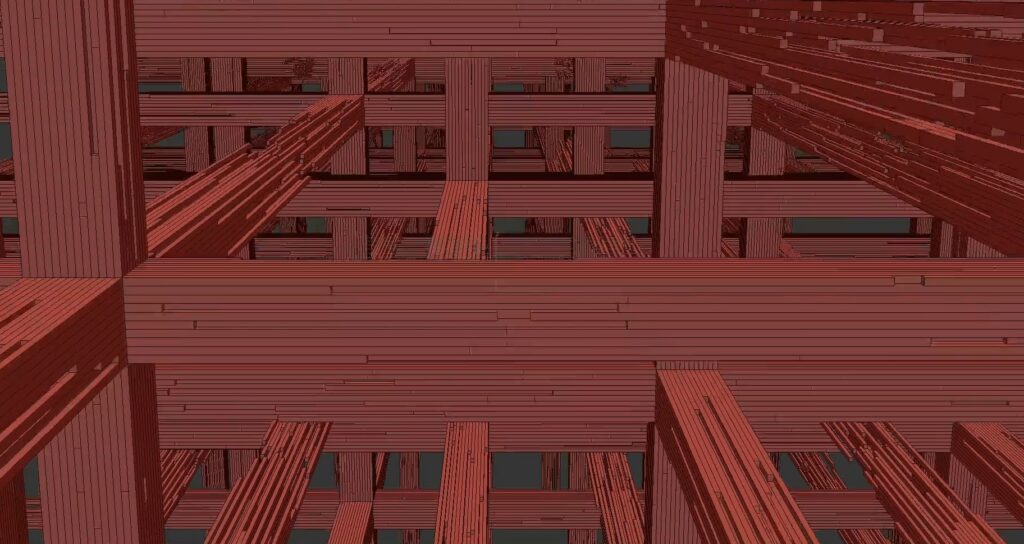
Random Extrude

1 vote
Version: 
2.0
Date Updated: 
05/20/2023
Author Name: 
ManniiCode

Random Extrude 2.0

What does it do?

This script randomly extrudes selected polygons of an Editable Poly object.


How to install:

  1. Simply just drag the InstallerDragnDrop.ms script to the viewport to install.
  2. Right-click on the toolbar > Customize…
  3. Choose the tab ‘Toolbars’
  4. In the Category: dropdown, select ‘ManniiCode’
  5. Drag the script to the toolbar where ever you want!


Random Extrude Script | Python | Maxscript | 3Ds Max | ModellingRandom Extrude Script | Python | Maxscript | 3Ds Max | ModellingRandom Extrude Script | Python | Maxscript | 3Ds Max | ModellingRandom Extrude Script | Python | Maxscript | 3Ds Max | Modelling

Version Requirement: 
2022.3+
Video URL: 

Comments

Comment viewing options

Select your preferred way to display the comments and click "Save settings" to activate your changes.
fajar's picture

hmm ...i wonder why must py ?

hmm ...i wonder why must py ? maxscript + c# or just maxscript is already powerfull on its own right ..i think.

compuhms's picture

Nice script

Could this be created as a scripted modifier ?

arch. Hazem Mamdouh
www.hm-studios.com

titane357's picture

Thank you for sharing the

Thank you for sharing the making off !!! :-) Very attractive !

Comment viewing options

Select your preferred way to display the comments and click "Save settings" to activate your changes.