Script
Render Node Monitor
 By togery · 2016-06-28
- Version
- LITE
- Date updated
- 2020-07-01
- Votes
- 5
Description
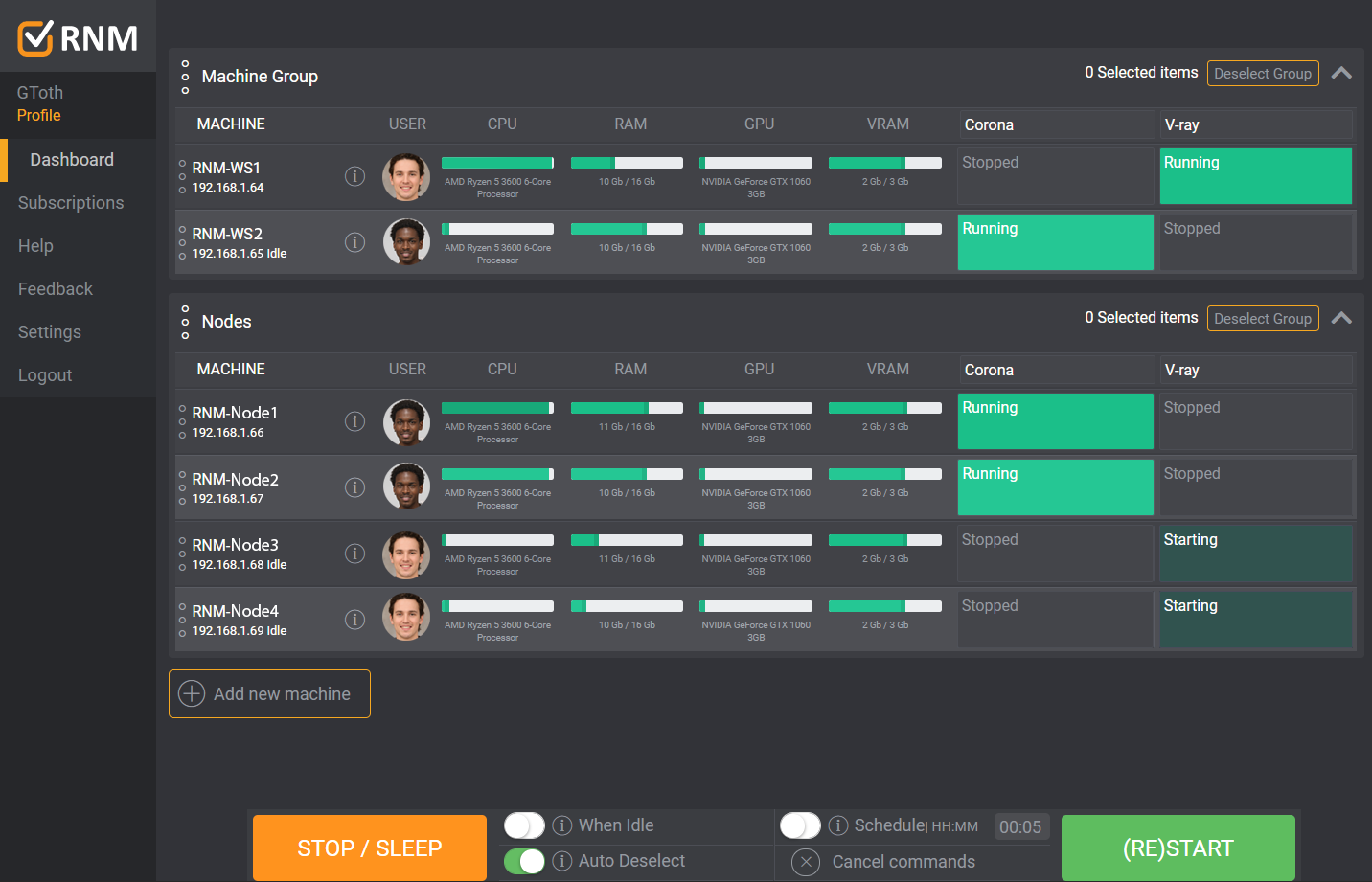
Render Node Monitor could help you save time and frustration:
- If you have a smaller inhouse render farm
- You are rendering with Backburner™, V-ray™ or Corona™
- If it is hard to see and manage which spawners are running on which nodes, and you are using remote desktop for it
- If you need to restart your spawners/nodes frequently, because your nodes sometimes doesn't connect into the distributed render
- If multiple users are using the same render nodes at the same time, and it is hard to see which node is used by whom
It visually summarizes the status of all your render nodes on a simple online dashboard, and you no longer have to wonder about:
- Are the nodes turned on?
- Are they rendering?
- How much of their ram is used?
- Which spawners are running on them?
- Which node is used by whom
It also gives you control over the farm:
- You can stop or (re)start the spawners simultaneously on all of your machines with just two clicks
- You can also turn off your render nodes, or wake them up
- Easy to install, it only takes one minute per render node
Advanced functions:
- Multiple custom machine groups (eg: Nodes and workstations)
- Show GPU usage
- User permission management
- Autodetect the most frequently used renderers (Vray, Corona, Backburner)
- Online system - you can access itt anytime anywhere
If you have any questions feel free to contact me anytime:
- Email: hello@rendernodemonitor.com
Tags: Rendering, backburner, network rendering, v-ray, Corona, time saving, Distributed Rendering, render farm