ScriptSpot

Script

Smooth Edges

By Marius Silaghi · 2011-07-22

Version
1.04
Date updated
2011-07-21
Votes
23
Download
Download
Description

Smooth Edges is the first and only 3DS Max script that gives you the freedom and control to shape your models the way you want.

Here are some of the benefits you get:

•Never again be forced to move vertices one be one

•Create smooth curves and surfaces

•Have greater control over your mesh

•Model at lighting speed

•Align edges from different meshes to another

•Model at greater precision

Videos
Comments (32)

3ds Max2018

Dan Khairov · 2017-11-10

Smooth Edges work in 3ds max 2018?

crearte · 2014-09-12

This tool is great thanks!

Free

parvez · 2013-11-23

I think this is very useful for me. So why not you give us free..

Noors · 2013-11-20

I like it, i think it's a smart tool for subdivision modeling.
However, it only works on editable poly which is destructive and constraining.

-Would it be too much work to adapt it for edit poly too ?

-The undo doesn't work, which wouldn't be too much of an issue if it worked on edit_poly.

-And yes, some soft selection options would make it perfect.

Thanks

titane357 · 2013-11-24

+1 for soft selection

Marius Silaghi · 2011-10-23

Released 1.04 - Fixed a bug where the spline didn't move the verts.

Great Modeling Tool!

darbo · 2011-10-21

Thanks for making this script: I love it! It works exactly as promised and is such a powerful modeling tool.

3dgopnik · 2011-08-25

A good script! The only thing that needs to be fixed so that it runs on top of all the modifiers without translation in edit poly

Well done

Hani Tiby · 2011-08-18

a very powerful tool, I hope it would use some soft selection effect to affect neighboring rings.

Jonathan de Blok · 2011-08-07

Brilliant! :)

nice script

tsy_ba58 · 2011-08-04

nice work and 3ds max have to add this script you can sell autodesk

Marius Silaghi · 2011-07-27

to create the ini file which contains the settings you need to be in admin mode, no way around

miauu · 2011-07-27

There is a way around :) Create the ini file in #userscripts folder.

titane357 · 2011-07-28

it would be great ! because when running max as administrator I can't drag and drop an image file in texture slots anymore...

Marius Silaghi · 2011-07-27

try running max as administrator

titane357 · 2011-07-27

you're right.... but I never run Max as administrator...

Marius Silaghi · 2011-07-27

titane357 added it now in 1.03. It opens with the last settings

titane357 · 2011-07-27

thanks ! :-) but it seems to not working... (I think)

titane357 · 2011-07-27

Thanks for the updates !! :-)
It would be great that SE 1.02 remember last options when run the script.

Marius Silaghi · 2011-07-27

lightcube I fixed the error, look in your email for the 1.02 update

lightcube · 2011-07-27

Much thanks.

lightcube · 2011-07-27

Marius... I installed V1.01 this morning. With this version I always get this error when I try to run:

>> MAXScript MacroScript Error Exception:
-- Compile error: No outer local variable references permitted here: new_spline <<
-- Error occurred during fileIn in #C:\Program Files\Autodesk\3ds Max 2012\scripts\SmoothEdges_1_01.mse; line number: 20
-- Error occurred in anonymous codeblock; filename: C:\Program Files\Autodesk\3ds Max 2012\scripts\SmoothEdges_1_01.mse; position: 5891; line: 20

EDIT: I originally posted the wrong error message. It's now the correct message.

titane357 · 2011-07-23

it'd be great to add ability to select edges beteween two selected edges :-)

Marius Silaghi · 2011-07-22

no it doesn't work with soft selection

Marius Silaghi · 2011-07-22

Thanks you very much guys, I appreciate all your comments.

titane357 · 2011-07-22

does it works with soft selection ?

RappyBMX · 2011-07-22

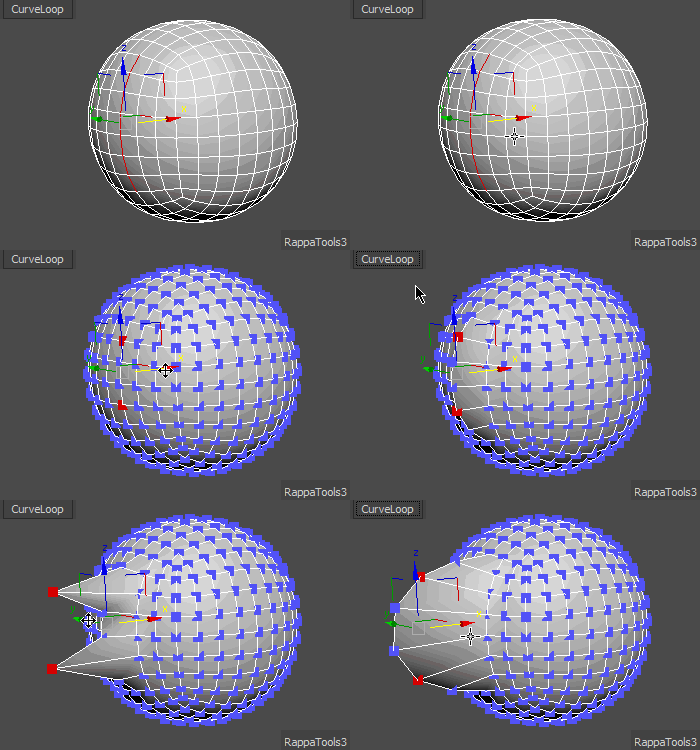
rappatools3 curveloop

should have left the spline...

Smoth Edge is Awesome

lightcube · 2011-07-22

Excellent script. I'm going to link to your site from Wall Worm when I update next... your tools are great resources!

HOLYAWESOME

osuoa · 2011-07-22

:D this script looks so gooood

hot chip · 2011-07-22

this is a great script!

themaxxer · 2011-07-22

hey man you are a genius! your scripts are so great. I think you should work for autodesk to improve 3ds max further. yes I know, you do! :)
thanks for your effort.

best regards
themaxxer

Awesome

Arahnoid · 2011-07-22

+1 Very useful script. It look like modeling using NURBS. :)