ScriptSpot

Script

SteamRoller

By Smallpoly · 2014-06-27

Version
v1.72
Version requirement
3ds Max 2017+
Date updated
2018-10-05
Votes
14
Description

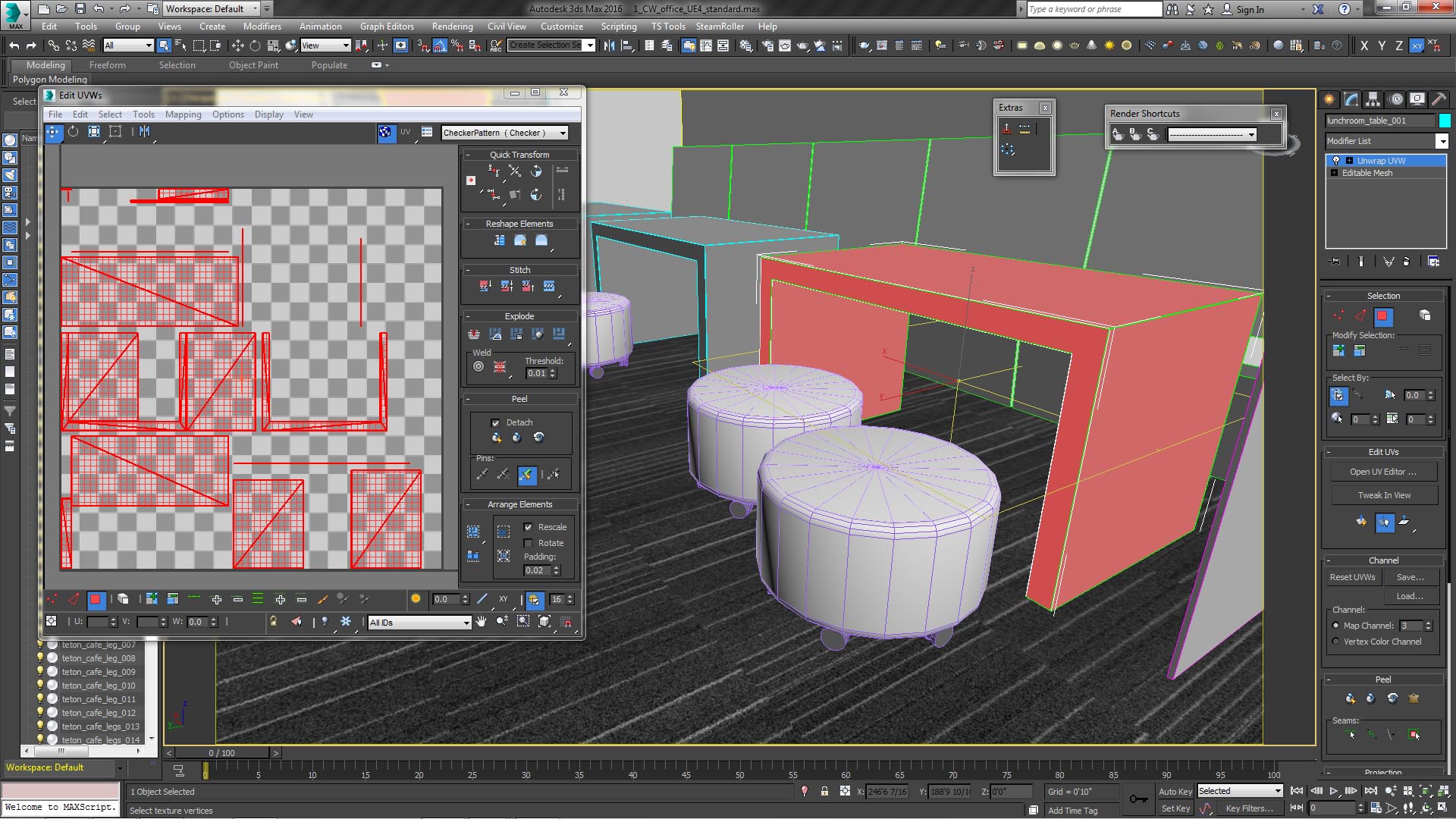
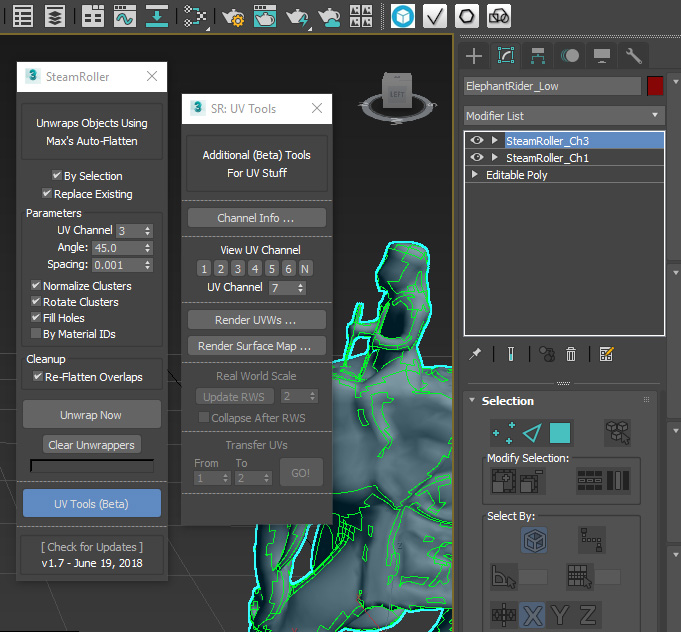
Steamroller unwraps every objects in a selection using Max's built-in flatten function based on the specified parameters. Steamroller is mainly intended as a quick and dirty method of quickly unwrapping lightmap UVs on large sets of objects, similar to the automatic unwrap in Render to Texture.

To install, run the macroscript (.mcr) or drag the file into the viewport, then go to Customize > Customize User Interface. On the toolbars tab, select "# SmallpolyScripts" from the category and drag Steamroller onto a toolbar to create a button. 

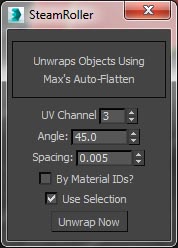
Rollout Screenshot

Upcoming features:
- Ability to repack UVs using the Non-Convex packing method
- UV channel swapping
- Updating real world scale after editing geometry

Additional Info

/* Author: Michael Vladimir Nicolayeff (SmallPoly) Email: SmallPolyArtist @ gmail.com Social Media: http://tiny.cc/SmallPoly_SocialMedia Change Log: v1.72 - 2018.10.05 - Reflatten overlaps is now off by default. v1.71 - 2018.09.18 - Added installation instructions back onto Scriptspot page. - Added an installation instruction popup to the script that runs when the .MCR is first ran/dragged onto the viewport. v1.7 - 2018.06.18 - Reflatten Overlaps option is now implemented. When active, this option detects overlapped faces, unwraps with an angle of 0.001, and repacks using the parameters supplied for the unwrap. - Minor text fixes v1.6 - 2018.06.15 - Settings are now saved when closing and loaded when opening for the duration of the Max session. - Beta UV Tools now pops up to the right of SteamRoller instead of directly on top. - Fixed a bug that was preventing unwrap when the face selection was being carried over - Switched UV tools to a check button to allow obvious toggling - UV tools now closes with steamroller - UV tools now moves with steamroller (currently, as a fixed position) - Added UV channel suffixes to allow unwrapping to multiple channels. v1.5 - 2018.05.11 - Chaning spacing default to 0.001 to match Max defaults - Adding Normalize clusters, rotate clusters, and fill holes. Thanks to Teriander for the suggestion. - Added tools to quickly view the first several UV channels, among other things v1.3 - 2018.02.19 - Hunting down a bug that is causing unwraps to fail when "by selection" is disabled. v1.3 - 2018.02.07 - Bugfix for a case where some of the geometry wouldn't be unwrapped. v1.2 - 2018.02.06 - Fixed the instance problem by using a custom unwrapper name and checking for it. - The applied modifier is now called "SteamRoller_UVW" - The modifier has also opened up an easy way to clear the unwrappers and check for them before flattening. v1.1 - 2018.02.02 - Working on instance fix. Making script category consistent. May be doing some fixes soon. v1.0 - 2014.06.27 - Initial Version Unsolved Issues: - Render UVWs has some really weird quirks. Something also keeps it from closing. */
Attachments

Tags: UVW, Unwrap, architecture, flatten, UVs, baking, vr, archviz, virtual reality, smallpoly, arch viz, arch-viz

Comments (43)

:)

7man · 2020-04-28

I checked and I have seen that default flatten and your flatten has some difference. your flatten function make many uv chunks.
what is the purpose or benefit of that?

Thanks!!

Attachments

Smallpoly · 2020-07-15

Hi 7man.

For the unwrap function I'm directly using the maxscript version of Max's unwrap, not writing my own, so any differences between that and the UI version would be on Autodesk's end of things.

How to run Steamroller in 3ds Max 2018

thisisgk1 · 2019-05-30

When I run SteamRoller it says: "Stemroller is designed to be run from a button. To add the button to your interface go to Customize > Customize User Interface... drag Steam roller onto a toolbar to create a button."

But in 3ds Max 2018 toolbars tab doesn't have that Quick Access Toolbar where I'm supposed to drag the Steamroller.

Is there any other way that can be done?

Max 2018

Smallpoly · 2019-08-27

Hi thisisgk1,
You can create a new toolbar from Customize User Interface which can be docked pretty much anywhere within Max.

_

Smallpoly · 2018-07-13

- (duplicate post) -

antony · 2018-07-13

i found it on youtub, its useful, but it not work with 3ds max 2018 version

Max 2018

Smallpoly · 2018-07-13

I'm actually using Max 2018 in my daily life. What kind of issue are you having?

Instructions

Smallpoly · 2018-09-18

I noticed today that the page was missing the installation instructions. When a macroscript is run it can often look as if nothing happened.

To install, run the macroscript (.mcr) or drag the file into the viewport, then go to Customize > Customize User Interface. On the toolbars tab, select "# SmallpolyScripts" from the category and drag Steamroller onto a toolbar to create a button.
The script has also been updated to display the instructions for making a button when the .MCR file is run.

Slow

Peleias · 2018-07-08

It is normal to be slow for the script to run? I chose 5 items (wall from revit) and the script takes too long to run.

Try unchecking "Re-Flatten Overlaps"

Smallpoly · 2018-07-09

Hi Peleias,

Try unchecking "Re-Flatten Overlaps" if you haven't already. Steamroller stores the state of its options for the session, so the it should stay disabled until you close Max.

This script uses the same unwrap function as Max uses internally, with the same benefits but also the same bugs and limitations. The main trouble right now is that the unwrap function often results in overlapping polygons, especially on complex curved areas like facial features.

To address this, I recently added a feature in that checks for overlaps in the result, reflattens any that exist based on a very small angle, then repacks.
It's on by default at the moment, but I may have it start off disabled for the next release.
I'll look into a couple other optimizations as well - flat walls shouldn't usually have a need to re-flatten anything.

If I had the skill I'd write something from scratch that can also take advantage of multi-threading, but at the moment that's out of my league.

Version 1.7 Released

Smallpoly · 2018-06-19

UVW Unwrap's overlap bug has been continuing to mess with my day job lately, so the reflatten fix is in now. :)

This is a very quick and dirty approach, so I recommend leaving this on for your initial unwraps but cleaning it up manually as needed.

Version 1.6

Smallpoly · 2018-06-13

Hey! A new version is out that does the following:

v1.6 - 2018.06.15
- Settings are now saved when closing and loaded when opening for the duration of the Max session.
- Beta UV Tools now pops up to the right of SteamRoller instead of directly on top.
- Fixed a bug that was preventing unwrap when the face selection was being carried over
- Switched UV tools to a check button to allow obvious toggling
- UV tools now closes with steamroller
- UV tools now moves with steamroller (currently, as a fixed position)
- Added UV channel suffixes to allow unwrapping to multiple channels.

Thank you!

Teriander · 2018-06-05

Thanks buddy! Much appreciated!

Rotate Clusters

Teriander · 2018-04-02

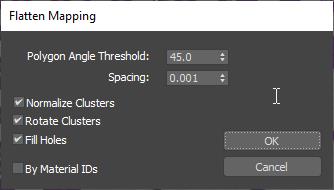
For your next build, is it possible to add an option to disable/enable "Rotate Clusters"? The same option that is inside the Flatten Mapping panel.

Thanks!

Smallpoly · 2018-04-04

That's a possibility. I'll add that to the list. I found a bug I want to track down the source of first.

Teriander · 2018-04-30

Any luck with adding the "Rotate Clusters"? I know you're working on bug fixes. Just curious if there is an eta on this feature!

Thanks buddy!

Changes are in

Smallpoly · 2018-05-15

Hey, letting you know that I've added the Rotate Clusters option in, as well as normalize and fill holes.

Version 1.4:

Smallpoly · 2018-03-18

Fixed a problem where models would receive an unwrap modifier but not actually unwrap when "Use Selected" was disabled. Thanks to GTARandom / Woggy Design for bringing it to my attention!

Unwrapping still partially broken...

GTARandom · 2018-02-18

Hi Smallpoly,

do you still have the first released version of this script, if you do, can you please send it? If you do not, i would at least like you to send the most recent one but with unwrapper fixes.

Reason i am saying this is that the currently available version here is not functioning fully correct as it applied unwrapping only to some models in the scene instead of all, i tried selecting all with the option enabled in SR and it didn't help anything...

Please send it as soon as you can because i can't find the old version i had as i didn't foresee there would this issue that i am facing now.

Thanks for you time and effort,
-Filip

I'll look into it

Smallpoly · 2018-02-19

Hi Filip,

I'd like to get some more information.

So you're saying that it's not looping through all models in the scene even when "use selection" is unchecked, or when everything is selected manually? I'll look into that asap. Can you give me some more details on what's going on, especially a sample file? What kind of object is getting skipped?

The only time it should skip models is if it's specially named modifier is already on a model *and* the "Replace Existing" feature is disabled.

1.3 - Whoops. Unwrap bug is fixed now.

Smallpoly · 2018-02-07

Hey guys. I added some new features in version 1.2, and fixed the long-standing instancing bug where modifiers would be duplicated on instanced objects, but in the process also managed to introduce a bug that could prevent models from unwrapping at all. Kind of bad for a tool that does just one thing.

It's fixed now, so I'm glad that's taken care of. I hope you all find this script as convenient to use as I do when working on my models.

- Smallpoly

New Update! 2018-02-02

Smallpoly · 2018-02-03

Just a minor update to this one - I've been switching my scripts back to a single category, in this case "# SmallpolyScripts", and have been adding update checker links to most of the things with UIs so it'll be easy to quickly check whether there's a new version. I don't have a way of pushing update notices automatically, but this should at least be slightly more convenient than a google search.

As usual I have a ton of both paid and personal projects going on at any given time, so I try not to make promises about any kind of regular release schedule. However, I do have the instance bug on my mind, so that'll be the next thing tackled here.

Take care!

how to download?

Gloy · 2018-01-30

Cant seem to download the file?

File to Download

Smallpoly · 2018-02-03

You should see a list of files on this page below the description. The one you want is "sp_steamroller.mcr". If it seems to open up as text, then right click and use "Save As".

Get's stuck and not respoding.

bugmenot · 2017-12-23

When I am using this script,it get stuck at 52% and I am getting not responding message.

Smallpoly · 2018-01-22

Hi bugmenot. The script uses max's built in unwrap under the hood so it should work for anything that the standard one works for.

The main things to watch out for are:
1. Very high poly objects (e.g. 100,000 +), which always take a long time, and can appear to not be responding. You can usually tell if it's actually stuck or not by going into the windows task manager and seeing if the CPU is still active on Max. If it is, then it's not really stuck and should finished eventually.
2. Instanced objects, as Steamroller does not currently account for instancing when unwrapping. This means that they'll end up unwrapping again for each instance and you'll end up with a stack of several unwraps on your model.

If both situations are combined, i.e. you have a lot of instanced high poly objects in your scene, then that would be a case where an unwrap could take a very long time to finish. The solution would be to reduce polygons beforehand and use the "by selection" feature to do only one object per set of instanced objects.

deyaah · 2017-04-05

thanks

SteamRoller Unwraps Some, But Some Not...

aegstuff · 2016-08-19

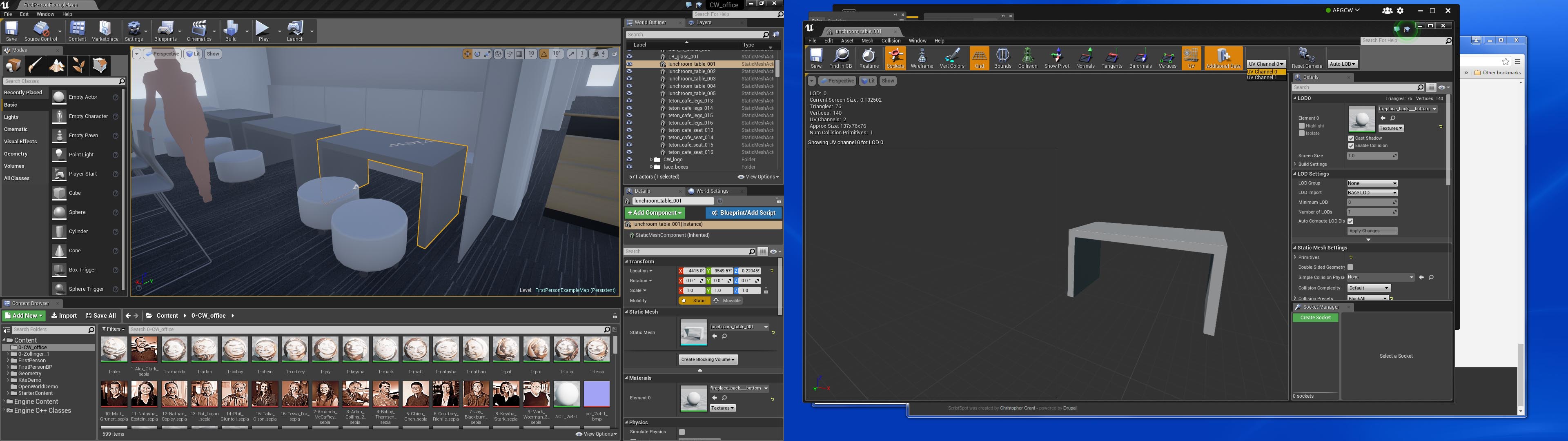
First of all, thanks for putting together the SteamRoller script as it is both a life AND time saver! I am having some issues with some meshes that I run the script on though. Some meshes are just fine and I see the flattened and unrapped lightmap information in UE4.12.5 just fine. On the problem meshes, I see no flattened and uwrapped channel info even though I see this info in 3ds Max. In Max, diffuse maps/materials are on channel 1 (0 in UE4). When I use the SteamRoller script, flattened and uwrapped information is on channel 3 (2 in UE4) in the Max dialog. This works just fine for some 3d models without a hitch. On the problem meshes, there is no flattened and unwrapped information on channel 2 (3 in Max/SteamRoller) or any UV information whatsoever. Why does this work on some meshes and not on others? Some of the 3d models are not "dumbed down" - saved as meshes or editable polys in Max. Does this affect what the script is doing? I thought exporting to FBX removes any information that is in the modifier stack on models still being modified. Your help and the help of others is greatly appreciated in advance. THX

Attachments

Not sure why

Smallpoly · 2016-10-20

Sorry, but it's tough for me to say. I primarily work in a different engine so I don't know what requirements Unreal has for it's UVs to come through.

This works the same way as Max's standard unwrap UVW modifier, so if it shows up on the object it should also show up in an export anytime doing it manually would.

You may be able to to get some more info on why UVs wouldn't come through by asking on an unreal-specific forum about what could cause that issue.

As for models not showing up, it should work on any geometry that has editable poly, mesh or patch as its base type, regardless of the modifiers on top of it.

There's a known issue where doesn't check for instances, but that just results in duplication of the modifier rather than not showing up at all.

Recent updates

Smallpoly · 2018-03-08

Hey, thought I'd let you know I recently updated steamroller with some bugfixes. Sorry for taking so long to get back to you. If you're up for checking out the new version, please let me know if you run into any trouble.

Multiple Unwrap UVW Modifiers

awtivy · 2015-04-07

I've noticed with some geometry the script creates multiple unwrap UVW modifiers. Do you know why this is?

Smallpoly · 2015-04-14

What's probably going on is that right now I'm not currently checking for instances or existing unwrap modifiers using the specified unwrap channel. I don't have a timeline, but I'll try to add a check for it when I get the chance.

Awesome scripts.

avengerxp · 2015-02-13

This fits perfectly to my needs! Thank you. As I need to get my models ready for a game engine I need to unwrap. Is there a way to unwrap to channel 1 and copy the same unwrap to channel 2 at 1 go?

Would be fantastic if you could do something like that..

Anyway this takes away a lot of clickings n time. Cheers!

Smallpoly · 2015-04-03

Hi Avenger, glad you like it.

It wouldn't be too crazy to do this, but this script is intended more as baking prep than for managing UV channels. If I made something like what you are requesting it would probably be as a separate script.

3DBoomerang · 2014-10-04

Dude i would pay for a script like this if it could assemble all the unwrapped uvw's into 1 big texture

"One big texture"

Smallpoly · 2014-11-07

3DBoomerang - You should check out a plugin called Flatiron then. It's not exactly cheap, but that's exactly what it's designed to do.

I was using it for a while before writing this. I didn't really have a use for everything being in one texture, and I didn't really find it significantly more efficient at using space effectively. I also ran into a few annoying bugs when using it on hard surface models.

http://www.texturebaking.com/

jgk1981 · 2015-02-13

i think that what 3DBommerang means is to keep all the existing uv without changing the position of the unwrapping. Flatiron from my experience is re- unwrap the model and bake the texture. Basically that means, for example, if you have the same object 10 times in the scene it will unwrap it 10 times in the final big texture with everything else in the scene. That for me is a big mistake, cause that way it gives u less pixel quality on the overall result, (plus u cannot change something on the texture end result if u want. The best is to keep the unwraps as it is and distribute in one place without cloning the more than one same uv.

how to install

maxdaiber · 2014-10-02

Hi, how do i install it?

It would be very useful for lightmaps.

Thanks in advanced :)

maxdaiber · 2014-10-02

I googled it, thanks for the script

How to install

Smallpoly · 2014-11-07

Installing works the same way as any other macroscript. You run it, then add it to your interface using "Customize User Interface" to make run with a button or hotkey or whatever. It can be found in the "# Scripts" category in the "Main UI" group.

Thanks!

edussz · 2014-08-14

Got it for the same reason as vermiw. Thank you!

Thank you

vermiw · 2014-08-01

Very usefull to get lightmaps for props on channel 2 . (unreal engine 4)