ScriptSpot

Script

TurboSmooth Pro

By Marius Silaghi · 2012-09-28

Version requirement
3ds Max 9 - 2024
Date updated
2022-12-21
Votes
14
Download
Download
Description
No more annoying support loops

TurboSmooth Pro is a modifier plugin for 3ds Max which produces nice smooth semi-sharp creases on your models, unlike the ugly creases that the standard TurboSmooth produces. Get it from https://mariussilaghi.com/products/turbosmooth-pro
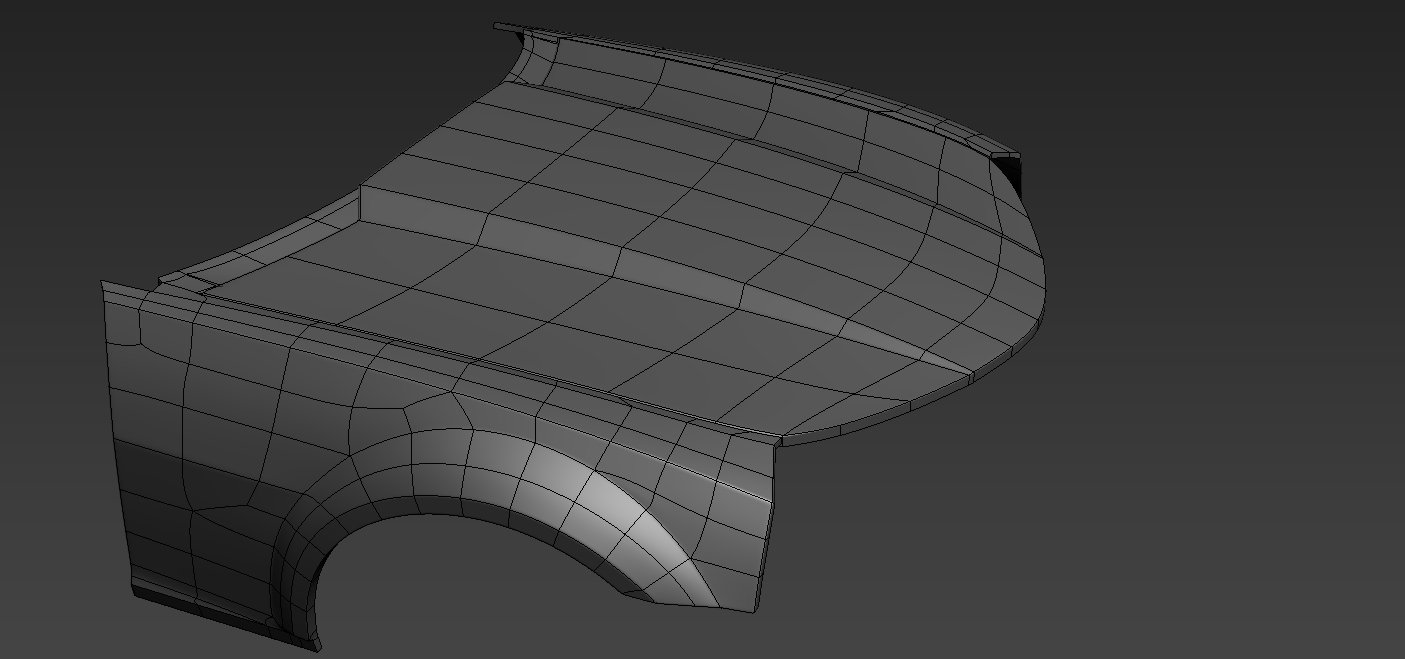
TurboSmooth Pro also give you the ability to have linear UVs which in some cases can help in the texturing pipeline.

Videos
Comments (30)

airbrush · 2017-01-17

wondering if its possible to set a user defined cap for max iterations...couple of times i accidentally click/drag the iterations instead of the creasing....cranking up iterations accidentally and freezing max.

thx

airbrush · 2015-09-15

2015 version still works in 2016...

Marius Silaghi · 2014-05-23

TurboSmooth Pro for 3ds Max 2015 released

Does this work with 2016 as

airbrush · 2015-09-14

I have 2015 version ...does this work with 2016 as well? or do i need to grab a new version for that?

thx

In reply to airbrush below,

luxxeon · 2015-09-15

2016 has OpenSubDiv and crease modifiers included, which are even more powerful than this solution, and use the Pixar standard for subdivision surfaces. This plugin was great, and a must-have for any version of Max up to 2016, but I'd suggest using the OpenSubDiv modifier now.

luxxeon · 2015-09-15

There is a new version available for 2016 on Marius's website, if you want to remain backwards compatible, you may need to upgrade.

( global

miauu · 2013-10-28


(
	global rol_TurboSmooth_ProModToggle
	try(destroyDialog rol_TurboSmooth_ProModToggle)catch()
	rollout rol_TurboSmooth_ProModToggle ""
	(
		checkButton chkbtn_toogleAll "Global TrbSmPro OFF"
		checkButton chkbtn_toogleSel "Selected TrbSmPro OFF"
		checkButton chkbtn_toogleSymAll "Global Symmetry OFF"
		checkButton chkbtn_toogleSymSel "Selected Symmetry OFF"

		on chkbtn_toogleAll changed state do
		(
			if state then
			(
				(getClassInstances TurboSmooth_Pro).enabled = state
				chkbtn_toogleAll.text = "Global TrbSmPro ON"
			)
			else
			(
				(getClassInstances TurboSmooth_Pro).enabled = state
				chkbtn_toogleAll.text = "Global TrbSmPro OFF"
			)
		)

		on chkbtn_toogleSel changed state do
		(
			if state then
			(
				for o in selection do
				(
					for m in o.modifiers where classof m == TurboSmooth_Pro do m.enabled = state
				)
				chkbtn_toogleSel.text = "Selected TrbSmPro ON"
			)
			else
			(
				for o in selection do
				(
					for m in o.modifiers where classof m == TurboSmooth_Pro do m.enabled = state
				)
				chkbtn_toogleSel.text = "Selected TrbSmPro OFF"
			)
		)
		
		on chkbtn_toogleSymAll changed state do
		(
			if state then
			(
				(getClassInstances Symmetry).enabled = state
				chkbtn_toogleSymAll.text = "Global Symmetry ON"
			)
			else
			(
				(getClassInstances Symmetry).enabled = state
				chkbtn_toogleSymAll.text = "Global Symmetry OFF"
			)
		)

		on chkbtn_toogleSymSel changed state do
		(
			if state then
			(
				for o in selection do
				(
					for m in o.modifiers where classof m == Symmetry do m.enabled = state
				)
				chkbtn_toogleSymSel.text = "Selected Symmetry ON"
			)
			else
			(
				for o in selection do
				(
					for m in o.modifiers where classof m == Symmetry do m.enabled = state
				)
				chkbtn_toogleSymSel.text = "Selected Symmetry OFF"
			)
		)
	)
	createdialog rol_TurboSmooth_ProModToggle
)

airbrush · 2013-10-29

great, thanks!

.

miauu · 2013-10-28

Create an object and add TurbosmoothPro modifier. Then open the maxscript listenre, paste this


showproperties selection[1].modifiers[1]

And you have to be able to find the name of Simetry properties of the turbosmooth pro modifier. If you can't modify the script, you can post the result from the listener here and I or someone else will help you.

airbrush · 2013-10-28

sorry maybe my description was unclear.

Would like to add in the toggle symmetry modifier from the kenzor script listed, in with other buttons.

The turbosmooth pro toggle works well

I just changed the naming convention as this made more sense to me.

(
global rol_TurboSmooth_ProModToggle
try(destroyDialog rol_TurboSmooth_ProModToggle)catch()
rollout rol_TurboSmooth_ProModToggle ""
(
checkButton chkbtn_toogleAll "Global TrbSmPro OFF"
checkButton chkbtn_toogleSel "Selected TrbSmPro OFF"

on chkbtn_toogleAll changed state do
(
if state then
(
(getClassInstances TurboSmooth_Pro).enabled = state
chkbtn_toogleAll.text = "Global TrbSmPro ON"
)
else
(
(getClassInstances TurboSmooth_Pro).enabled = state
chkbtn_toogleAll.text = "Global TrbSmPro OFF"
)
)

on chkbtn_toogleSel changed state do
(
if state then
(
for o in selection do
(
for m in o.modifiers where classof m == TurboSmooth_Pro do m.enabled = state
)
chkbtn_toogleSel.text = "Selected TrbSmPro ON"
)
else
(
for o in selection do
(
for m in o.modifiers where classof m == TurboSmooth_Pro do m.enabled = state
)
chkbtn_toogleSel.text = "Selected TrbSmPro OFF"
)
)
)
createdialog rol_TurboSmooth_ProModToggle
)

airbrush · 2013-10-28

that did it...thanks!

I tried combining the symmetry toggle from another script but i get errors. Just want the symmetry switch added in as well

from Kenzors scripts

try ( DestroyDialog TurboSmoothAndLODHelperRoll ) catch()
rollout TurboSmoothAndLODHelperRoll "Turbosmooth and LOD Helper"
(
label lbl1 "Using the checkboxes"
label lbl2 "All modifiers in the scene"
label lbl3 "Can be turned ON or OFF"

Group "Turbosmooth"
(
Spinner SpItrtns "Iterations" Range:[0,10,0] Type:#integer
checkbox ChkTurboOn "" checked:true

Spinner SpRenderItrtns "Render" Range:[0,10,0] Type:#integer
checkbox ChkRenderOn "" checked:False
)
Group "shell"
(
checkbox ChkShellOn "" checked:true
)
Group "Symmetry"
(
checkbox ChkSymmetryOn "" checked:true
)

on SpItrtns changed val do
(
for obj in geometry where isProperty obj #Turbosmooth do obj.Turbosmooth.iterations = val
)
on SpRenderItrtns changed val do
(
for obj in geometry where isProperty obj #Turbosmooth do obj.Turbosmooth.renderIterations = val
)
on ChkTurboOn changed arg do
(
for obj in geometry where isProperty obj #Turbosmooth do obj.Turbosmooth.enabled = arg
)
on ChkRenderOn changed arg do
(
for obj in geometry where isProperty obj #Turbosmooth do obj.Turbosmooth.useRenderIterations = arg
)
on ChkShellOn changed arg do
(
for obj in geometry where isProperty obj #Shell do obj.Shell.enabled = arg
)
on ChkSymmetryOn changed arg do
(
for obj in geometry where isProperty obj #Symmetry do obj.Symmetry.enabled = arg
)
)
CreateDialog TurboSmoothAndLODHelperRoll

airbrush · 2013-10-23

it would be nice to have a little script (floater button) to toggle all turbosmooth pro modifiers in the scene on/off etc...much like other turbosmooth toggle scripts.

JokerMartini · 2013-10-23

You can easily do this from the dope sheet or via maxs.

Enable and Disable modifier.

airbrush · 2013-10-24

i'm not familiar with any maxscript unfortunately.

Would like something that can toggle globally and just selected.

airbrush · 2013-10-25

also a symmetry toggle along with it would be handy

.

miauu · 2013-10-25

I don't have this modifier so you have to help yourself a little bit.

Create an object and apply turbosmoothPro modifeir.
Open MaxScript Listner and write


classof $.modifiers[1]

In the next line you will see the class of the turbosmoothPro modifier. Copy it and replace the TurboSmooth in the code below


(
	global rol_TurboSmoothModToglge
	try(destroyDialog rol_TurboSmoothModToglge)catch()
	rollout rol_TurboSmoothModToglge ""
	(
		checkButton chkbtn_toogleAll "Turns All ON"
		checkButton chkbtn_toogleSel "Turns Sel ON"
		
		on chkbtn_toogleAll changed state do
		(
			if state then
			(
				(getClassInstances TurboSmooth).enabled = state
				chkbtn_toogleAll.text = "Turns All OFF"
			)
			else
			(
				(getClassInstances TurboSmooth).enabled = state
				chkbtn_toogleAll.text = "Turns All ON"
			)
		)
		
		on chkbtn_toogleSel changed state do
		(
			if state then
			(
				for o in selection do
				(
					for m in o.modifiers where classof m == TurboSmooth do m.enabled = state
				)
				chkbtn_toogleSel.text = "Turns Sel OFF"
			)
			else
			(
				for o in selection do
				(
					for m in o.modifiers where classof m == TurboSmooth do m.enabled = state
				)
				chkbtn_toogleSel.text = "Turns Sel ON"
			)
		)
	)
	createdialog rol_TurboSmoothModToglge 	
)

2014 support

Marius Silaghi · 2013-05-03

2013 plugins work by default in 2014. Just use the files from 2013.

Spacelord Thanks for the heads up. I will look into it.

Spacelord · 2013-04-30

Marius I see Pixar has updated thier subdivs, will you be adding it to turbosmooth pro ?

Old update

Marius Silaghi · 2012-12-21

1.02
-Fixed a bug that prevented modifiers like bend or twist to work when they were placed after TurboSmooth Pro in the stack

kyle108 no it's not possible, that's just the way the Catmull–Clark algo works

mewbrrj again that's the way it works, you need some subdivision levels so creases get round. About converting the creases to edge loops, that's also not possible.

Anyway thanks for your suggestions.

mewbrrj · 2012-10-20

i bought it about an hour ago and played with it a little.

based on my first impression, i have to agree with kyle108, we definitely need control over this.

about my previous comment, i was kind of expecting an answer on what is possible and what is not...

kyle108 · 2012-10-19

is it at all possible to have a bias setting or slider so that subdivision edges are biased to the weighted edge of the low poly cage? this would help reduce the number of subdivisions needed for nice smooth corners. In some cases i need to crank the subs up to 4 or even 5 to get the same result as using support loops and a subdivision level of 2

br0t · 2012-10-05

Awesome Marius! You have a good eye for what needs to be improved and created some stunning work again.

good

algosuk · 2012-10-03

i hope that you will become chief of max developement. tx

mewbrrj · 2012-10-03

another nice one. but,

expensive? i have to partially agree with that on most or all your modifier plugins. why?

1) you do not provide a demo/trial version (what happened with the QCMod trial?)
2) what happened to the proxy modifier/s?
3) annoyingly no access to the sub-objects through the modifier itself.

now, two suggestions for TSPro.

1) a proxy modifier with same or similar settings as in the legacy turbosmooth unlocked.
2) a button to collapse the modifier to the base object with the proper edge loops to use the legacy turbosmooth and get the same exact result as with your modifier. (useful if you sell models online...)

TurboSmooth Pro 1.01 released

Marius Silaghi · 2012-10-03

Changes in 1.01
-Added a visualize edge creases mode
-Fixed a bug that caused faces set invisible to be displayed after they have been subdivided
-Fixed a typo in the UI, "Linear" instead of "Liniar"

@recubo yes it makes use of the OpenSubdiv library

titane357 · 2012-10-01

Too expensive, because Marius is going to rewrite all 3dsmax tools, one after the other... in 10 years he'll cost me more than my wife.
Looks very very good, as good as cinema4d one...
I bought quadchamfer and I don't use max's chamfer anymore.
Thanks !!!

shopkeeper · 2012-09-30

Too expensive just for the improved creasing abilities. That is the only real disadvantage of the maxs turbo smooth, but I question how much this really matters.

spacefrog · 2012-10-01

Why on earth a €40,- plugin can be too expensive when you payed >4K for Max alone ? 3ds Max Plugin land is not the Apple Appstore, where the market for Indie Dev's has been killed by the "We demand top quality for free or €0.79 maximum" crowd...

IMHO people like Marius, who bring the goodies and have an eagle eye for 3ds Max shortcommings and fill the gaps deserve the highest respect...

I would agree with your "too high priced" if it would be going into the hundreds, but for €40,- it's a bargain

And it's not just the creases, as i understand it fixes the usual UV distortion you get with 3ds Max's internal Turbosmooth..

OpenSubdiv code?

recubo · 2012-09-29

Hi Marius, have you used the OpenSubdiv code recently released by Pixar in your modifier? ( http://graphics.pixar.com/opensubdiv )

It would be really great to have an OpenSubdiv compliant modifier inside 3dsMax.

BTW great work, your modifier definitely beats up the old one.

JokerMartini · 2012-09-29

Impressive stuff Marius. Definitely on the purchase list.