Tagged 'instance'

Clone & Align On Faces

12 votes


This simple tool will helps when you need to distribute any "source" object on "target" object selected faces.
Requested on this thread by ice-boy.

Select instances objects

2 votes

Small but very useful script for selected instances objects

- select only visible instances objects
- work fast, support undo
- work of script would be broken by pressing Escape button

for install you should drag&drop script into 3ds Max
Find it in Customize -> Customize user interface -> Toolbars.
Category: # Scripts

Tested on 3ds max 2012

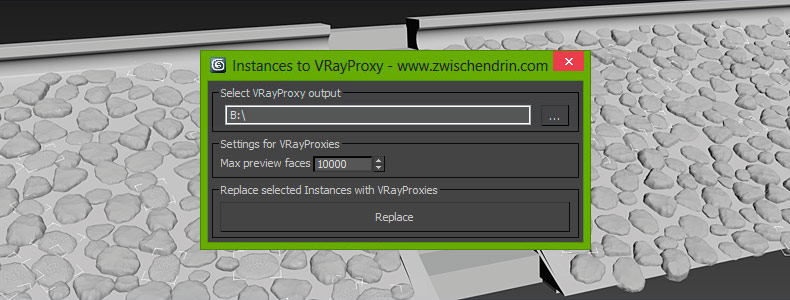
InstancesToVRayProxy

6 votes

Select as many objects as you like and let InstancesToVRayProxy find any instanced objects and convert those instances to VRayProxies. InstancesToVRayProxy automatically outputs VRayProxy meshs (*.vrmesh files) to a given folder, creates VRayProxy objects and replaces the selected instances with instances of those VRayProxies. This may sound difficult but InstancesToVRayProxy will optimize your scene to do faster renderings and all you have to do is pick an output path and hit a button! Instanced VRayProxies only need to be loaded once per proxy mesh. This will cut down the setup time of your renderings.

Copy and Acquire

0 votes

This is a simple maxScript to make a copy from a base object and Acquire Position Rotation Scale and Material from the targets.

copy and acquire v1.0

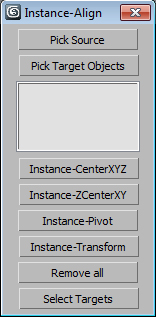
Instance-Align

4 votes

Very useful script for interior visualisation (cafe, bars, restaurants): add lights, change chairs/ tables, put tableware on many tables, e.t.c.

1. Pick object to clone

2. Select targets, click pick targets -> ok

3. Choose align method:

- CenterXYZ

- ZCenterXY (Align minZ of source to maxZ targets)

- Pivot align

- match all transform

After execute new objects will be selected. U can select target objects (to hide or delete).

AutoPlace

8 votes

This is a script like autogrid. You can move, instance and copy objects all over the place! ShiftPress the button for options (move, instance, copy, lock rotation and lock scale)

How it works: select an object and press the button. click and drag (left-right = scale, top-down:rotation)

If you select multiple objects it will choose a random one.

tested on Max 2012/2013

Log :

miauu's Scatter Tool

6 votes

This script was requested in this thread by @obaida.
What script do: Get selected object and scatter created clones with random scale but without collision. The created clones can be attached to the source object - miauuscattertool_v11.ms.

Installation: Drag and drop in 3ds max. Go to Customize-Customize User Interface- "miauu" category and find "miauu's Scatter Tool".

Eazy Arrayz

0 votes

I wrote this script for a CGI animation short film I'm working on, for which I needed a fast and simple way to build a very modular environment, while still retaining control over everything.

This script gives you that control:

pick your source geometry, increase/decrease the slider values after selecting whether you want copies or instances, and either collapse or create controllers, or both.
you can create one parent controller and a child controller for each instance, or just one parent, or just only children.

compatible only with editable poly objects.

Instance Tool

51 votes

Instance tool analyze the geometry objects in the scene and finds groups of objects that could be represented as instances of one of them. Then the user can turn every group into actual instances and choose which object from the group will be preserved. The objects in the group are objects that have the same topology (could be morph targets of one another) and the difference between them could be described with transformation alone.

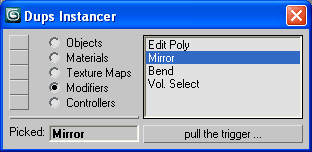
Dups Instancer

95 votes

Instance duplicate nodes, materials, texture maps, modifiers, controllers.

Dups Instancer