Tagged 'instance'

Eazy Arrayz

0 votes

I wrote this script for a CGI animation short film I'm working on, for which I needed a fast and simple way to build a very modular environment, while still retaining control over everything.

This script gives you that control:

pick your source geometry, increase/decrease the slider values after selecting whether you want copies or instances, and either collapse or create controllers, or both.
you can create one parent controller and a child controller for each instance, or just one parent, or just only children.

compatible only with editable poly objects.

Copy Replace

35 votes

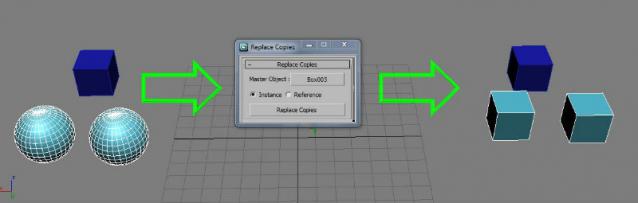
Turns a selection of objects into instances or references of another object.

Fixed in v 2.0:

  • Instances outside the selection are not replaced anymore. (Thanks to Anubis)
  • Added the option to choose between instance or reference
  • Changed the "Button name" to "Copy replace"

Instance Identical Geometry

49 votes

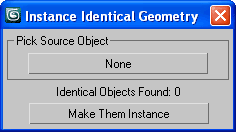
Find identical objects (to chosen one) and instance them.

Instance Identical Geometry

What's new in version 2.0 :

  • process multiple (selected) objects at once
  • rollout (with pick button) removed
  • the script rewritten as macros

Circle Array

27 votes


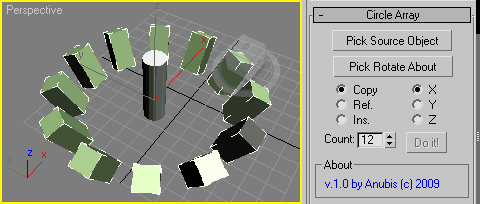
Like 3ds Max Array tool but with custom picked rotate axis.
The rest you can see in the screenshot.

Enjoy!

Dups Instancer

95 votes

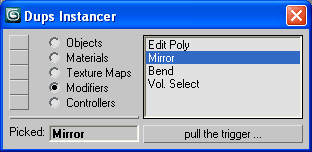
Instance duplicate nodes, materials, texture maps, modifiers, controllers.

Dups Instancer

Smart Vrmesh Converter

49 votes

CopyClick

12 votes

-- Copy by Click
-- V1.0

-- How it works?
-- 1. Select objects
-- 2. Execute CopybyClick
-- 3. Click to make a instance of selection
-- 4. ESC or rightclick to cancel

------------------------ THE CODE ------------------------

macroScript CopybyClick
category:"AGGTools"
buttonText:"CopybyClick"
tooltip:"Copy by Click"

(

fn CopyClick =
try
(
maxOps.cloneNodes $ cloneType:#instance newNodes:&nnl
select nnl
Sel=selection
p = point pos:Sel.center
p.pos.z = 0
ClickPos = pickPoint snap:#2D ()
ArrayFiltroGroupHead = #()

instanceTrimmer

9 votes

Takes a selection and reduces the selection to include only a single instance from each set of instances.

Tutorial:

Make a sphere and instance it once. Make a 3rd sphere, copy it once. Select all 4 spheres. Run the script in UI mode. Hit Do. Now your 3rd, 4th and either the 1st or 2nd sphere is selected.

Gtools_Jar_Planter

34 votes

Scatter a list of objects across a surface, you can make them randomly change the scale, rotation and tilt. For example placing trees, plants, rocks, etc.

findInstances

4 votes

Finds instances of the selected object and does various things to them such as selecting them - printing their names - etc.

Syndicate content