This is a script like autogrid. You can move, instance and copy objects all over the place! ShiftPress the button for options (move, instance, copy, lock rotation and lock scale)
How it works: select an object and press the button. click and drag (left-right = scale, top-down:rotation)
If you select multiple objects it will choose a random one.
tested on Max 2012/2013
Log :
2012-06-14 : new icon 2012-10-14: support for groups added
Todo:
Pivot mode only
Additional Info
how to install:
- Unrar the icons folder in the icon folder
2013 : C:\Program Files\Autodesk\3ds Max 2013\UI_ln\IconsDark
- Run the script autoPlace.ms
- You can find the script in Customize->User interface->Category:Custom
- Restart max if you dont see the icon or run the following command:
colorman.reInitIcons()
In case you have problems with the mzp file :
-unzip the mzp file
-run the smartplace.ms script.
-copy the images in the icon folder to C:\Program Files\Autodesk\3ds Max 2012\UI\Icons
-you can find the script in max :
Customize->Customize User Interface->Toolbars->Group:Main UI->Category:Custom
drag and drop this to a toolbar in max.
would be nice to hold shift or alt to lock rotate by 15% or 5%
Ssebastian___ · 2015-10-02
With the new "select and place" tool included in 3ds max when you place objects, an interactive render view will be refreshed and show the object new position even while you move the object.
Is there a way to make the script refresh the render in the same way ? With this script the interactive render will not be refreshed even if I paint/clone tens of objects and move and pan the viewport. And will only be refreshed after I right click the mouse or the escape key.
I found something that might be a bug
Nnicholasfsoares · 2013-06-11
when the object is grabbed the mouse, if it is too large script AutoGrid believes in himself, for it made this script:
if BmodeIndex == 1 do (
BmyObj = BobjArr[BindexObj]
)
--BmyObj.wirecolor = green)
if BmodeIndex == 2 do (maxops.CloneNodes BobjArr[BindexObj] expandHierarchy:true cloneType:#instance newNodes:&BmyObj)
if BmodeIndex == 3 do (maxops.CloneNodes BobjArr[BindexObj] expandHierarchy:true cloneType:#copy newNodes:&BmyObj)
/* Insert this line in this position */
OriginalObject = myObj
fn mouseTrackFunction msg ir obj faceNum shift ctrl alt =
(
local find = false
if msg == #freeMove then
(
if ir != undefined then
(
/*### Original Script ###
* myObj.pos = ir.pos
* myObj.dir = ir.dir
* --global NormalDirection = ir.dir
* InitialMousePos = mouse.pos
* return #continue
*/
/* ### Script Modify - Start ### */
if obj != undefined then
(
for o=1 to OriginalObject.count do
(
if obj.name == OriginalObject[o].name then
(
find = true
exit
)
)
)
if ir != undefined and not find then
(
myObj.pos = ir.pos
myObj.dir = ir.dir
InitialMousePos = mouse.pos
return #continue
)
else
(
myObj.pos = (mapScreenToCP mouse.pos)
if not achou then
myObj.dir = [0,0,1]
InitialMousePos = mouse.pos
return #continue
)
/* ### Script Modify - End ### */
)
else
...
I think that's it, can not remember if I modified something else.
explaining
Nnicholasfsoares · 2013-06-11
I did a "for" to sweep the original object to see if the object that the mouse is on top belongs to the group of objects if he moves the object as if it had to grid, and avoid qo object is flying up forward, it happened to me in several blocks that I have in my database.
jos · 2014-12-24
Thanks for the fix, I'll have a look to integrate and upload the update!
miauu · 2012-10-27
obaida, you can find place pivot on surface script in the thread where you requested this script - here.
Thanks
Oobaida · 2012-10-27
Thank you very much "Kostadin" for replay , and thank you again for making it , i will test it .
Pivot
Oobaida · 2012-10-26
Thank you "jos" its nice and useful script , but i have a Question .
is there a way to make this script work on pivot only (place pivot only not object)?
Or you can add in script menu a button 'Pivot only' for moving just the pivot .
Thank you "in advance" .
BTW . I try the script in 'dont copy' mode but it gives me this message :
>> MAXScript MacroScript Error Exception:
-- Runtime error: Attempt to access deleted scene object <<
jos · 2012-10-27
solved that bug. That should be possible, but havent got the time right now. Added to the list. Thank you for reporting the bug
Wwolfsoull · 2012-10-25
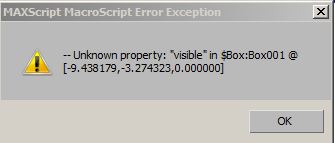
seems a great script, but in my case i install it in 3dsmax 2012 and 2013 and in both give this error?
in the gif animation you have more tools. I initially thought they all are part of object distributor and needed to make it work :). I got it to work but I am still curious what the other icons in that toolbar do. Are they your creations also. Please share info and maybe more scripts :P
ps:whre are the icons from ?
Awesome Tool
Ppokeka · 2012-06-07
It's exactly what i was looking for! It's good to place some drops at candle.
thanks man!
jos · 2012-06-08
thanks. If you have comments or idea's please share!
+1
barigazy · 2012-05-26
Hey jos,
Very useful tool you have here and works great.
Thanks.
jos · 2012-05-26
Thanx barigazy. I needed this functionality for a editor-like tool where you can place props in the scene on houses. So why not sharing it? Good to know it works!
 By jos

 miauu · 2012-10-27
 MerlinEl · 2012-06-11
 barigazy · 2012-05-26