ScriptSpot

Script

imageCompHelper

By br0t · Credited author: Christoph Bülter · 2010-11-23

Date updated
2013-04-20
Votes
57
Download
Download
Description

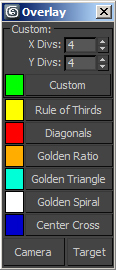
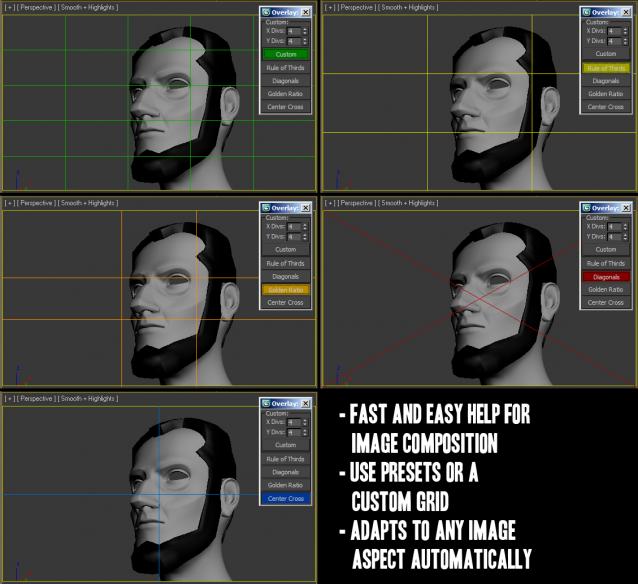
I wanted to create a script to visualize the `Rule of Thirds` inside the 3ds Max Viewport, to aid in the composition of my camera shots. Inspired by this script I also added some other overlay options. The lines inside the viewport are drawn as a kind of render effect, so no geometry is created and no camera is needed. They will interactively adjust to any image aspect and are visible in the active viewport, so switching the viewport will also move the lines there. Use the checkboxes to toggle each ones visibility.

Update 05/06/2013:    Script now remembers its position and settings. Added buttons to quickly select and transform the viewport camera and target so you do not need to switch viewports.

Update 20/04/2013:    Added Golden Triangle (flip by rightclicking)

Update 05/02/2013: Buttons now change color instantly, changed coloring of lines from rgb array to gw.setColor so it works with Nitrous

Update 20/11/2012: Added the golden spiral (similar to Fibonacci spiral); Color selection now reflects instantly

    Note: This by nature is fixed to an aspect of 1:1.618. Rightlick "Golden Spiral"-Checkbutton to flip the orientation of the spiral.

Update 21/10/2012: Added option to pick custom colors

Update 25/11/2010: Fixed a small bug, added custom grid option and did some UI changes.
DIfferent modes:
 

Tags: render effect, overlay, aspect, image, composition, Golden Ratio 1.618, ratio, rule of thirds, gw

Comments (26)

Brovar64 · 2023-12-16

Links for download are unavailable

Golden Spiral Orientation

cjwidd · 2020-08-25

Really fantastic script, so happy this is available in Max!

Is there a way to orient the Golden Spiral vertically, e.g. +90 deg rotate?

obolon · 2018-07-08

для личного использования

Buddho · 2016-06-29

is there a new version for 3dsmax 2014?
I get a error message:
-- Syntax error: at <, expected
-- In line:

:)

maxdaiber · 2016-07-23

You commited the same error as me, you downloaded an html file and not the actuall script.

Go to the github and look for the button that says "clone or download" and then download zip

viewport

dub73 · 2014-11-13

great script, but the grid always jumps to the active viewport. would be cool if one could freeze it in one viewport, for example in one viewport with the camera so that I can adjust geometry in another viewport.

grip · 2013-08-28

As for now the script will force composition view(shift+f in max) no matter what viewport you are in. This can be very annoying as I usually have two viewports open when doing camera work, one for the camera and one for being able to move everywhere and move the camera, animate etc. Could it be possible to be able to select which viewports it effects or maybe make it only active when you enter composition view yourself?

Did not find the link to download

marche · 2013-08-14

Hi this seems a very good script, but can not find the download link, I go to the page but I see nothing to with the name of this script to download.

Cheers!!!!

mwaif · 2013-06-04

Thanks for this great script. It would be nice keep x/y div numbers and color settings so when I launch the script last entered values are used. Could you please add this feature?

br0t · 2013-06-05

thanks! the script now remembers the settings you chose :)

@dub73: I know, it is somewhat annoying. You can however select your viewport camera and use the transform type-in dialog to move/rotate your camera. I added buttons to make this easier, hope that helps.

hmm

dub73 · 2013-05-17

Hi, the scripts looks promising for the camera setup process. But since one can not look the grids to the camera viewport while moving the camera in another viewport, it is more or less useless, unfortunately :/

the-trooper · 2013-02-04

Great script, finally no more printscreen to photoshop :) Thank you very much!
I have just one feature to add on the wish list in some of the future updates (if it's doable):
- "constraining" the script to just one viewport (i.e. it doesn't "jump" to the active one but stays in one where it was first activated).
This way we can look through camera while moving it from top, side or what ever other viewport is convenient.
Thanks in advance!

br0t · 2013-02-05

Glad you like it. Locking the drawing to a viewport is something I would have added a long time ago, if possible. However the graphics window methods that I use only work in the current active viewport, they can not draw to another view :O

the-trooper · 2013-02-06

That's a shame, but this is a great script nonetheless :)

May need an update?

jonm4y · 2013-02-04

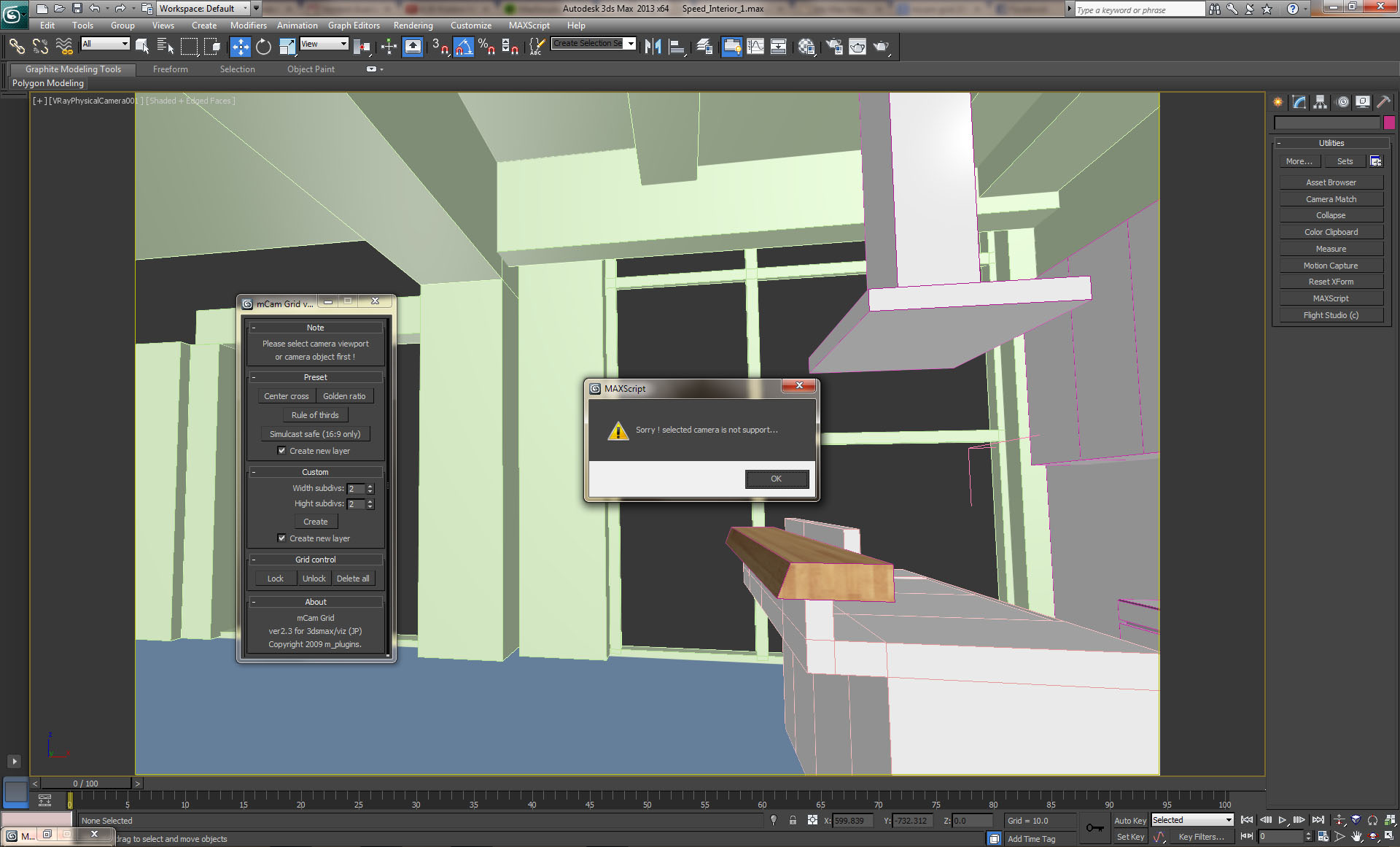
I thought my ship had sailed in when I found this very handy script. However, I fear the script maybe out of date or something?

Im using official versions of 3ds Max 2013 and Vray 2.3

You can see from the screenshot the script doesn't want to run.

Is it possible to get this updated to work with 2013 software? This would be such a useful tool to have! Many thanks!

jonm4y

Attachments

br0t · 2013-02-04

I think you are confusing things here. I have nothing to do with the "mCam Grid" script, I just used it as an inspiration. The script is encrypted also, so we cannot change it to support your camera type.
My "imageCompHelper" should give you no such problems, it does not care about the camera type.
Cheers

br0t · 2012-12-02

Thanks :)

dsp_418 · 2012-12-02

Simply great!

Awesome!

JokerMartini · 2011-09-06

Great work Christoph.
Very useful and creative idea. Thumbs Up!

John

bpositive · 2011-09-06

Brilliant - should have had this ages ago :-) Thanks a lot!

krapulax · 2010-11-26

Thanks!

pixela · 2010-11-26

Thanks!

br0t · 2010-11-25

Thanks to both of you, glad you like it! The playanimation button should work now and I also changed some other stuff.
Regards

Play doesnt work

krapulax · 2010-11-24

Great script!
But when I use this script, the playanimation button doesnt work.
Regards, Krx

W DIGITAL · 2010-11-23

nice!
any script making use of golden proportions i like :)