ScriptSpot

Script

Measurement tape

By Alaa alnahlawi · Credited author: MHD Alaa Al Nahlawi · 2015-09-09

Version
1.0
Version requirement
2013 and above
Votes
10
Description

This tool will help you visualize distance between two points, it's very handy for people working in architecture. It's not a pure script only Text and tape stretching reflects the distance through a float script controler.
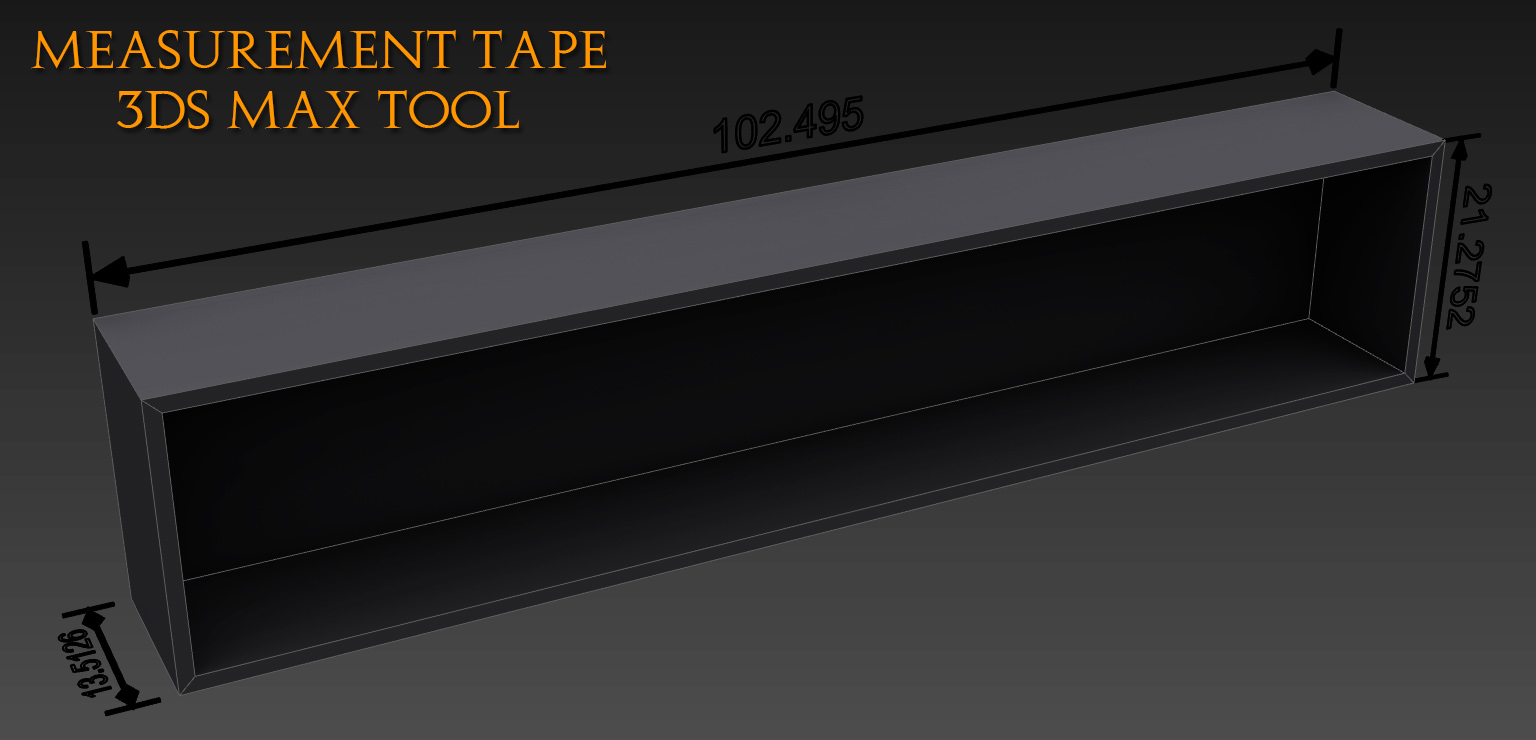
How to use:

-Make sure your display units matches your system one because this tool gives the distance in system units so dont get confused and just check it in Customize menu>Units setup.

-Merge it in your scene.

And as in the picture below you only have to move the right and left handles (dummies), and the middle controler is for rotating and scaling the number and the arrows. And be careful if you applied extrude to the text it won't update the distance for some reason, so in this case after the tape is placed as a final touch you can apply extrude.

Regards

Alaa Al Nahlawi

Additional Info

Update:

The tool can detect system units now, and the codes are as follow:

Inches: "In"

Feet: "f"

Miles: "m"

Millimeters: "m"

Centimeters: "cm"

Meters: "m"

Kilometers: "k"


Videos
Attachments
Comments (16)

Measure in local coordinates

SpannerAt34 · 2019-11-27

Hi

Is it possible to measure the length of an object after it has been rotated?
I think it needs to use local coordinates rather than world. Is it possible to adjust for this?

My scenario is a conveyor that has been inclined and I need to know the length. The measurement tool works fine when the conveyor is parallel to the X axis/ However, once the conveyor is angled, the measurement reports a shorter length, indicating that it is measuring the horizontal distance of the objects boundary rather than the hypotenuse. The two measurements should be the same as the conveyor has not shrunk in length.

Looking forward to your help.

Measure in local coordinates

SpannerAt34 · 2019-11-27

Very good - thanks

Measurement Tape Plus

Vipera · 2018-03-15

Hi Alaa Al Nahlawi. Thank you for your tool. I had tried to use your tool and found that I need to display length units different from the file system units and change decimals precision for the displayed values. As the result I created Measurement Tape Plus based on your tool which allows to do this.

how

hugocities · 2017-12-02

Hi, how to install? thank you

ya

hugocities · 2017-12-02

lo arrastré al viewport.

changing decimals number

Dom · 2016-01-11

very useful tool, thank you,
how to change from 3 decimals to 2 decimals ?

Osetrov · 2015-11-08

Thank you! Very useful!

Igor · 2015-09-18

Hi, how can I install it? I cant do this and use it! Thanks

Alaa alnahlawi · 2015-09-27

Just unzip it and you will find a max file containing the tape, merge it to ur scene and it will work straight away.

Igor · 2015-09-28

I did exactly as You said, but it does not work and nothing happens! The viewports (scene) is empty.
Maybe it does not work in Max-2011?

Alaa alnahlawi · 2015-10-06

Ah sorry it was created to work with 3ds max 2013 and above.

victorgilbert · 2015-09-11

its been some time, that i have used max, but since i have decided to get back on it, its great to know that they have included some great features while i was out of touch. thanks for sharing.

  • Esse foi o cassino com os maiores bônus que achei até agora. Foi surpreendente achar o Jogue Caça niqueis gratis, pois agora é possível jogar não só nos caça-níqueis, mas nas mesas de pôquer também.

Alaa alnahlawi · 2015-09-11

You are welcome Victor, yeh they are doing some great upgrades lately.

And Thanx Nik for the point ;)

Alaa alnahlawi · 2015-09-09

Thanx Nik, I didnt know it exists.
I checked it and apparently it only works on XY plane, this one works in all three dimensions and gives a realtime measurement in case it matters. ;)

.

Nik · 2015-09-09

Well cool. And addition to, this stuff can use as realtime Measurer +1
Thanx