Tagged 'Plugins'

tyFlow Helpers&Modifiers

4 votes

Add your desired Helpers/Modifiers on your Toolbar
https://i.imgur.com/yDv1Euh.png

v1.2 update
v1.3 update
v1.4 update

Radial Symmetry by PolyDesign

3 votes

Radial Symmetry by PolyDesign3D

Radial Symmetry is a C++ based modifier plugin for 3dsMax. Create complex designs in a few seconds.

Features:

A powerful animatable gizmo.
Preserves UVs and other face properties.
Option to add planar symmetry for perfect matching seams.
Slices the geometry along the mirror planes.
Weld seams
Mirror axis options for quick alignment.
Visual gizmo helps you adjust easily.

Supported 3dsMax Versions:

3dsMax 2016
3dsMax 2017
3dsMax 2018
3dsMax 2019
3dsMax 2020
3dsMax 2021

Low Poly City Builder v2.1 and Terrain Builder with height maps with google maps

7 votes

low poly city builder

Plugin with tons of good polished 3D low poly buildings and assets1000 to make your life easier and faster development of your proyects

NO SKILL REQUIRED and NO SKILLS NEEDED if you haven’t ever use 3D max studio that doesent matter you will not need any study of it for using this pluging, easier than playing lego. All is pre maded… :)

Low Poly City Builder v1.0

Voxel Remesh

4 votes

Voxel Remesh is a multi-threaded & C++, volume based remeshing plugin for 3dsMax developed by PolyDesign.

- Volume based Voxel Remesh allows you to:
Create closed surfaces from self intersected meshes,
Create a high-poly mesh for baking with round edges,
Create a lowpoly mesh from highpoly,
Generate a better topology for 3d scan meshes,
Create level designs,
Create organic meshes in 3dsMax,
Create an evenly distributed polygonal mesh for physics simulations,
A dynamesh like workflow,
- And much more depending on the artist's creativity :)

Procedural map creation

3 votes

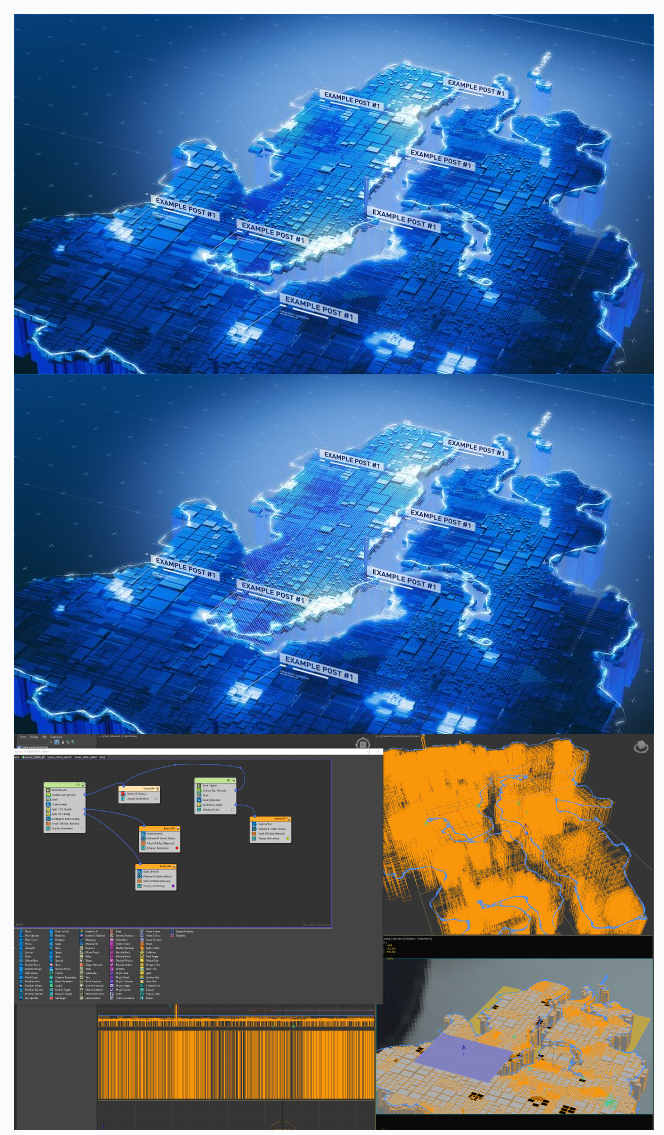
A procedural project that allows you to create beautiful maps of regions (and any shapes) without modeling.

Just prepare three raster maps in the Photoshop program, put them in the project folder, open the project and that’s all! An after effects project is also included to make the compositing process easier for you. But you can use any software to edit the render.

Project created under redshift early version 2.5.xx. 3ds max 2017

KEYHYDRA FOR 3DSMAX

2 votes

You purchase one plug-in [KeyHydra] and get 3 tools : KeyHydra Shorcuts, KeyHydra LazerCut, KeyHydra WheelCtrl.

KeyHydra Shortcuts :

https://keyhydra.com/keyhydra-shortcut

KeyHydra Shortcuts Redefines interaction between user, keyboard and 3DSMax –> By improving input methods –> Keyboard shortcuts. You’ll be hable to drag and drop your shortcut from one key to another, create Multi-taps shortcuts, Context sensitives shortcuts & Scripted Shortcuts.

KeyHydra LazerCut :

https://keyhydra.com/keyhydra-lazercut

HiddenDOSCommand

9 votes

For those of you that maintain your own dlx with a grab bag of
maxscript extensions (like Larry's avg_dlx), I've attached source for a
function that will launch a dos command in a hidden window. You may
find it useful in your toolbox.

Techline

-1 vote

The Techline plugin offers the ability to easily create a mechanical, linear line with varied notches, segments, gaps, thickness and more. Check it out and see what you can create!

3ds Max Compatibility:
– 2008 or later

Modifier Clone Pack

1 vote

The Clone Modifier Pack include basic Linear Clone, Radial Clone, and Grid Clone. These modifiers create copies of an object and incrementally translate, rotate and scale the input object. These modifiers allow users to animate the offsets and number of duplicates over time. Artists can also add multiple modifiers to create complex results.

Users can also enable the Weld feature which welds all vertices along the clone edge that are within a specified tolerance.

Shortcuts

23 votes

This plug-in allows you to bind keyboard shortcuts (hotkeys) to most MAXScripts.
It adds some MAXScript functions that reads Scribe data
directly into MAX. No DLL's required. Test Interface script
included.

Syndicate content