Tagged 'merge'

Content Browser

2 votes

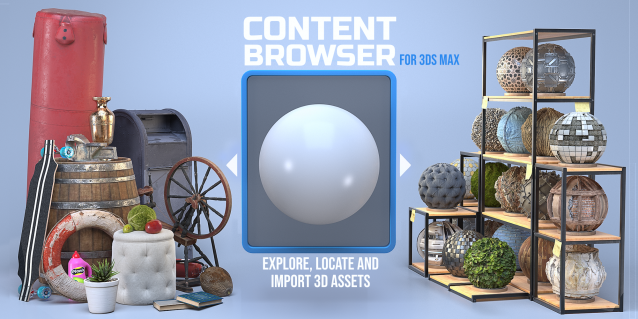
The Content Browser helps you quickly browse and import 3D assets on your computer.

Load any folder accessible on your machine and the Content Browser will find any materials, hdri’s, models, and max files. It will group, organize and display these files as assets, recognizing previews, LODs, mapping channels, resolutions and other important information automatically. 

It simplifies the importing and merging process for 3d models, max files, material creation and hdri environment maps by allowing you to directly browse, filter and drag all of your 3D assets from sources like MegaScans, PolyHaven, gameTextures, Poliigon, Arroway into 3ds max viewport or material editor. 

Main Features

  • Load any folder and find 3D models, max files, materials and hdri’s.
  • Show grouped files as assets, group matching assets and find preview images.
  • Drag and Drop asset into the 3ds max viewport or the Slate Material Editor
  • Import assets to Slate and Compact Material Editors
  • Default Merge and Import 3d files and max scenes, with automatic relinking filepaths
  • Choose LODs/resolution/variations and Import multiple assets at once
  • Folder hierarchy, File list and Preview Gallery

Batch Exporter

9 votes

Maxfiles Browser

2 votes

A multi-method browser used to quickly find and display maxfiles using one of four methods from which you can Open or Merge from.

# HISTORY method: Displays maxfiles most recently accessed, as well as a dropdown list of recently accessed paths. Dynamically updates as files are opened to reflect the most recent history file and paths order.

Select Last Merged Objects

1 vote

This script allows you select last merged objects again.
Script category:"Osetrov-3D"

Installation: drop script file into 3ds max viewport and assign hotkey or button in toolbar. Alaso you can find this script in global serach (hotkey "x") if you type "Last merged".

Average / Copy Border vertex Normals

2 votes

By Marc Robert / Trebor777 ([email protected])

Tool to fix seams between 2 objects by averaging or copying the normals from one another's borders.

The user needs to select the same number of vertices on both mesh with an EditPoly modifier named "VertSelect". It's created automatically when the meshes are picked if they don't already have them.

The tool will compute the closest vertices from each other and uses those normals.

IE Tool

0 votes

This tool allow the user to import/merge and export/save a lot of objects and files at once!
This is a comercial tool.
Get this tool here:
https://gum.co/rmJuE

Patanouk

5 votes


Batch Preview Renderer

4 votes

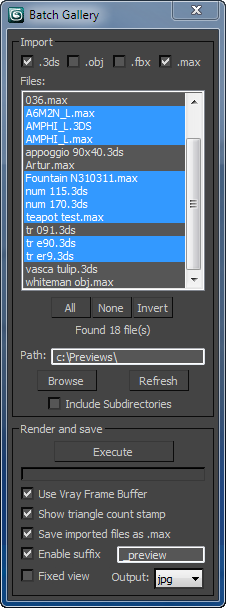
The script searches for files in a given directory and renders a preview from the files found.
Ideal if you have a lot of model library and you dont know the content of the files.

Batch Loader

75 votes

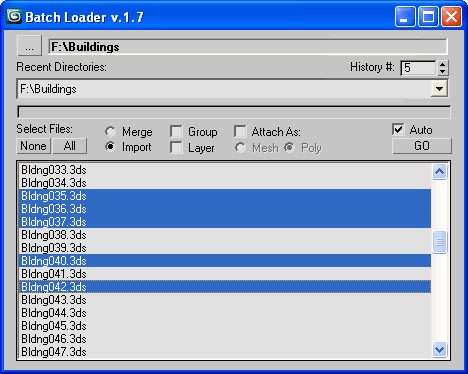
Quick Merge/Import multiple files.

UI v.1.7

Features:

  • Merge multiple .MAX files
  • Import multiple .* files (ie all that can be imported)!
  • Log all files where failed to load to Listener (if any)
  • Multiple history for recent used paths available
  • Limit count of recent paths to keep in history added
  • Group option available
  • Layer option available
  • Attach option available
  • "Auto" option (if is checked no prompt for Merge/Import) *

Teamwork

13 votes

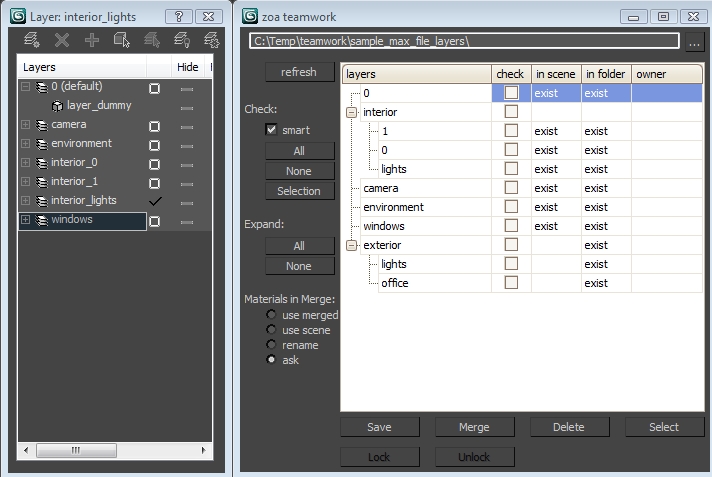
Teamwork Script User Interface

Syndicate content