Tagged 'clone'

Move/Clone to cursor

3 votes

Hi, this is simple script which move or clone selected objects to surface under cursor. You can bind it to any hotkey (I usualy use Alt+S and Alt+C).

1.0.1

- initial releas

1.0.2

- settings can be binded to hotkey

- possibility to turn on random rotation in Z axis

1.0.3

- multiple object selection can be treated as object list, so in clone mode random object will be selected

- cloned objects can be automaticly moved to active layer

 

miauu's Extended Clone Tool

2 votes


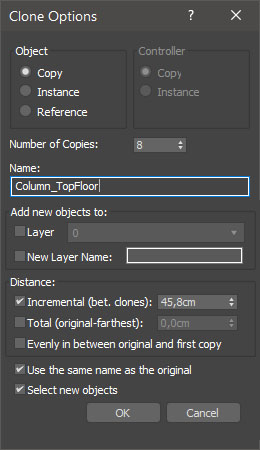
miauu's Extended Clone Tool adds new options to the standard Clone Options dialog.

The main goal - save time using these features:

- move the created objects to a new layer,

- move the created objects into existing layer

Duplicurver

2 votes

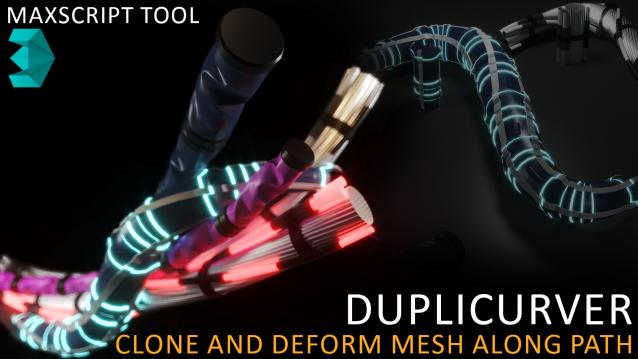
Duplicurver is a game-changing Maxscript tool that brings the power and versatility of ZBrush's IMM (Insert Multi Mesh) Curve brush directly to Autodesk 3ds Max. This tool serves as a highly beneficial asset for artists and 3D professionals, allowing them to replicate and deform meshes along a path with unprecedented ease and efficiency.

miauu's Slate Material Cloner

1 vote


Move/Clone to cursor

0 votes

Hi, this is simple script which move or clone selected objects to surface under cursor. You can bind it to any hotkey (I usualy use Alt+S and Alt+C). In this current version additional settings are avaiable only by hidden function call ObjToCursorSettings() which can be called via MaxScript Listener.

Pathstribute

-13 votes

Pathstribute is a 3ds Max plugin which gives users the ability to distribute a mesh along any number of splines. Users are given a variety of controls to adjust the number of clones, the placement of the copies, scale, and the rotation. All controls support animation.

Download now!

Syndicate content