Tagged 'uv'

Quick mapping

1 vote

Quickly assign a box mapping of 1m³, 0.5 or whatever you want.

quick mapping

Multi Texture Tiler

4 votes

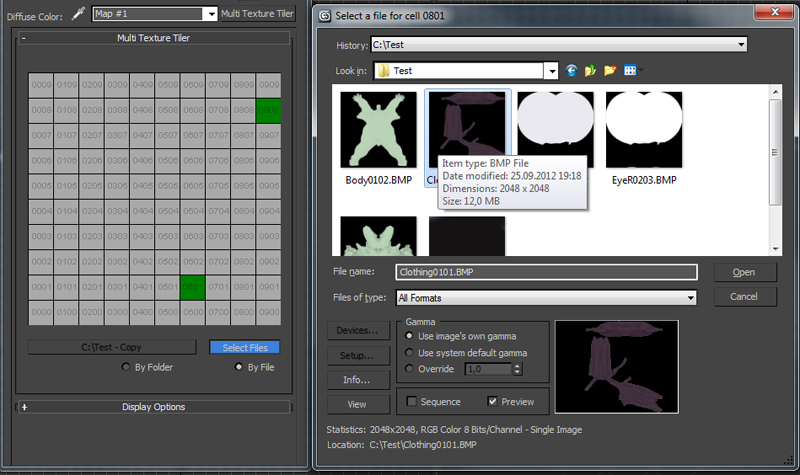
New version update: Possibility to use files without any prefix choosing them manually (thanks to Branko Živković for pushing me in that direction).


The Multi Texture Tiler (MTT) is a plugin for 3DS Max 2008 - 2013 to apply multiple textures to multiple UV-Tiles immediately.

Check for UVs outside 0-1 space

1 vote

This script was requested in this thread.

The script will apply UVW_Unwrap modifier to selected ojects, then will check for UVs outside of the 0-1 space. If there is UVs outside of the 0-1 space in the Maxscript listener will be printed the name of the objects with problematic UVs. In the end the script will dlete the UVW_Unwrap modifier.

UVW to Poly

12 votes

Generates editable poly object from UVW chanel. Face and vertex indexes are the same as UVs.

UV 2 Mesh

73 votes

Converts your object(s)'s UV-Map to an Editable Poly or Mesh, also supports the creation of a "Bakingplane" to enable a faster workflow for planar highPoly modeling.

After some requests i decided to put it up as a standalone, have phun.

TexTools: Toolbox for the texture artist

237 votes

Documentation: http://www.renderhjs.net/textools/

Simply Cool Uv Tool

22 votes

This is my first script.Made for fun. Actually i needed to move selected uv clusters exactly 1 uv tile in witch direction i choose so i made a script. And added a few things...

Uploaded with ImageShack.us

Roadkill Link

11 votes

Roadkill is an excellent, free app that makes unwrapping models a breeze. This script improves the workflow between 3DS max and Roadkill.

- Enables easy selection of roadkill cut edges.
- Automates exporting and importing to and from roadkill.

The script, instructions and a link to the Roadkill app can be found here:

https://sites.google.com/site/copypastepixel/roadkill-maxscript

UPDATE:
-16/4/2010 Fixed a bug in Max 2010 where the edges marked in Max were not the edges cut by Roadkill.

Transfer UV

34 votes

Helps you to transfer texture coordinates from one objects to another with identical topology. The feature of this script is that they can transfer UV`s from multiple objects and correct some errors arising with importing .obj files, like vertex reordering or removing mid-edge vertexes when you export objects to .obj.

Updated to version 1.2 - rewritten vertex order sync, must work much better!

Demo video: http://www.mikems.ru/files/videos/TransferUVsDemo_lq.avi

Make planar & UV align commands

15 votes

Hey, guys.
Just a simple set of commands you can find in the Algomorph Category under Main UI group once you've put the scripts in your Macro folder and run them. These commands don't appear in either MainUI group / Editable Poly category or in the Editable Poly or the Edit Poly group, although they do appear as on-screen rollout buttons.

As far as the UV align X or align Y functionality goes, this doesn't explicitly exist in Max as a shortcut or button command, which is kind-of an old feature that Max was always lacking contrary to some other 3D apps...

Syndicate content