Tagged 'convert'

MultyConvertor

288 votes

MultyConvertor - allow to convert any materials, lights (objects) of any renders to any materials, lights (objects) and renders!!! It is all in one.

You can simple create *.mct (edit text file in any text editors and change extension) file for new render and facilities that support this type of rendering. See any *.mct in archive

Now you start the script and setup link properties from one render type to other. You can also use expression for translate value to other value or execute any max script expression.

Obj-Selector of obj without materials

16 votes

This short script allows the user to automatically select all objects in a scene that do not have a material or do have a 'Global Architectural' material applied to them.
This is useful especially for users who work with imported data from AutoCAD.

Simply drag and drop the script into your 3ds max viewport after the import process is finished, et voilà.

reSampleCurve

4 votes

a tool for resample nurbs curve or editable spline.
very limit function but useful.

--UPDATE--
2014/01/22:
version V1.1, optimized and new options,thanks Branko :)

Stretchy Bones Converter

1 vote

Script for automating the process of getting 3dsMax's native stretchy bones into any game engine: creating a separate de-hierarchized bone structure that follows the motion of the base bone structure and automatically migrating skin weights on a mesh to those new bones.

USAGE:
Select the bones that you want to be affected with "Pick bones" button.
Select the affected mesh with a skin modifier with "Pick skinned object" button.
Press "Convert and reskin" button.

IMPORTANT:

Subobjects Converter

9 votes


v3.07
Fixed Shift+1 Shift+2

v3.01
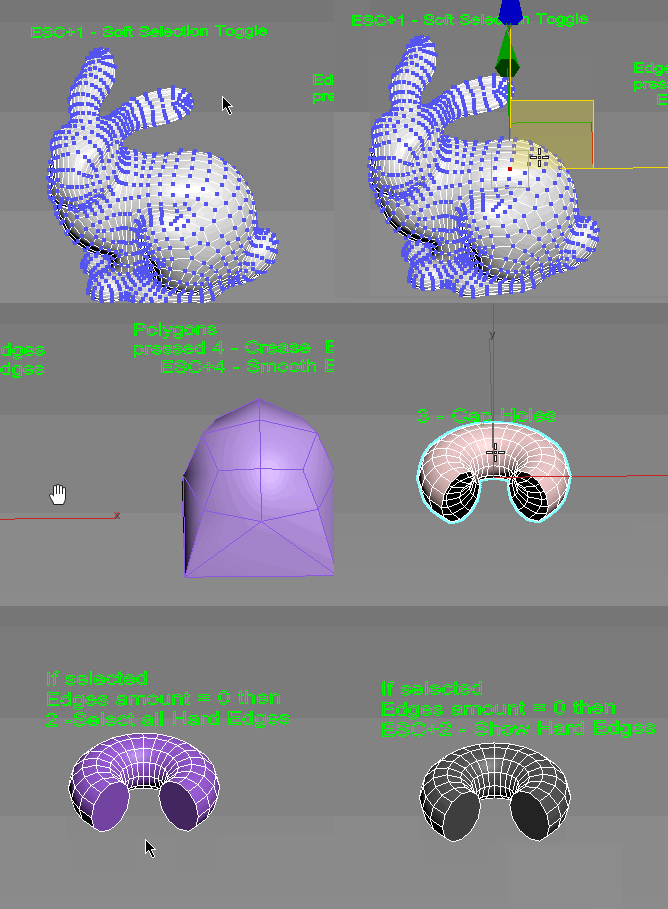
If Esc+Key of script keyboard pressed and current subobjectlevel is 4 or 5 (Face or Element) and selected all faces then will run Smoothing Groups floater (a separate special window)
Если нажата Esc+кнопка скрипта и текущий подобъект 4 или 5 (Грани или Элементы) и все грани выделены, то будет запущен Smoothing Groups floater (отдельным специальным окошком)

Fixed bug of switch from subobject 5 to 4
Added Extended Subobjects:

UniRing-Loop Tools [URLT]

8 votes

The Ring-Loop selection and the edges and vertices of a single hotkey.

Universal Ring-Loop selector, works with Edges and vertex (on vertex works with bugs)

Выделение Ring-Loop и рёбер и вершин единой кнопкой

Универсальный Ring-Loop селектор работает с рёбрами и вершинами (на вершинах работает с ошибками)

UV 2 Mesh

73 votes

Converts your object(s)'s UV-Map to an Editable Poly or Mesh, also supports the creation of a "Bakingplane" to enable a faster workflow for planar highPoly modeling.

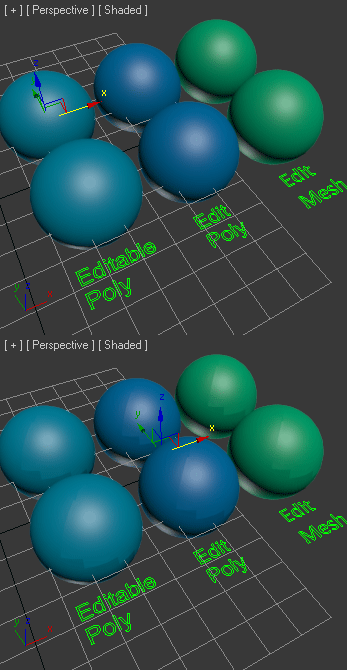
After some requests i decided to put it up as a standalone, have phun.

UWeld

12 votes

v2.02 Fixed bugs


The script welds automatically all vertices of border.
Этот инструмент автоматически спаивает вершины краёв.

Vertex to shape

21 votes

This is a script I did for a co-worker. It takes a vertex selection and turns that into a shape. It is the same as taking an edge loop and converting it to a shape but with less button clicks. Actually that is how it is scripted as well. It takes a vertex selection and converts it to a edge selection and then shrinks it to get the right edge loop. Then it just converts the edge to a shape. Pretty simple but it might help your work flow if you need something like this often enough.

Vray To Unity OneClick Converter

1 vote

Script for automatic conversion 3ds Max scene with V-ray renderer to Unity Engine (HDRP and URP).

Documentation: https://docs.google.com/document/d/19XJjX2VO_rHNIj4ZDcKPlwhYR0FFi8a77FyG...

Скрипт по автоматической конвертации сцены из 3ds Max V-ray в Unity (HDRP и URP)

Документация на русском : https://docs.google.com/document/d/122-TyKZj-STQIXhajocWSvXzTZeeRxgscq3P...

https://u3d.gumroad.com/l/3dsmaxVray2unityPRO PRO version without texture size limit.

Telegram Support Channel https://t.me/OneClickExporter

Syndicate content