Tagged 'convert'

UniRing-Loop Tools [URLT]

8 votes

The Ring-Loop selection and the edges and vertices of a single hotkey.

Universal Ring-Loop selector, works with Edges and vertex (on vertex works with bugs)

Выделение Ring-Loop и рёбер и вершин единой кнопкой

Универсальный Ring-Loop селектор работает с рёбрами и вершинами (на вершинах работает с ошибками)

EVector

3 votes

EVector is meticulously crafted software intended to facilitate the creation of 2D lines from 3D objects within 3ds Max. It adeptly projects your models, including groups, onto 2D splines, offering an array of customizable options within a remarkably stable environment. The resulting splines can be seamlessly exported to DWG or DXF formats, ensuring impeccable compatibility with AutoCAD and delivering pristine lines aligned with your desired projection direction.
Poster Image

HairtoShag V1.1

17 votes

HAIR TO SHAG V1.1
Is a 3dsmax script tool for convert the 3dsmax Hair&Fur guide lines in HairFx guide lines. With this script you can use the power of modeling tools in Hair&Fur and render your hairs with HairFx. For the tutorial you can see in my tutorial page link.


VrayColorTool

13 votes

The vrayColorTool will insert vraycolormaps into every available textureslot in the diffusechannel of a material. The new vraycolormap will hold the appropriate colorvalue. This wil enable artists to convert materials to a gamma-oriented workflow. The script will also remove the vraycolormaps if needed.

Obj-Selector of obj without materials

16 votes

This short script allows the user to automatically select all objects in a scene that do not have a material or do have a 'Global Architectural' material applied to them.
This is useful especially for users who work with imported data from AutoCAD.

Simply drag and drop the script into your 3ds max viewport after the import process is finished, et voilà.

Batch Step files Import

1 vote

Batch Import/Export Step files to fbx/obj

Stretchy Bones Converter

1 vote

Script for automating the process of getting 3dsMax's native stretchy bones into any game engine: creating a separate de-hierarchized bone structure that follows the motion of the base bone structure and automatically migrating skin weights on a mesh to those new bones.

USAGE:
Select the bones that you want to be affected with "Pick bones" button.
Select the affected mesh with a skin modifier with "Pick skinned object" button.
Press "Convert and reskin" button.

IMPORTANT:

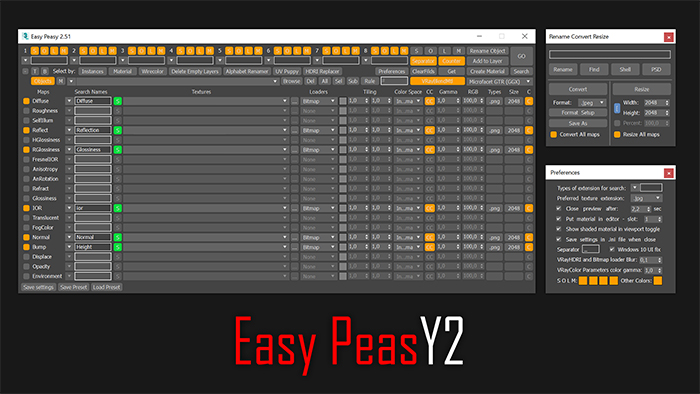
Easy Peasy 2

3 votes

Cheetah!

Maps 2 Bitmaps

0 votes

3dsMax Script for Converting Complex Map to 1 Bitmap

The Results is not Very Accurate because of replacing some maps like Falloff (with its submap or color correction)

* This Kind of Maps "Like Falloff" should not be rendered with RenderMap .

So It is intended to be used for exporting purposes .

-The 3 EditText Fields are (Exclude Classes, Replace Classes, Reference Classes) .

- Sometimes you need to run it more than once and do convert (May I fix this in future) .

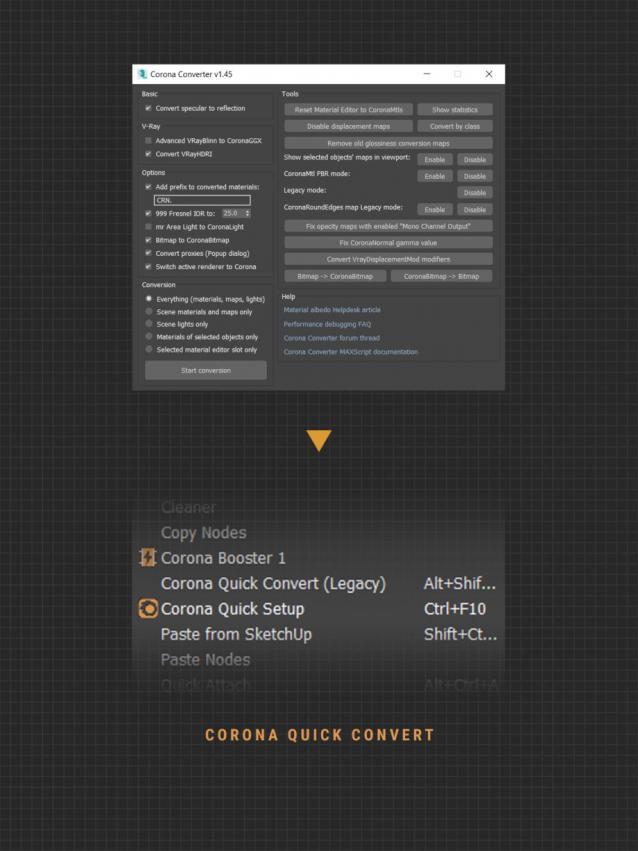
Corona Quick Convert (free)

1 vote

A small utility that helps you quick convert what is currently selected to Corona (light & material). In addition to the MCR version that can set a shortcut, you can use the MS versior to add to Smart Merge or other utilities that support post-script function. Currently version of the script only supports converting materials to Corona Legacy format.


IMPORTANT NOTE