Tagged 'convert'

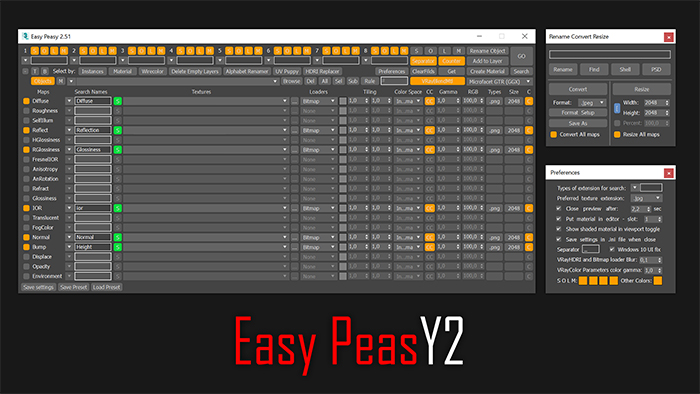
Easy Peasy 2

3 votes

Cheetah!

reSampleCurve

4 votes

a tool for resample nurbs curve or editable spline.
very limit function but useful.

--UPDATE--
2014/01/22:
version V1.1, optimized and new options,thanks Branko :)

HairtoShag V1.1

17 votes

HAIR TO SHAG V1.1
Is a 3dsmax script tool for convert the 3dsmax Hair&Fur guide lines in HairFx guide lines. With this script you can use the power of modeling tools in Hair&Fur and render your hairs with HairFx. For the tutorial you can see in my tutorial page link.


Stretchy Bones Converter

1 vote

Script for automating the process of getting 3dsMax's native stretchy bones into any game engine: creating a separate de-hierarchized bone structure that follows the motion of the base bone structure and automatically migrating skin weights on a mesh to those new bones.

USAGE:
Select the bones that you want to be affected with "Pick bones" button.
Select the affected mesh with a skin modifier with "Pick skinned object" button.
Press "Convert and reskin" button.

IMPORTANT:

Batch Step files Import

1 vote

Batch Import/Export Step files to fbx/obj

Vertex to shape

21 votes

This is a script I did for a co-worker. It takes a vertex selection and turns that into a shape. It is the same as taking an edge loop and converting it to a shape but with less button clicks. Actually that is how it is scripted as well. It takes a vertex selection and converts it to a edge selection and then shrinks it to get the right edge loop. Then it just converts the edge to a shape. Pretty simple but it might help your work flow if you need something like this often enough.

Frames-2-Milliseconds (Frames2MS)

1 vote

A quick converter from Frames to Milliseconds and vice versa

Obj-Selector of obj without materials

16 votes

This short script allows the user to automatically select all objects in a scene that do not have a material or do have a 'Global Architectural' material applied to them.
This is useful especially for users who work with imported data from AutoCAD.

Simply drag and drop the script into your 3ds max viewport after the import process is finished, et voilà.

waRp ConvertDummy

0 votes

This script converts all Dummies (into containers) in the scene that have objects parented to them.

It is useful when importing a scene from Maya (pressing the option Send to 3ds Max automatically converts the groups from maya to Dummies into 3ds max).

EVector

3 votes

EVector is meticulously crafted software intended to facilitate the creation of 2D lines from 3D objects within 3ds Max. It adeptly projects your models, including groups, onto 2D splines, offering an array of customizable options within a remarkably stable environment. The resulting splines can be seamlessly exported to DWG or DXF formats, ensuring impeccable compatibility with AutoCAD and delivering pristine lines aligned with your desired projection direction.
Poster Image

Syndicate content