Tagged 'convert'

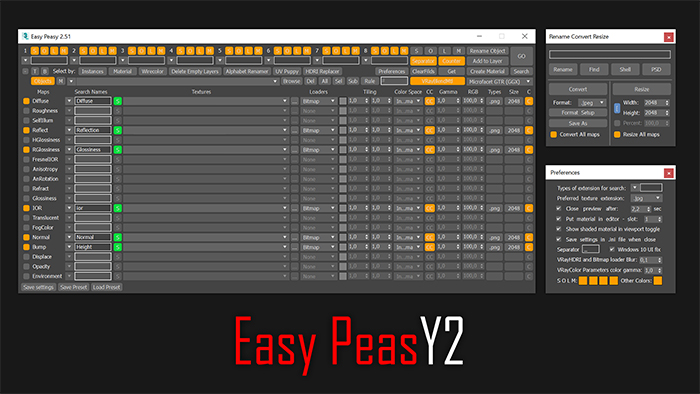
Easy Peasy 2

3 votes

Cheetah!

FiberMesh to Splines

3 votes

FiberMesh to Splines will convert the exported FiberMesh polygons from ZBrush to splines. The splines can be used to create and render 3DS Max hair either with 3DS Max default hair modifier or using a hair plugin that has a recomb from splines option.


EVector

3 votes

EVector is meticulously crafted software intended to facilitate the creation of 2D lines from 3D objects within 3ds Max. It adeptly projects your models, including groups, onto 2D splines, offering an array of customizable options within a remarkably stable environment. The resulting splines can be seamlessly exported to DWG or DXF formats, ensuring impeccable compatibility with AutoCAD and delivering pristine lines aligned with your desired projection direction.
Poster Image

EBatcher/Econverter

2 votes

EBatcher is a max file cleaner, assets collector, Corona converter with legacy materials support that enhances your file’s performance. It can clean up your files and save them to previous versions in batch mode. EBatcher also provides a controllable subdirectory environment and has the ability to collect your assets and rename it to a desired folder.

Each license of this script can be activated on one computer only (With many max versions* and instances as you want) and this license covers ver 1.++ and it’s minor updates below ver 2.00.
Change log:

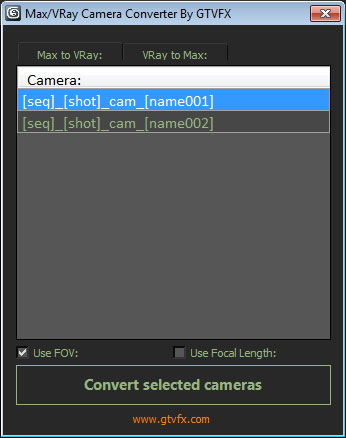
GTVFX-ANM_maxVRayCameraConverter

2 votes


Converts Standard Max cameras into VRay Physical cameras or the other way around.

When converting to Vray camera there is the option to use either FOV for Focal-Length.


 Updates:

2014-02-09:

Updated UI. Fixed a bug when converting the focal length of VRay camers to FOV for standard cams the built-in function within Max was marginally off causing a mis-match between the origianl camera and the converted camera.

3dmax Vray To Unreal Engine Converter and Vertex Color Baker

1 vote


This script can convert Vray to Unreal engine Materials and geomerty, Bake AO/GI/CustomShader to vertex Color/alpha or to texture. Also you can place All scene objects in Unreal like in 3ds max Scene in one click.

Batch Step files Import

1 vote

Batch Import/Export Step files to fbx/obj

Stretchy Bones Converter

1 vote

Script for automating the process of getting 3dsMax's native stretchy bones into any game engine: creating a separate de-hierarchized bone structure that follows the motion of the base bone structure and automatically migrating skin weights on a mesh to those new bones.

USAGE:
Select the bones that you want to be affected with "Pick bones" button.
Select the affected mesh with a skin modifier with "Pick skinned object" button.
Press "Convert and reskin" button.

IMPORTANT:

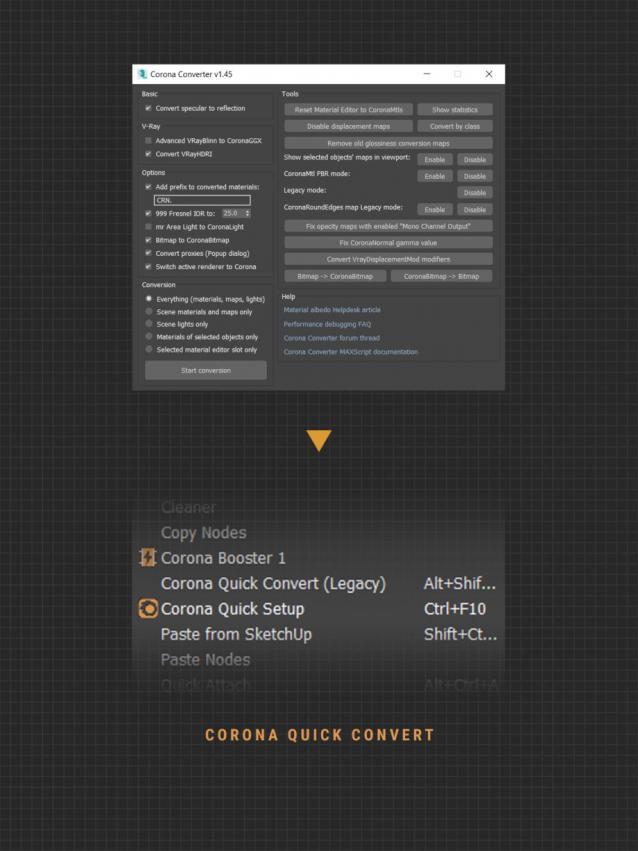
Corona Quick Convert (free)

1 vote

A small utility that helps you quick convert what is currently selected to Corona (light & material). In addition to the MCR version that can set a shortcut, you can use the MS versior to add to Smart Merge or other utilities that support post-script function. Currently version of the script only supports converting materials to Corona Legacy format.


IMPORTANT NOTE

Frames-2-Milliseconds (Frames2MS)

1 vote

A quick converter from Frames to Milliseconds and vice versa

Syndicate content