Tagged 'Plugins'

Modifier Clone Pack

1 vote

The Clone Modifier Pack include basic Linear Clone, Radial Clone, and Grid Clone. These modifiers create copies of an object and incrementally translate, rotate and scale the input object. These modifiers allow users to animate the offsets and number of duplicates over time. Artists can also add multiple modifiers to create complex results.

Users can also enable the Weld feature which welds all vertices along the clone edge that are within a specified tolerance.

Mouse Track

16 votes

Tracks mouse over a mesh; returns the surface intersection normal ray
and the face number under the mouse cursor. Sample usage script
included. Originally supplied as a "bonus plugin" in r2.5. Recompiled
r3.0 version included. Very powerful!

Move selected object with keyboard

1 vote

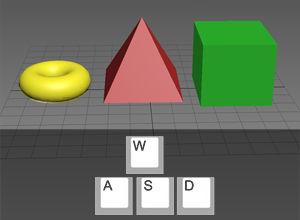
awsd poster

A little free plug-in which allows you to move selected objects with A,W,S,D keys. If it will be useful for someone, I will improve it.

ms Spline Trim

1 vote

Finally!
A powerful 3ds Max modifier
for trimming and randomizing splines
with full control.

ms Spline Trim - a must have plugin for 3ds max. It's an advanced shape/splines modyfier that allows you to create stunning motion effects is seconds - like the one you know from After Effects - Stroke, Saber or Vegas effects. Trim, Offset and Randomize your shapes, texts and paths. Add an extra touch to your animations.

Perfect for:
- texts
- motion graphics animations
- procedural patterns
- abstract spline setups
- cables & wires
- fences & rails

msKonektus

3 votes

msKonektus v0.1 - plugin for 3ds max 2017-2026.

msKonektus allows you to create effects similar to those known from the Plexus plugin for After Effects.

msKonektus is fast and efficient, and provides many parameters to customize the final result. Works with geometry and particles (standard particles, Particle Flow, tyFlow).

INSTALLATION
Simply copy correct version msKonektus_20xx.dlo file into your 3ds max 20xx plugins folder.
You should find it under Geometry rollout -> msTools -> msKonektus.

Multi Mesher

17 votes

This is a quick FREE tool.
it acts like the Mesher, but instead of picking only one source object you can have a list of them.
And with some boolean options to intersect or subtract the meshes.

there is a add list for the boolean addition objects
and another one for the subtract objects

it keeps the animation...modifiers, and the uv's.

and the Source objects remains separate, so it'll not collapse it in one, like the boolean does.

you can also pick splines

installation :
1 : put the file in your script, startup folder.
2 : restart max

mxscom

29 votes

The REZN8 Productions MAXScript / COM Bridge. This script and executable allows you to run scripts externally.

Install for Crimson Editor
0. Modify the entry in maxscript6.reg and or maxscript7.reg to point to the
directory where your 3dsmax.exe resides.
1. Place 'RegisterOLEControl.ms' into your folder.

MXSEditor global utility pugin

8 votes

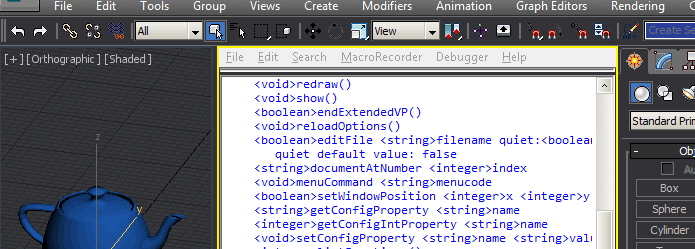
This 3ds Max plugin provides a powerful Maxscript interface to the maxscript editor (MXSE) and the underlying Scintilla/SciTE editor component. Additionally it enables the Maxscript Editor to be used as an extended viewport.

FEATURES:

MXSPyCOM

1 vote

A modern version of MXSCOM, to allow for editing & execution of 3ds Max MaxScript and Python files from external code editors.

In 2005 Simon Feltman released the first MXSCOM, a small Visual Basic 6 application that took commands and sent them to Autodesk's
3ds Max's internal COM server. This allowed users to choose their own external code editor for editing MaxScript and to be able to
have their MaxScript code execute in 3ds Max by way of having the code editor utilize MXSCOM to send the file into 3ds Max and have it

My Blog Huh?

Actually I have already started a blog here: (can i put a link here?)

mertens3d - Blog

Syndicate content