Tagged 'Plugins'

StonTools

25 votes

Plugin for 3dsMax. Especially design for ShiVa, this tool improves compatibility between the two platforms.

With a precise analysis of scene and tools for auto correction of errors, passing a model from 3dsMax to ShiVa becomes child's play…

1. Compatibility check
2. UVW transfer
3. Character repair and optimize for export
4. Multi/sub object material simplification and conversion to standard

The tool, in version 0.85, will be regularly updated according to the innovations of Shiva game engine

The REZN8 Productions MAXScript Control and Function Library

33 votes

The REZN8 Productions MAXScript Control and Function Library is a 3dsmax script plugin extension. This extension exposes a slew of methods and UI controls to the MAXScript language.

- Tab Control. Allows adding individual rollouts into a tabbed control.
- Splitter. Allows dragging and tracking both horizontally and vertically.
- CoolButton. Mouse over button with image support.
- Dialog Structure. The dialog structure is a wrapper struct for controlling createDialog with auto saving and loading of dialog positioning.

...

Shortcuts

23 votes

This plug-in allows you to bind keyboard shortcuts (hotkeys) to most MAXScripts.
It adds some MAXScript functions that reads Scribe data
directly into MAX. No DLL's required. Test Interface script
included.

Avguard MAXScript Extension Package

24 votes

The legendary Avguard extensions have been improved even more, adding
dozens of incredibly useful methods/globals for the maxscript
programmer…
See included text file for complete change notes…

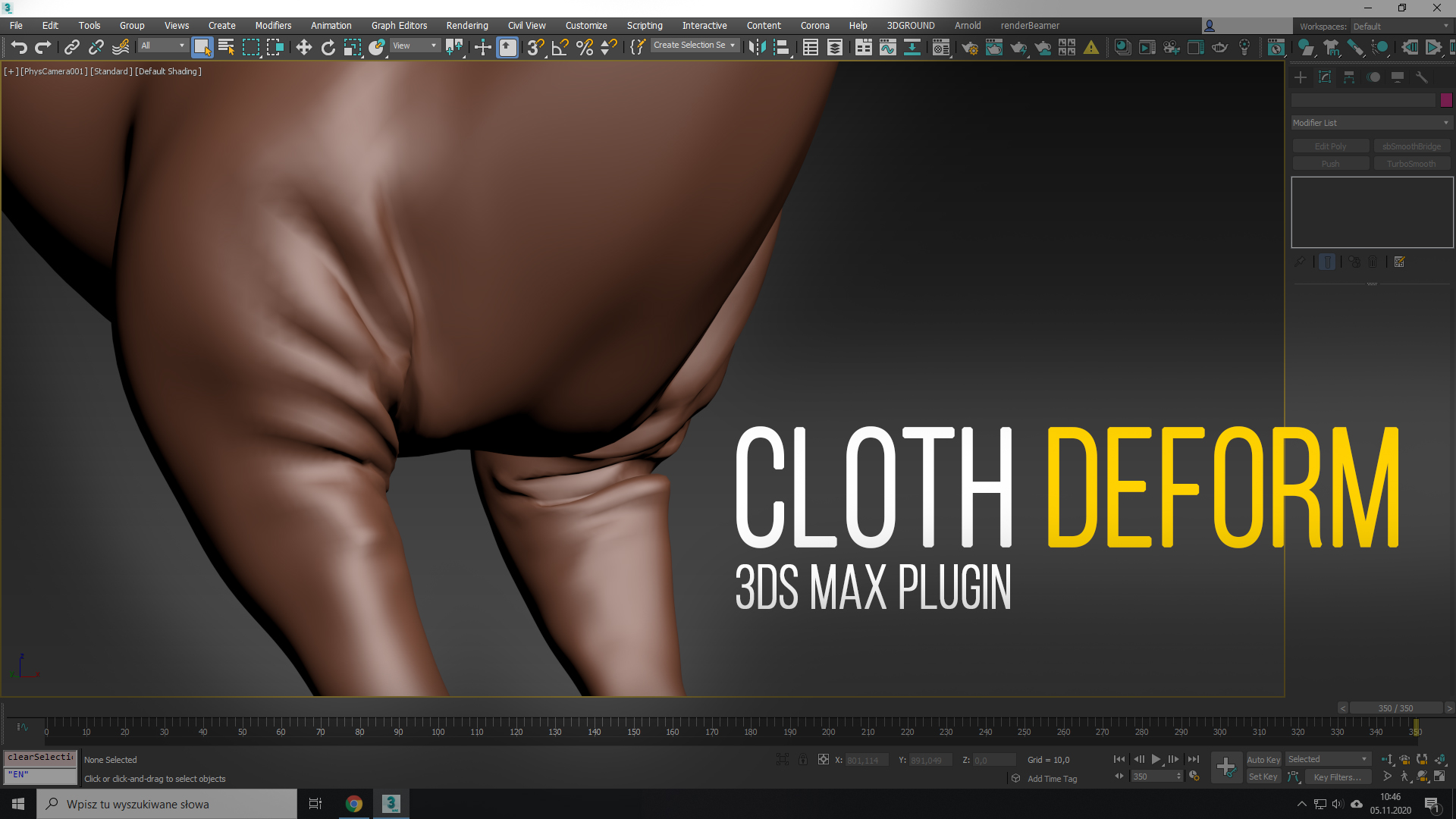
Cloth Deform

4 votes

Cloth Deform is a modifier which creates cloth-like wrinkles on top of any mesh deforming modifier, which squashes/stretches its edges (e.g. Skin). It is history-independent, so it gets a single mesh as an input and transform it into a wrinkled-state based on its rest pose. It doesn’t do any simulation, so to see the result at frame 100 you don’t have pre-sim the (0-99) range, like in any other cloth simulators.

Available for 3ds Max: 2015, 2016, 2017, 2018, 2019, 2020, 2021, 2022.
KEYHYDRA FOR 3DSMAX

2 votes

You purchase one plug-in [KeyHydra] and get 3 tools : KeyHydra Shorcuts, KeyHydra LazerCut, KeyHydra WheelCtrl.

KeyHydra Shortcuts :

https://keyhydra.com/keyhydra-shortcut

KeyHydra Shortcuts Redefines interaction between user, keyboard and 3DSMax –> By improving input methods –> Keyboard shortcuts. You’ll be hable to drag and drop your shortcut from one key to another, create Multi-taps shortcuts, Context sensitives shortcuts & Scripted Shortcuts.

KeyHydra LazerCut :

https://keyhydra.com/keyhydra-lazercut

AVGuard

22 votes

Lots-O-Extensions! (see avg_dlx.txt, or In Listener, type "avgHelp()"
for short descriptions). Minor update: "fixed cast in bit.shift method"

Visual MaxScript Plugin Fix

24 votes

This is a fix for the small, yet incredibly irritating, bug in Visual
Maxscript Plugin where when you've finished editing a rollout in VMS it
would remove one line directly below the rollout block which, if not
manually fixed could lead to the rollout 'eating' your code away.

This is a modification from the original plugin from Discreet so all credit goes to them.

MaxFlow2 Realeased - Big upgrade! State-Sets for Every Attribute—Own Every Parameter, Instantly. 

2 votes


New Release: MaxFlow — Node-based Scene Data Management for Effortless Scene State Switching

V2.0 Realeased!

The functions are fully upgraded and the experience is completely new!

1.Add attribute configuration function, freely combine parameters, lighting, geometry, camera, material, modifier and so on almost everything!

2.Add base state layer to optimize the state setting experience. All state nodes inherit the base state.

3D Studio Max - Plug n Play Toolbox

2 votes

The plug and play toolbox allows you to easily browse and run scripts and plugins within your browser.

No need for complicated installs, simply browse click and play.

When you restart max non of the tools exist, only when you run them, so there's no chance you can get any startup errors or slow-downs.

To see the toolbox in action check the video link below :-
http://youtu.be/ZKMw1UtcOjU

Check out the site below for download information.
http://www.3dsmax.ninja

Syndicate content
