Tagged 'instance'

InstancesToVRayProxy

6 votes

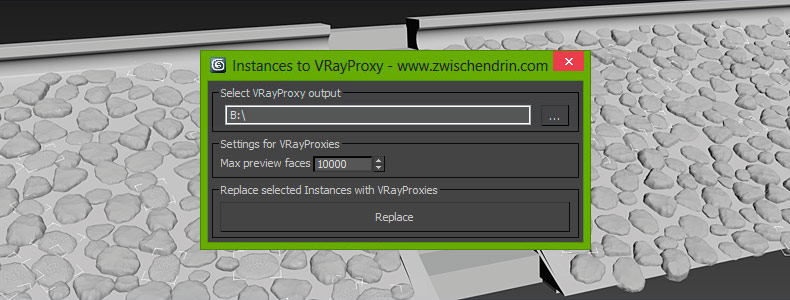
Select as many objects as you like and let InstancesToVRayProxy find any instanced objects and convert those instances to VRayProxies. InstancesToVRayProxy automatically outputs VRayProxy meshs (*.vrmesh files) to a given folder, creates VRayProxy objects and replaces the selected instances with instances of those VRayProxies. This may sound difficult but InstancesToVRayProxy will optimize your scene to do faster renderings and all you have to do is pick an output path and hit a button! Instanced VRayProxies only need to be loaded once per proxy mesh. This will cut down the setup time of your renderings.

instanceTrimmer

9 votes

Takes a selection and reduces the selection to include only a single instance from each set of instances.

Tutorial:

Make a sphere and instance it once. Make a 3rd sphere, copy it once. Select all 4 spheres. Run the script in UI mode. Hit Do. Now your 3rd, 4th and either the 1st or 2nd sphere is selected.

Make iT Instance

0 votes

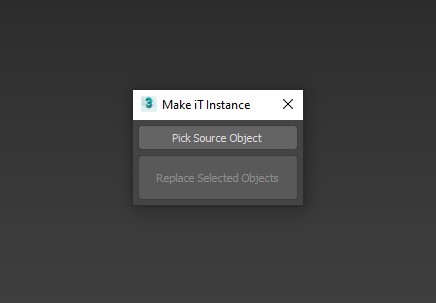
A Script for Replacing Selected Objects with Picked Object , BUT with Group Support .


Note : When Replacing Groups its better to be closed .

INSTALL : drop it to max viewport or run it from Scripting Menu/Run Script , You'll Find it in "_My Scripts_" Category .

UPDATE 1 :

miauu's Extended Clone Tool

2 votes


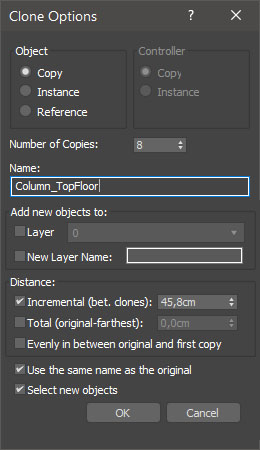
miauu's Extended Clone Tool adds new options to the standard Clone Options dialog.

The main goal - save time using these features:

- move the created objects to a new layer,

- move the created objects into existing layer

miauu's Scatter Tool

6 votes

This script was requested in this thread by @obaida.
What script do: Get selected object and scatter created clones with random scale but without collision. The created clones can be attached to the source object - miauuscattertool_v11.ms.

Installation: Drag and drop in 3ds max. Go to Customize-Customize User Interface- "miauu" category and find "miauu's Scatter Tool".

miauu's Slate Material Cloner

1 vote


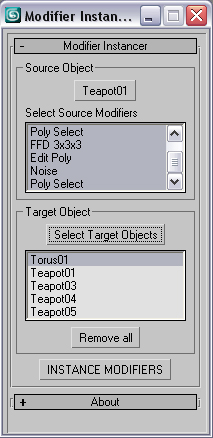
Modifier Instancer

28 votes

This simple scripts allows you to instance some or all modifiers of an object into large number of objects.

- just pick the source object

- select the modifiers that are going to be instanced. Press CTRL for multiple selection.

- select target objects

- Hit to the INSTANCE MODIFIERS

version history:

version 0.5

-Selected objects automatically will be added to the target list.

Move/Clone to cursor

3 votes

Hi, this is simple script which move or clone selected objects to surface under cursor. You can bind it to any hotkey (I usualy use Alt+S and Alt+C).

1.0.1

- initial releas

1.0.2

- settings can be binded to hotkey

- possibility to turn on random rotation in Z axis

1.0.3

- multiple object selection can be treated as object list, so in clone mode random object will be selected

- cloned objects can be automaticly moved to active layer

 

Move/Clone to cursor

0 votes

Hi, this is simple script which move or clone selected objects to surface under cursor. You can bind it to any hotkey (I usualy use Alt+S and Alt+C). In this current version additional settings are avaiable only by hidden function call ObjToCursorSettings() which can be called via MaxScript Listener.

Select instances objects

2 votes

Small but very useful script for selected instances objects

- select only visible instances objects
- work fast, support undo
- work of script would be broken by pressing Escape button

for install you should drag&drop script into 3ds Max
Find it in Customize -> Customize user interface -> Toolbars.
Category: # Scripts

Tested on 3ds max 2012

Syndicate content