Tagged 'macroscript'

Incremental Save

51 votes

It's a my super slim version with similar functionality to the Martin Breidt script, that saves incremental file versions while keeping the name of the latest - most-up-to-date version always the same as the original file. This is good for XRef'ing because the filename does not change.

Lights Switch

0 votes

This is a small macro script I created that will search for all the lights in a 3ds max scene and will turn OFF any light that is ON. In case all lights are OFF clicking on the Button will turn them all back ON. I created this script for myself to avoid going through all the lights and turn them off in case I wanna do some tests using one or few selected lights. I know there is a light lister but it's not that practical. this script can be placed as a button on the toolbar, it's always there.
you can see a demo here: https://youtu.be/lIawffhcyVw?list=PLHpTMy1QrXbhXK3KP_Ov3XwElNlfy3hQ4

List MacroScripts

2 votes

List all MacroScripts.
Just run, and you will see a list with around 3500 macroscripts from the ActionTables and ActionItems.
Select an item, and will copy the command line for clipboard.
Tested only in 3dsmax 2014 x64

Macroscript Creator

19 votes

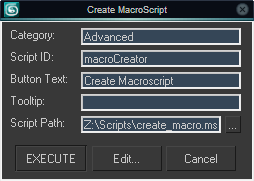
Most MAXScripts are available in .ms format and if there is a .mcr file included, it often requires rigid path structure to work. This little script creates macroscripts to run .ms or .mse files, the files themselves can be placed basically anywhere and you can define how they show in the interface.

Macroscript Creator UI

MiniListener Focus

6 votes

Sets keyboard focus to the MiniListener input field. If you want to use it, run the .mcr file once via Scripting -> Run Script or by drag&dropping it to the viewport. It creates an item in the Shortcuts category under Customize UI, which you can then assign a shortcut to.


Poly Average Normals

36 votes

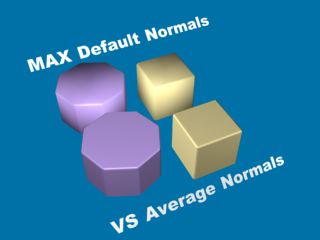
The macro script that averages all vertex normals
for faces tracked using custom (time saver) "smart selection".

Poly Average Normals

Primitives Default Override

30 votes

If like me you constantly zero out the segments of planes, cylinders and other tubes and cones you create, this script is for you.
It replaces the primitives creation macroscripts shipping with 3dsMax so that :
Cylinders, Tubes and Cones : Height Segments = 1, Sides = 16 (18 is only symmetrical on one axis)
Planes segments = 1x1
Teapot segments = 8 (as suggested by a good friend of mine ; this Teapot deserves a face lift)

I recommend putting it in the following location so that it overrides the one in the max root folder :

rp_RenameTools

30 votes

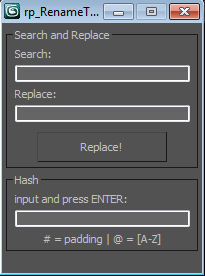
Simple tool that mimics Maya procedures (Search and Replace, Jason Schleifer´s hashRename) to easily organize naming conventions in scene nodes.

rp_TurboSmoothManager

17 votes

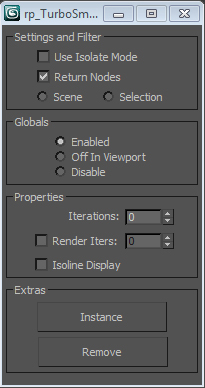
Simple and handy script that allows user to change a bunch of turbosmooth parameters in scene nodes at once.

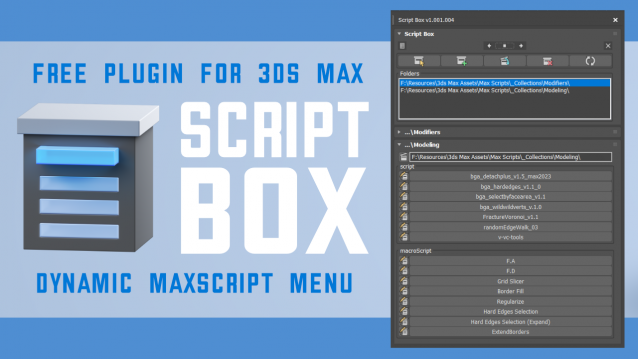
Script Box

3 votes

Script Box optimizes your scripting workflow by creating a dynamic dialog menu for Maxscript files.

Simplify installation and execution of Maxscripts by selecting any folder and get a menu that can launch external MaxScripts without adding custom buttons. Freely organize and integrate macroScripts, plugins, utilies and regular scripts inside 3ds max without going through a set of complicated steps.

The current version is free with no limitations, offering the same functionality as the paid version. Future updates are exclusive to paid users.

Main Features

  • Dynamic dialog menu 
  • Execute MaxScripts from any folder
  • Multi-threaded file loading
  • Organized by macroScript, plugin, utility and regular scripts
  • Configure buttons and minimize UI
  • Custom tooltips with aditional information
  • Create, archive and open MaxScripts
  • Dock, resize, and collapse dialogs
  • Launch on start-up

Syndicate content