Tagged 'ScriptSpot How To'

hi i want to do this operation on multiple selected objects

hi i want to do this operation on multiple selected objects

$.pos.controller.Path_Constraint.controller.follow = on

It operates on a single object , but with a multiple selection says
- Unknown property: "pos" in $selection

what should I do?

thanks for your time

need help please

hi, i have a lil' script and is not working and i wish to know what i have done wrong please

tha script:

for m in meditmaterials[2] do
(
if m.opacityMap != undefined do
(
m.opacityMap = undefined
)
)

and i've got this

-- Error occurred in m loop
-- Frame:
-- m: undefined
-- Unknown property: "opacityMap" in undefined
OK

and sorry if i post this here but i don;t know where

thanks in advance

exported selected to dwg or iges file in maxscript?

does anyone how to export selected to dwg or iges files in maxscript ?
because i searched through the internet and i found there is a script related to this
but it is solely export selected to 3ds file..

any help is greatly appreciated
cheers

Cycle through objects in loop

I can not figure this out by myself. banging my head for 2 days now.
Basically it is a path follow with boxes as path. I hope I can explain correct.
I want object called mover to go over this path.
If box_001 is selected the object mover is on the same place as box_001
On press but_up pressed
box_002 gets selected and the mover.position = box_001 then mover.position = box_002 and adding key to time line + 5
and so on..

I am not sure how to achieve this cycle in objects.(From box_001 to box_120 )
I tried braking up the name extension and replace the last 3 digits

Help

Where can i find my "favorite" scripts?

How can I implement the link to the website via the button?

Hi,
Of course I can use a hyperlink but I would like to make a nice button to go to the website. Please tell me how to implement it? Thanks in advance for your time.

How to: Change website theme

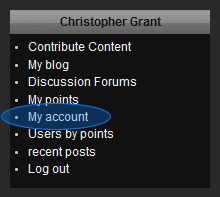
There are 2 themes currently available on ScriptSpot - a light blue theme and this default dark theme. If you prefer a light one you can change the theme in your "My account" page.

Vorofrag install problem.....:(

Hello folks, my first post and I'm sorry it has to be one where I'm already asking for help instead of contributing something positive. Hopefully it'll be something I've overlooked. I downloaded the Vorofrag_2.0 plugin from your site the other day and today I followed the install instructions from the pdf file. I'm running 3dsMax 2009 64bits on my Win7 pc. After placing the proper .dim file in the "stdplugs" folder I proceeded to start Max. The attached ,jpeg file shows why the plugin is not initializing.

dotNet listview and checkboxes

This is a snippet of code where I want to control the checkboxes by multiple selections in the listview itself and hitting the checkbox (whether it is checked or not) to select / de-select them accordingly, trouble is when I do this it doesn't do them in one but for each item.

Basically, if I shift and select the items and check off the box the value counts down in real-time for the countLabelVal text.

Is there a dotNet way of doing this?

on lv ItemChecked do part of the code below is the trouble maker.

How to: Edit your profile

You might have seen some posts have a block on the left with info about the author or you may have visited a user profile page and seen a bio about a user. Simply filling out your profile will make that information about you available to visitors.