Tagged 'line'

A CMD utility to externally re-path 3ds Max files

0 votes

This is a simple tool I wrote in IronPython and compiled to a usable .exe program for re-pathing or examining 3ds Max (.max and .mat) files without actually running 3ds Max.

It's pretty useful for batch re-pathing before rendering on render farms, for example. Or just to view what type of files are being linked in your .max and .mat scene files and material libraries, respectively.

Oriented Line

8 votes

Line segment aligned to follow the drag direction:


Detach Splines

8 votes

Breaks the selected shape object (Line or Editable Spline) into as many objects as there were splines in the original object. Unlike the other explode scripts, this one doesn't try to rebuild the splines point by point and instead duplicates the object and deletes all the other splines, which means they all keep the original attributes like material, material ID, interpolation settings, renderable settings and so on.

Time-Ranger

2 votes

Sets up time-ranges in Max and embeds it to the max file.

Very useful tool when you have multiple time-ranges in your single animation file. Mostly used for games - but can be used for many other purposes as well.

Sometimes it's useful to have many animations of a character in one file - so its start and end positions match between the different animations. TimeRanger lets you choose which section of the animation to show in the timeline.

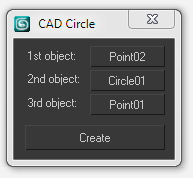
CAD Circle

6 votes

Create a circle by picking tangent points, lines or circles.

Object's Normal Fix

2 votes

Small Scripts to fix the Normal of selected shapes (Exrtude Direction)  .

- Select Shapes to Fix .

- Run the Script .

- One LeftClick on any Surface to get the Normal from it , then RightClick to Exit .

Another Script Added to Auto Fix Shapes Orientation .

* If you have 3d Curved Shape its better to use the First Script to do Manual Fix .

- UPDATE 1 :

  • Make the Macros Visible/Enabled When the Selection Contain Shapes .

- UPDATE 2 :

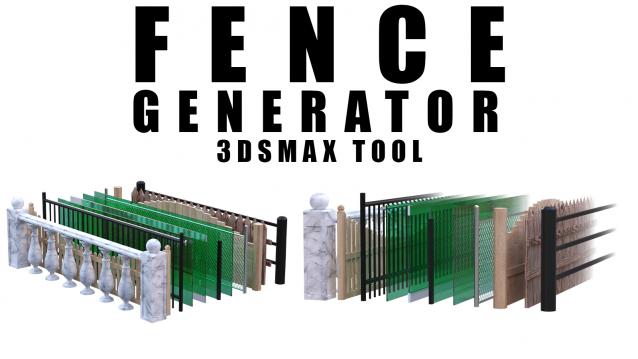
Fence Generator

0 votes

Enhance your 3D modeling workflow with our Spline-to-Fence Converter tool built with Maxscript. Easily transform splines in your scene into realistic fences and posts with just a few clicks. Choose from a selection of 11 fence types tailored to your project needs, and customize specifics such as fence height, number of posts, gap between planks, and more.

Shape Trimmer

2 votes

3ds Max Script for Making Trimming and Cutting Shapes Very Sample and Easy Thing to do .

The Script Required Max 2019+ to Work

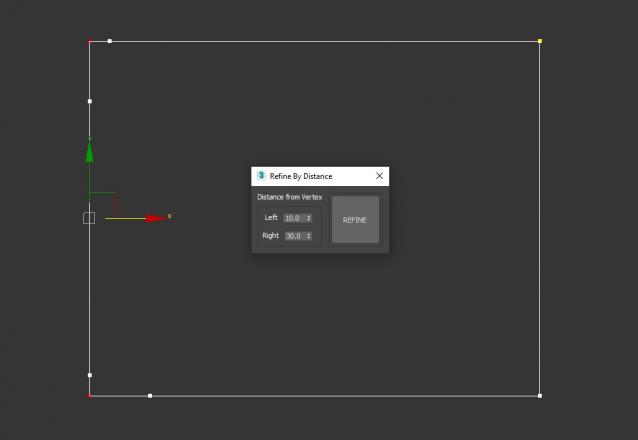
Refine By Distance

1 vote


3DS Max Script to Add 2 Vertices on each Selected Vertex by Specific Distance or to All Vertices if no Vertex Selected . Left of the Vertex will be Towered the Previous Vertex . Work on Multi Selected Shapes .

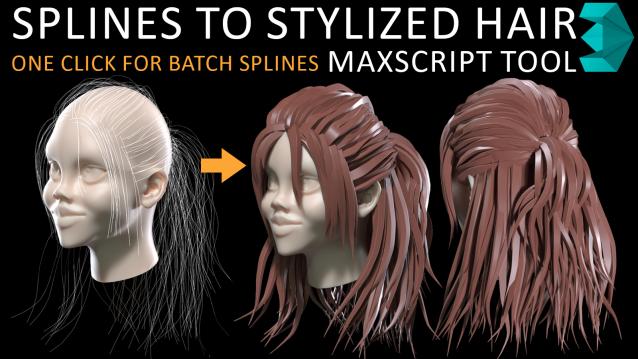
Spline to Stylized Hair

3 votes

in my hairstyle workflow i tried to turn each spline to stylized hairs but there was limitations such as lack of ability to deform a hair mesh along to all individual spline at once so i have made this MAXSCRIPT tool for helping myself turn a batch of splines to stylized hairs in one click. also there is multiple parameters for tweak hair segments ,thickness and rotation. i decided to publish this as a useful and time saving product 

Syndicate content