3ds Max | MCG

MCG FlatLiner

0 votes

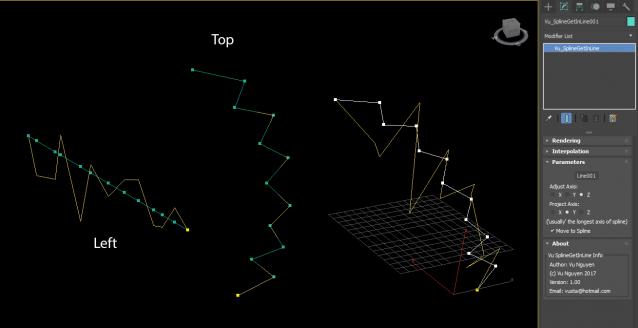
First, I do not even know 100% the requirements of this request. I'm doing it 2nd hand via a post on FB.

The thread on Chaosgroup is here:

http://forums.chaosgroup.com/showthread.php?91733-quot-Get-in-Line!-quot-for-vertexes

I don't have access to read so as said, I rely on 2nd hand pictures and tried my best to interpret...anyway, enough words...

MCG Flatpack Fold/Spline

1 vote

So Mythbusters proved you can't physically fold anything on itself more than 7 times...well you can use this MCG and fold stuff however many times you want...as long as you've got enough verts !!!

A picture won't do jack...as what does a flatpack look like.....? a flat box....so you'll have to watch the video to see the effect.

Iterations is how many times you've folded it. Why is it not an integer ?...so you could animate 'fraction' of a fold, that's why.

Installation:

MCG Fluted Column

0 votes

REQUIREMENTS: Max 2016 + SP3, Max 2017

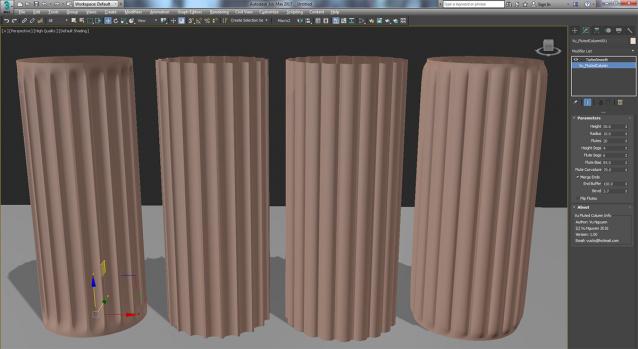
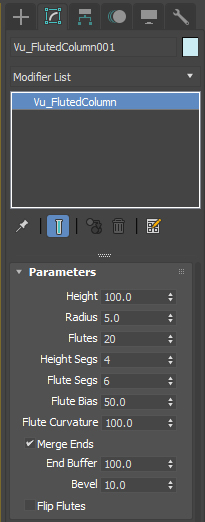
Installation: Scripting, Install Max Creation Graph... This MCG creates a fluted column geometry...with lots of controls so you're not STUCK with a static pre-made column.

Ver 1.01: Added (non) Monolith option...see high res pic...

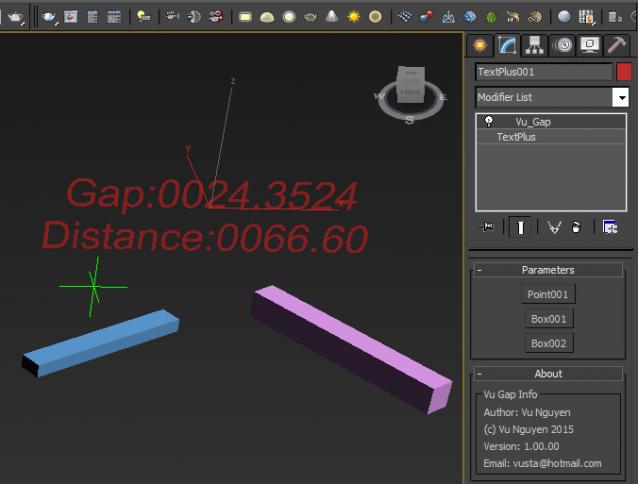
Ver 1.02: Added Precision control for gap (2nd pic).

MCG Gap

0 votes

This MCG finds the gap between 2 objects. This is the minimum distance between verts, not pivot to pivot. Hence, your geometry should have a reasonable amount of verts for accuracy. Thanks to Bob Dyce and Daniel Santana for the Vert to Vert distance compound.

MCG Gear

3 votes

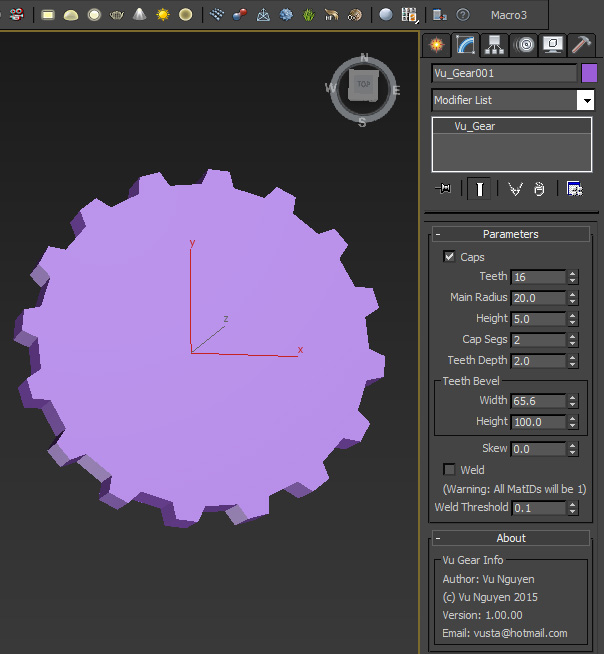
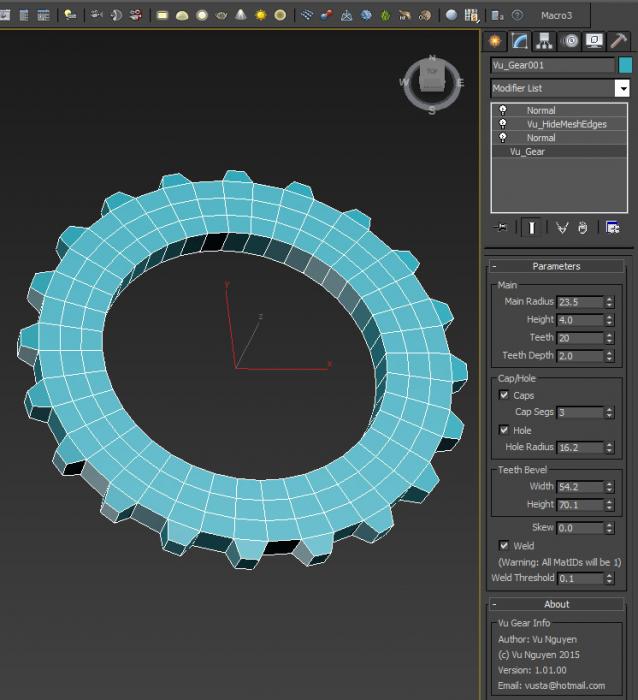
This MCG creates simple Gear geometry. It is not very nice since MCG does not have a Bevel or Face Extrude op...I'm simply showing the fiddly things I had to do to 'fake' this...my pain, your gain...

It is to be found in Create Panel, Vu Category.

Second video shows how to get Quads...

Ver 1.01.00: added hole functionality

MCG Gear Rotation

1 vote

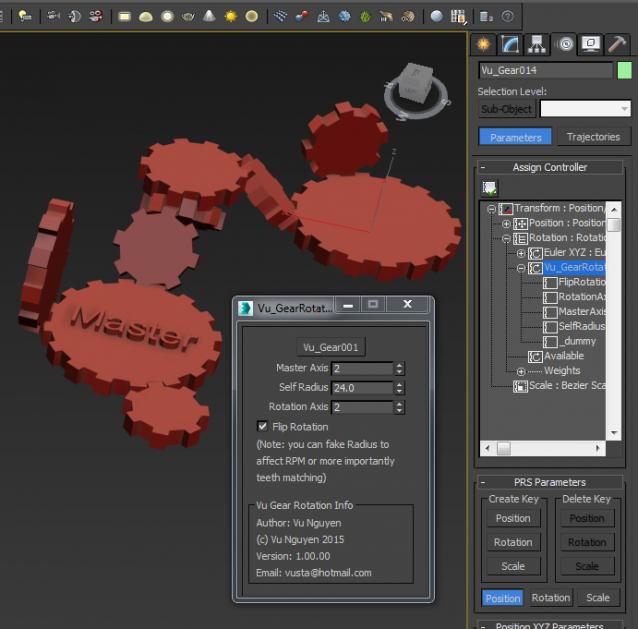
This MCG allows you to create gear rotation based on a Master object that has Euler RotationController. Note: this is found in the Motion Panel.

Ver 1.01: changed Axis spinners to radio buttons X, Y, Z. Pls note: if you prefer to use this version, your current gears will have their Axis off by 1, ie. you'll have to reassign them to Z most likely.

MCG GeoMeTry

3 votes

Installation:

https://knowledge.autodesk.com/support/3ds-max/learn-explore/caas/CloudH...

Then can be found in Create>Geometry>Vu

MCG GetQuadInfo

0 votes

This is a generic compound so people can call it and make use of it in their MCG. To simplify things, this assumes your mesh is pure quads (it would still work if it has tris in it, as can be seen in my ParseQuads MCG, however there can be no guarantee if it 'looks' right if you have a random mish mash of tris/quads) So because it is a compound, you can't 'install' it so I've supplied here a dummy MCG to clone on quads, those who know the rename to zip trick then drag/drop...just do so otherwise install the MCG to get the compound Vu_GetQuadInfo.

MCG Gift Box

0 votes

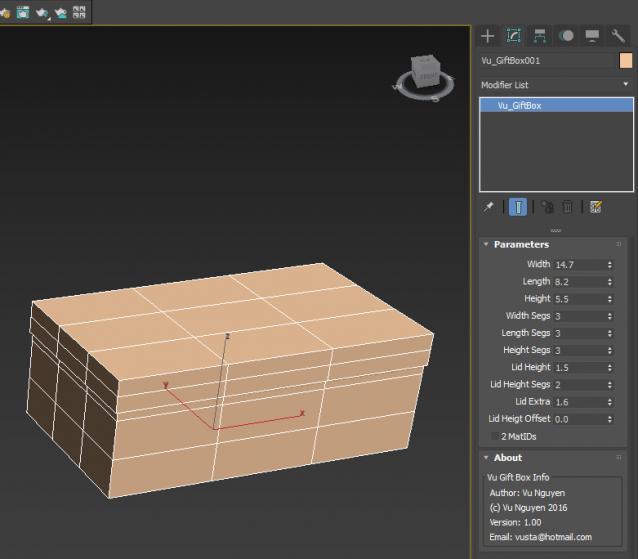
A very simple MCG Gift Box for beginners to dissect/study.

MCG Grid

2 votes

This has been superseded...please use this instead:

http://www.scriptspot.com/3ds-max/mcg/mcg-xgrid

Simple Spline Grid...so simple to use, no point of doing a video for it.

Found under Create Panel>Shapes>Vu

...with Sweep...

Syndicate content