3ds Max | MCG

MCG MorphToUV

4 votes

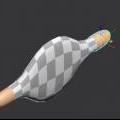
This MCG will morph your geometry to UV, much like in ZBrush. Please note this is a morpher not an unwrapper. You'll notice in the video that after I applied the mcg, the geo appears faceted. This is the 'ways' of MCGs, it breaks up the verts/normals. I didn't put an mcg Weld in there coz it's a bit slow and crash prone with high res geos. A Welder modifier is also slow. So the best solution I've found is to simply add an Edit Poly on top, select all verts and weld with a very small threshold, say 0.01, then also set your smooth groups here.

MCG MultiSlicerRot

2 votes

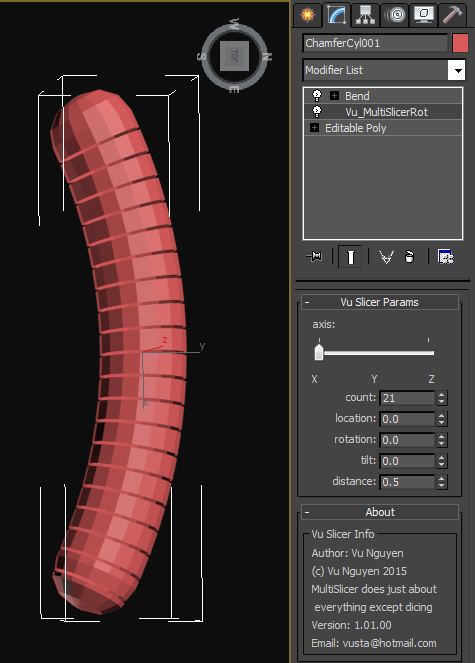
MultiSlicer to slice your object into....multi slices !!!

Installing the mcg should install compound SliceRotTilt as well but if not I've included it in the zip anyway.

Too tired to put in comments...promise I will when I can but if you've been reading my comments on FB you should be able to understand the warped logic.

MCG Muscle

5 votes

I'm calling this Muscle deform because that's what I set out to use it for but it can deform one mesh with another. Requires a vertex colour modifier underneath this modifier to enable it. The Bool is to determine if the deform happens with Red colour vert or green colour vert's.

MCG Muscle Node

2 votes

This is a dynamic object that connects the open edges of two objects. You can choose which open edges to connect.

MCG Normalise Spline

3 votes

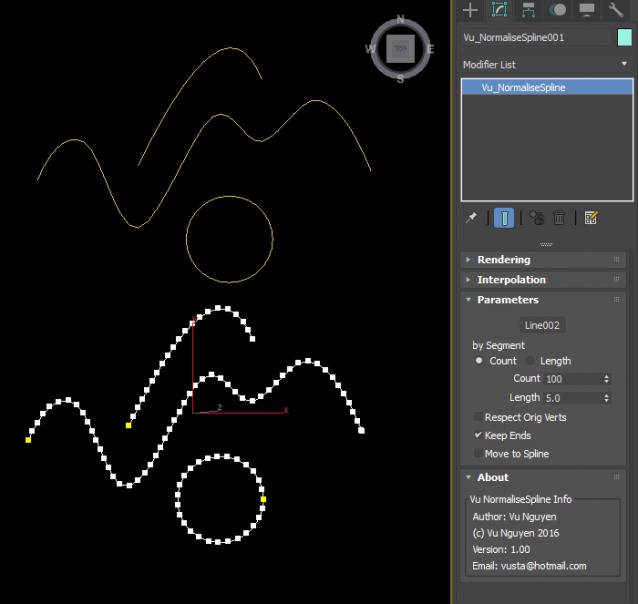
(The 'internal' compound you see there in the zip file is for ppl who wants to use this compound in their MCG, ie. you may create your own internal Spline rather than picking an external node)

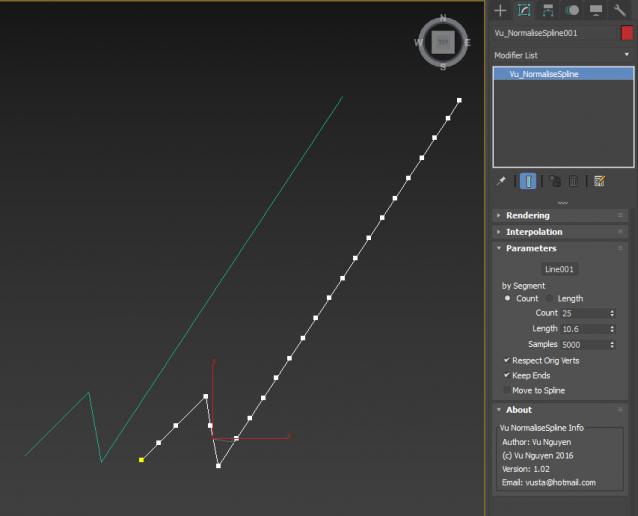
ver 1.02: exposed Samples parameter. When you have 'drastically' different seg lengths, you'll notice missing divisions at the end of the normalised spline, just crank up the Samples to correct this.

MCG Object Properties

2 votes

This modifier lets you access common object properties so you don't have to right-click to go into Obj Properties Dialogue then come back to your object. I actually use the Toggle Mat Colour most during modelling, so now I don't have to jump to the other panel and come back...This of course, is a global functionality and not per object based.

Ver 1.00.01: added Remove Material functionality

Ver 1.00.02: added Wire Xray functionality, this is like F3 but on object level rather than global, only works on Standard Material !!!

MCG Objects on Spline

0 votes

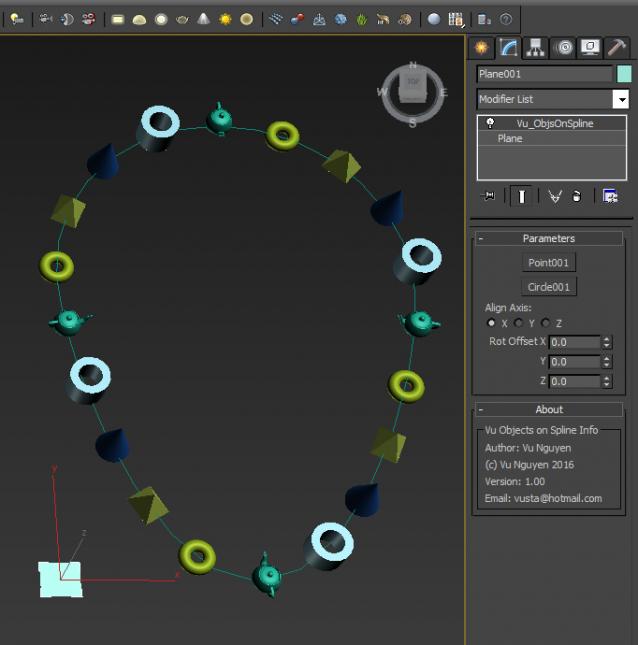
Simple MCG to put your objects onto a spline...no...too lazy to do spline with multi-curves...


MCG Orbit

1 vote

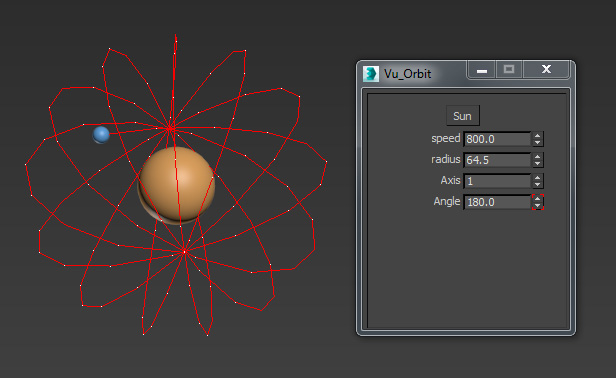
Here's a basic mod of the Orbit MCG. It allows you to change the plane of orbit. Very simple but I gotta start simple first...as usual...

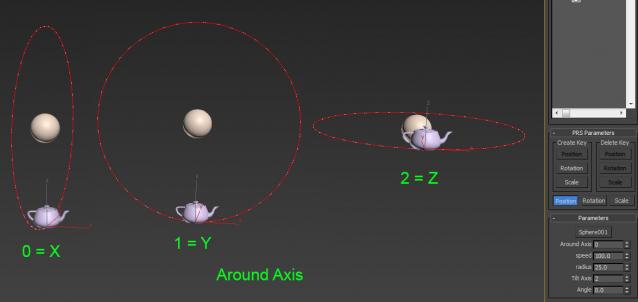
Ver 1.01: Allows user to choose the orbit plane more easily, ie. orbit Around which of the 3 axis. Then use Tilt Axis to adjust rotation.

MCG Parse Quads

4 votes


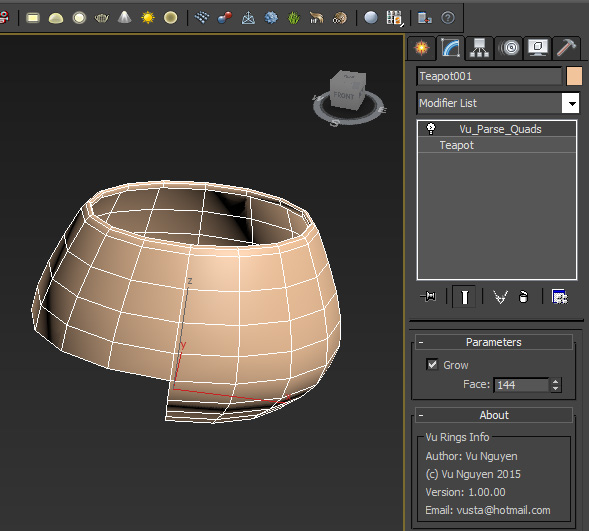
This extremely simple MCG will parse though the quads (or tris) of your geometry. You can parse 1 face/quad at a time or grow from the start.

Another one for you mographers I think...(will work on a closed curve too, ie. text)

Ver 1.01.00: Added Reverse option. Reverse Grow however is not working. I'm trying to fix it.

Ver 1.02.00: Reverse Grow now works properly.

MCG Parse Spline

0 votes

This MCG will parse your spline by segment or element.

Requirements: Max 2016 + Extension1/2 + SP3, Max 2017, Max 2018

I will stress this on a separate line: Max 2016 requires Extension1/2 + SP3

Syndicate content