3ds Max | All

LazyMap

2 votes

A simple UVW map modifier randomizer, with a minimalistic UI and some extra tools like rotating and aligning gizmos, on multiple objects at once.

Recently I've had to model a lot of office furniture, and there were hundreds of wooden boards we had to map. To avoid texture repetition, we adjusted the UVW coordinates on individual boards, but it's a huge hassle to do by hand.

MCG Vitruvian Man

1 vote

No more crappy lowrez crooked halfbaked ref pic....this MCG creates Vitruvian Man ref guides for all your ManScaping needs

Ver 1.01: added Height subdivs

Copy Viewport to Clipboard

5 votes

Simply copies your selected viewport to the clipboard. Great for quickly getting a viewport grab into photoshop - or if bandwidth doesn't matter - getting an uncompressed image pasted into your email client.

Cryengine 3 export preparation

0 votes

This script is specific for use with Cryengine 3. So if you don't intend to use this with Cryengine 3, this script will not work and be of no use for you.

It creates all the appropriate layers for the lods and main object, creates the dummy and linking the mesh to the dummy. Creating the proper material, submaterials (4 by default) for the model and the proxies, assigning the crytek shader and the physicalize (no draw) to the proxies.

Left for you is assigning the proper IDs manually to the correct submaterials (if needed).

VRayMtl Utilities

6 votes

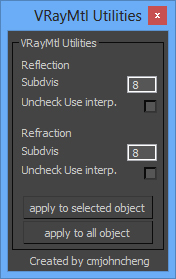
A simple script, useful when using some purchase/download model(some purchase/download model material always got very high subdivs value), this script let you easy to adjust vray material subdivs value and off the Use interpolation, wheter for selected object or apply for whole scene


 v0.2 - Fix reflection "Uncheck Use interp." not working.


install: Extract zip file and copy to 3DSMax root Dir.

Combine

3 votes

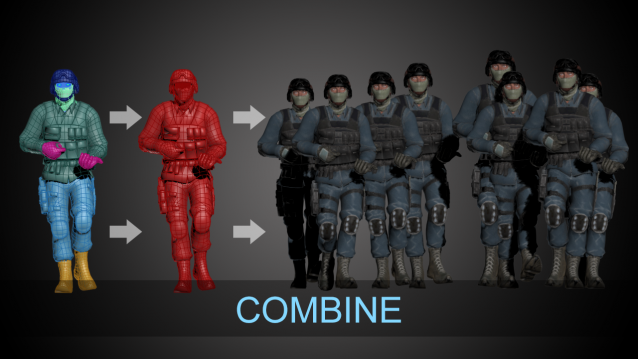
This tool is derivated from EchOoo and Multimesher,

I have it since I released these two tools and use it a lot in production, so I think it’s gonna be useful for you.

It’s very helpful to combine multiple animated meshes into one, without loosing their animations and deformations.

Features :

OverMorpher PoseSpace

2 votes


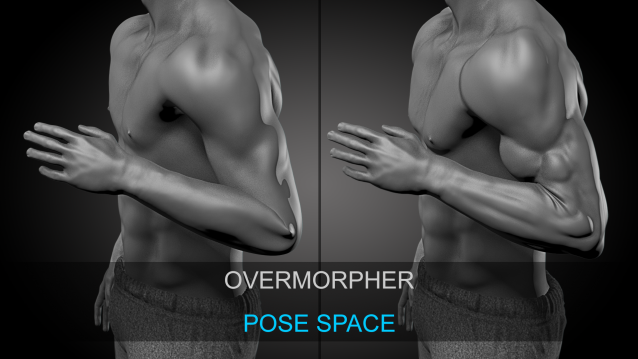
OverMorpher PoseSpace is a 3Dsmax plugin dedicated to Pose Space Deformation.

It is pretty similar to the SkinMorph, Corrective poses driven by your Rig.

Except the poses interpolation is more reliable.

The SkinMorph modifier drives the poses depending on the angle between 2 bones.

OverMorpher MeshSpace

1 vote

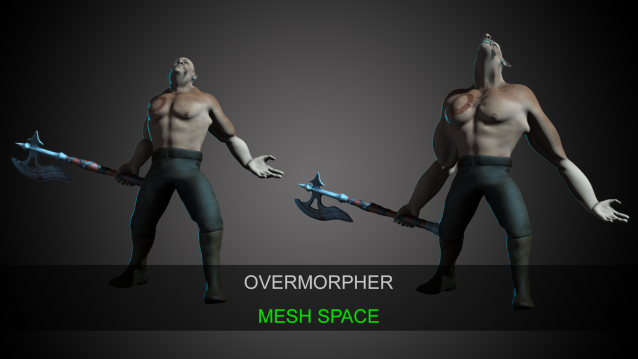
OverMorpher Mesh Space is the release of what I showed a few years ago: http://hocuspocus-studio.fr/tools/overmorpher/

That’s a new 3dsmax plugin. It works like a morpher, but on top of an animated mesh.

It can be placed over a skin modifier, or anything like a point cache or an alembic…etc

Corona Material Presets Pro

3 votes

The Siger Studio’s SIGERSHADERS Corona Material Presets Pro is a Plugin – powerful material collection for Autodesk® 3ds Max® and Corona Renderer® engine + User Library material lab/manager. The collection consists different categories of materials: Metal, Ceramic, Leather, Stone, Concrete, Glass, etc… The list of materials permanently grows.

Key Features

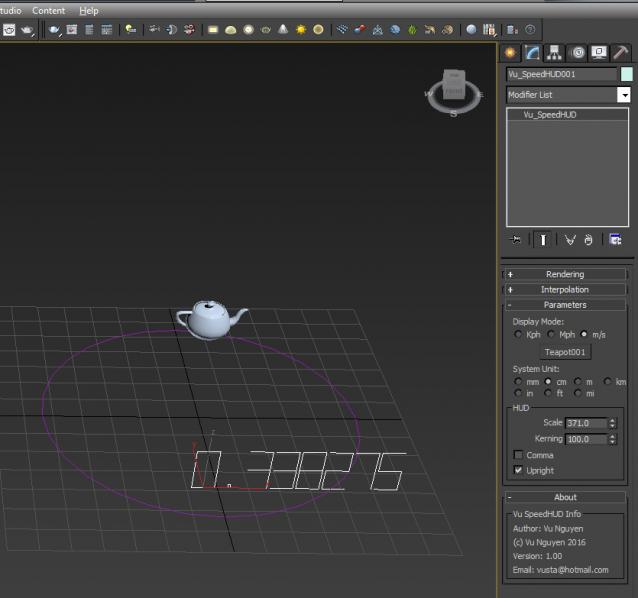
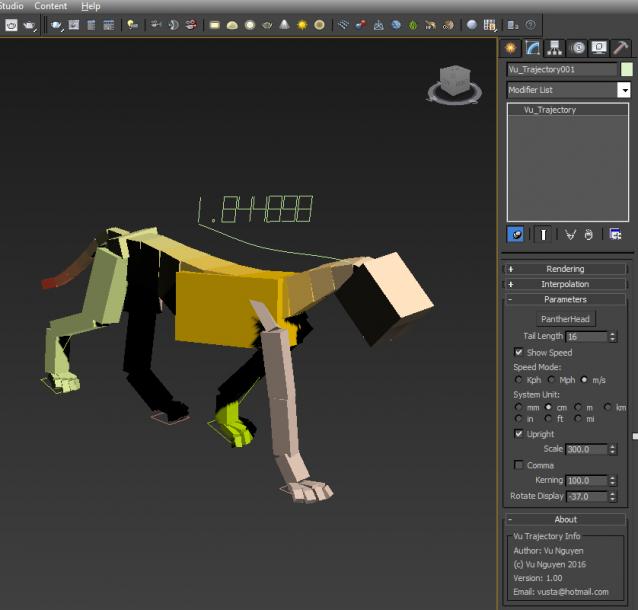
MCG SpeedVisualiser HUD Trajectory

1 vote

SpeedVisualiser: to see how fast an object should move at a certain speed

SpeedHUD: displays an object's current speed

Trajectory: displays an object's trajectory + Speed

Will work independently of framerate...ie NTSC, PAL or others

Syndicate content