Tagged 'group'

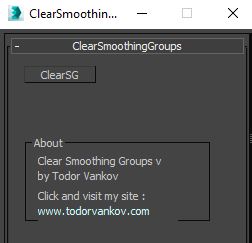
Clear Smoothing Groups

3 votes


With the Clear Smoothing Groups script you cad delete all smoothing groups in the selected geometry. This script is tested at 3ds max 2016 and 3ds max 2021. If you find some errors, pls send a comment.

Script category: “#todorScripts”.

You can see an example here, how to install my script per Drag and Drop:

Create Editable Box on Target

4 votes

This script will create an editable box that will match volume size of target(group, object, light, camera, spline, helper, basically anything that has a bounding box). In addition it will match name, position, and create UVW Mapping modifier(box), and setting mat id's uniques to all sides.

ECollapse

2 votes

EVector

3 votes

EVector is meticulously crafted software intended to facilitate the creation of 2D lines from 3D objects within 3ds Max. It adeptly projects your models, including groups, onto 2D splines, offering an array of customizable options within a remarkably stable environment. The resulting splines can be seamlessly exported to DWG or DXF formats, ensuring impeccable compatibility with AutoCAD and delivering pristine lines aligned with your desired projection direction.
Poster Image

File Organizer

0 votes

organizer

File Organizer leaves an object ready to save in the library. With this Script, the next time you merge some object to your scene it will be perfect.

Group Manager

1 vote


This is a tool for listing and managing groups.

Features

- Group in local space, and world space.

- Group by Point Helper, in local space, and world space.

- Toogle between regular groups and Point Helper Groups

- Toggle selected Group open/close

- Select the groups in the list

- Double click a group name to zoom to the extents of the group/helper

Group to EditablePoly

4 votes

This script is intended to convert group into editable Poly (It keep editable mesh as editable mesh when an editable mesh is in the group).if you have multiple groups selected it will create multiple editable poly(or mesh) objects ( one object per group). It support nested groups (group within group).the script has no interface, it's just a button, here is the default icon , once installed you just need to have one or multiple groups selected and click the button and that's it, no fancy options.
Make iT Instance

0 votes

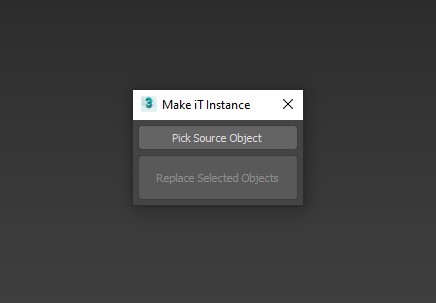
A Script for Replacing Selected Objects with Picked Object , BUT with Group Support .


Note : When Replacing Groups its better to be closed .

INSTALL : drop it to max viewport or run it from Scripting Menu/Run Script , You'll Find it in "_My Scripts_" Category .

UPDATE 1 :

Nested Layer Manager 2 For 3ds Max

44 votes

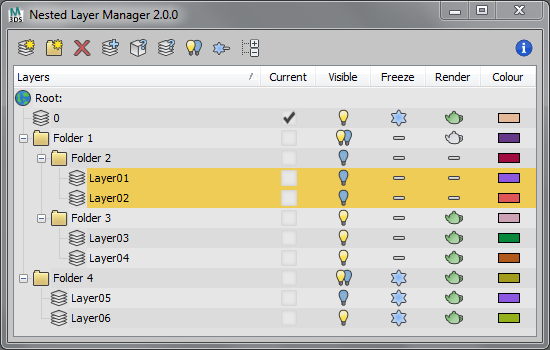
Nested Layer Manager 2 provides the ability to nest layers in 3ds Max. This script is small, fast and allows layers to be nested in an unlimited number of folders. It has complete 2 way communication with the default layer manager; If anything is altered in either, both layer managers are updated. This allows people without this script installed to still see the normal layer organisation present in the file.

Nested Layer Manager has a free 30 day trial.

Object info [free]

2 votes

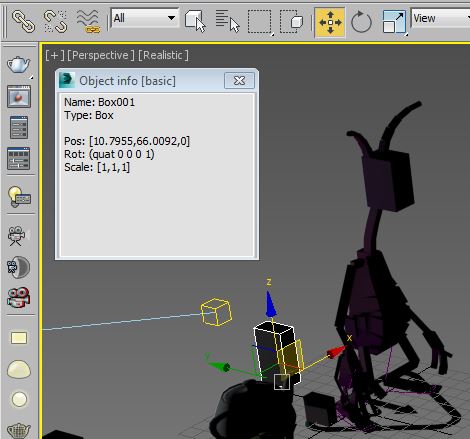
A little free utility which shows information about selected objects. The field is editable so you can copy information to the clipboard.

Syndicate content