ScriptSpot is a diverse online community of artists and developers who come together to find and share scripts that empower their creativity with 3ds Max. Our users come from all parts of the world and work in everything from visual effects to gaming, architecture, students or hobbyists.
Installing scripts for 3dsMax has never been easier!
MaxScriptManager is a tool that will help you keep track of installed scripts, help you install new ones in a number of different ways, get notified if updates are available and even apply updates automatically. Developers can create script repositores so that users can access their script without leaving 3dsMax.
RenderPreset operator for LPM 1.09+ - Stores render's parameters. - Support all possible renderers.
*Allows you to solve this bug . *Also allows you avoid Biped & Render Preset bug which returned since max 9 sp1 which was fixed. ( Using Render Presets on a file where a biped was present and motion mixer contains clips would result in a corrupt file when saved. (max 2011 x64 sp1) )
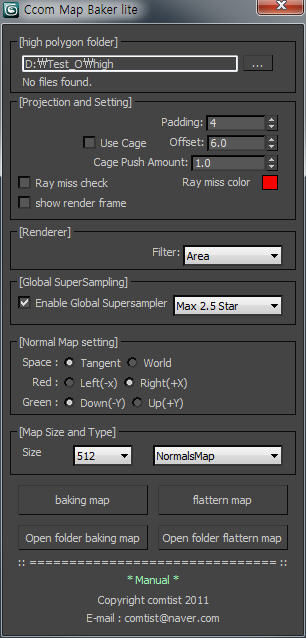
If you have high polygon file and low polygon file finished UV mapping process before, this tool can extract Normal map in one single image within 3DS Max. So you don't need to use Photoshop to collaborate all these map images in a single image file. Baking process will be easily done in a minuite by using this tool.
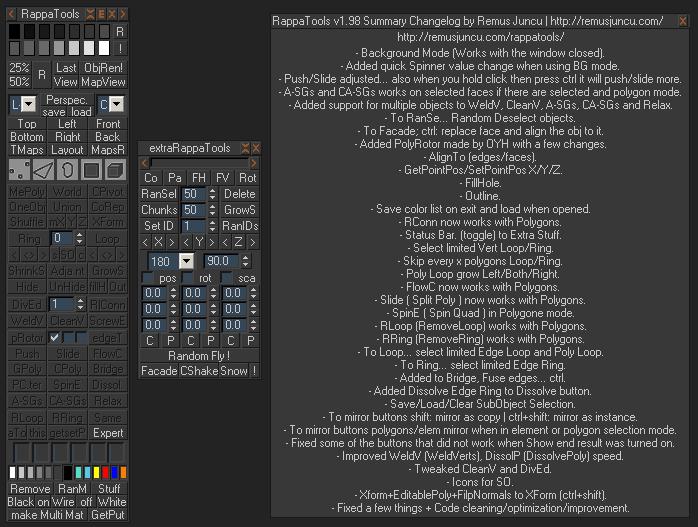
RappaTools is an modeling toolset for 3ds Max (9 Sp1 +), that offers a wide range of tools for creating various types of subobject selections as well as a set of modeling tools which will make any tasks in everyday modeling a lot easier and faster. It also has a lot of other options like 50%/25% Render, Quick Light/Cam select, Toggle maps display in viewport, Random Material/Wirecolor, Make multi material from textures in a folder, and many more...
A set of functions wrapped into a minimalist single-click button to help 3ds Max and Nuke artists to bring the 3ds Max 3d scene assets into Nuke's powerful 3d compositing scene.
This tool allows:
1) Copy cameras and any other objects (as points) and their animation into clipboard for an easy Copy+Paste action inside Nuke.
2) Generate .chan files from selected cameras and any other objects (as points) and save them either many at once or one at a time to selected destination.
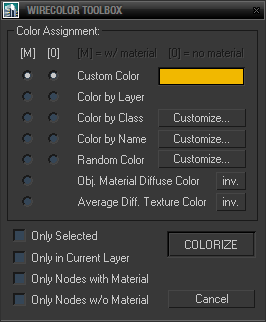
Simple toolbox for working with wirecolors based on various criteria including material diffuse color, average texture color and filters for node names and classes (for nodes wildcards and hierarchies are supported and encouraged).