Tagged 'save'

miauu's PinMyFiles

0 votes


CAT Pose Grabber

1 vote

A panel to support CAT rigs which allows temporary storage and retrieval of a single or muliple poses. Poses are not named and there is no management of them. The idea is that you simply want to grab a pose (or several) and use it immediately, without dealing with names or folder structures for fluid workflow. Poses saved are stored as files and are thererfore persistent unless overwritten using the script store functions.

Features include:
- Supports multiple CAT rigs in the same scene. You can even transfer poses from one rig to another.


Asset Cleaner

2 votes

V1.0

  • See additional info below

V1.1

  • Some minor bug fixes
  • Added option to save instead of autosave
  • Will automatically rid and reload the file of unwanted 'Motion Clips, Layer Controls + Retimer Managers' [ONLY checks drawings of 5mb and more, can easily be changed in the script to your liking 'search the keyword 5 and you'll see it :) ]
  • Added statistics to the perspective view

V1.1

Save Increment

1 vote

This code saves, and find the LAST SEQUENCE number in the file name to automatically increment.
This works especially with names with suffix after the sequence number.

Hierarchy State

31 votes

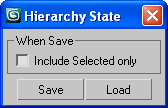
Hierarchy State

Good for backup/restore scene objects hierarchy

IE Tool

0 votes

This tool allow the user to import/merge and export/save a lot of objects and files at once!
This is a comercial tool.
Get this tool here:
https://gum.co/rmJuE

Scene Notes Pro @ Show Notes Only

0 votes

Scene Notes Pro Show Notes allows you to read the notes saved with Scene Notes Pro.

You can't add and/or edit the notes, only to read them in case that you do not own Scene Notes Pro.


Autoback Toggle

17 votes

A simple script to toggle max's autobackup on and off, this helps me when I work with very big scenes. it also shows you when auto backup is enabled or disabled.

RailClone 2 File

0 votes

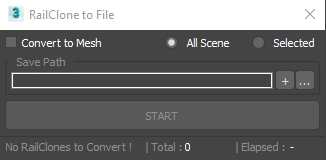
3dsMax Script for Saving RailClone Objects to External Files .

NOTE : The Total Number Contains 2 Numbers the First is the total railclone objects , Second is railclones that will be saved .

UPDATE 1 :

  • The Script Now Will Ignore RailClone Objects with the Same Segments (Only 1 RailClone will be Saved) .