Tagged 'save'

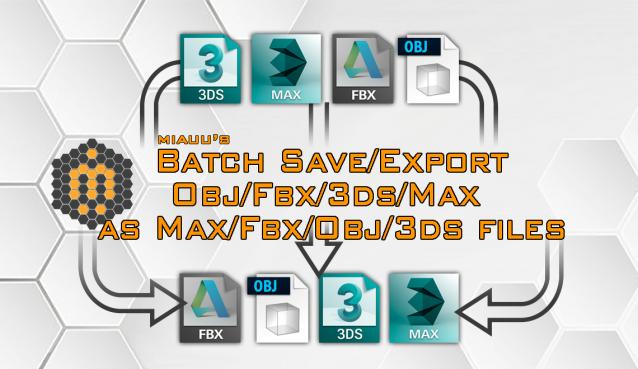
miauu's Batch Save/Export OBJ/FBX/3DS/MAX as OBJ/FBX/3DS/MAX files

6 votes


Batch save or export selected .obj, .fbx, .3ds or .max files an .obj, .fbx, .3ds, .max files.

Save Increment

1 vote

This code saves, and find the LAST SEQUENCE number in the file name to automatically increment.
This works especially with names with suffix after the sequence number.

Asset Cleaner

2 votes

V1.0

  • See additional info below

V1.1

  • Some minor bug fixes
  • Added option to save instead of autosave
  • Will automatically rid and reload the file of unwanted 'Motion Clips, Layer Controls + Retimer Managers' [ONLY checks drawings of 5mb and more, can easily be changed in the script to your liking 'search the keyword 5 and you'll see it :) ]
  • Added statistics to the perspective view

V1.1

CAT Pose Grabber

1 vote

A panel to support CAT rigs which allows temporary storage and retrieval of a single or muliple poses. Poses are not named and there is no management of them. The idea is that you simply want to grab a pose (or several) and use it immediately, without dealing with names or folder structures for fluid workflow. Poses saved are stored as files and are thererfore persistent unless overwritten using the script store functions.

Features include:
- Supports multiple CAT rigs in the same scene. You can even transfer poses from one rig to another.

Save & Restore Views

7 votes

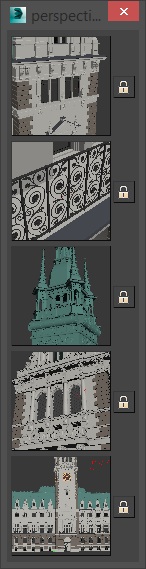
A simple script that is pretty similar to max's own "Save active perspective view" and "Restore active perspective view" functionality just that there are 5 slots with preview images. Un-comment the first 2 lines to install it as a macroscript. Click the little lock symbol to save a view, click the image button to restore it. 

miauu's Script Pack vol.1

14 votes

miauu's Script Pack is a set of scripts that will help you to make faster and easier some of the tedious task when you use 3ds Max.

miauu's Script Pack include:

Teamwork

13 votes

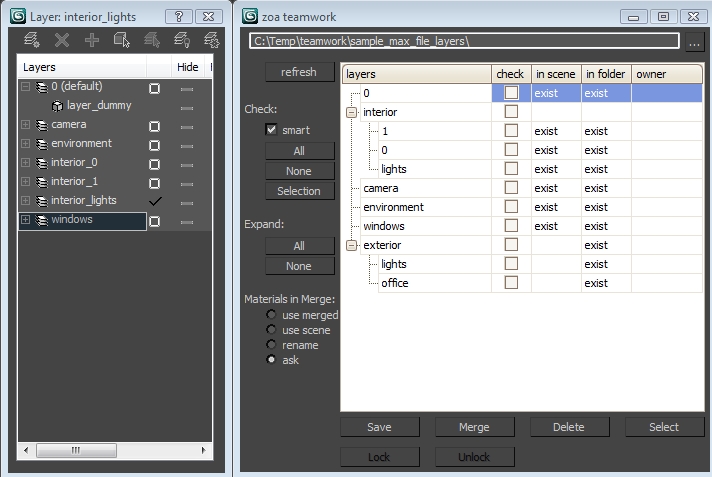
Teamwork Script User Interface

Henriqvist's Hand Poses

0 votes

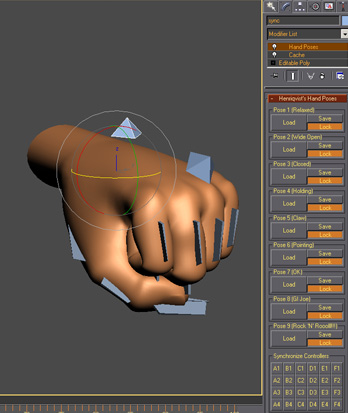
Script developed to enhance the speed of animating hands. You can save a lot of poses and then load it anytime you want. OBS1: It only saves position and rotation, scale information is not stored. OBS2: You cannot use position or rotation list in the controllers, but you can use float list.

Copitor

120 votes

Copitor allow you to quick copy/paste selected objects to another Max scene or in another Max if you have 2 3dsMax open. I also like to use it like as a "quick backup" for try something, and to be sure to loose nothing :)

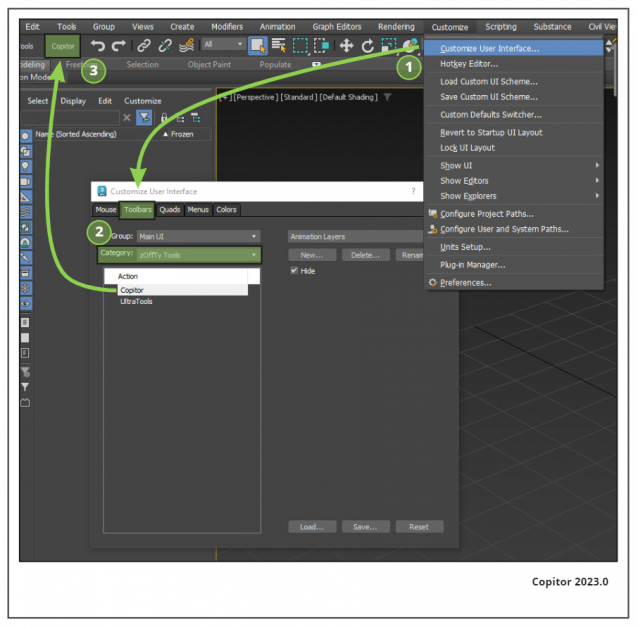
Installation: Drop The file in max viewport and go to Customize ==> Customize User Interface ==> Category: zOffTy Tools ==> Copitor

Copitor installation

savePreviewToMaxfile

16 votes

Saves a jpg file containing your last render everytime you save a max file. Helps to keep track of your changes.