Tagged 'edge'

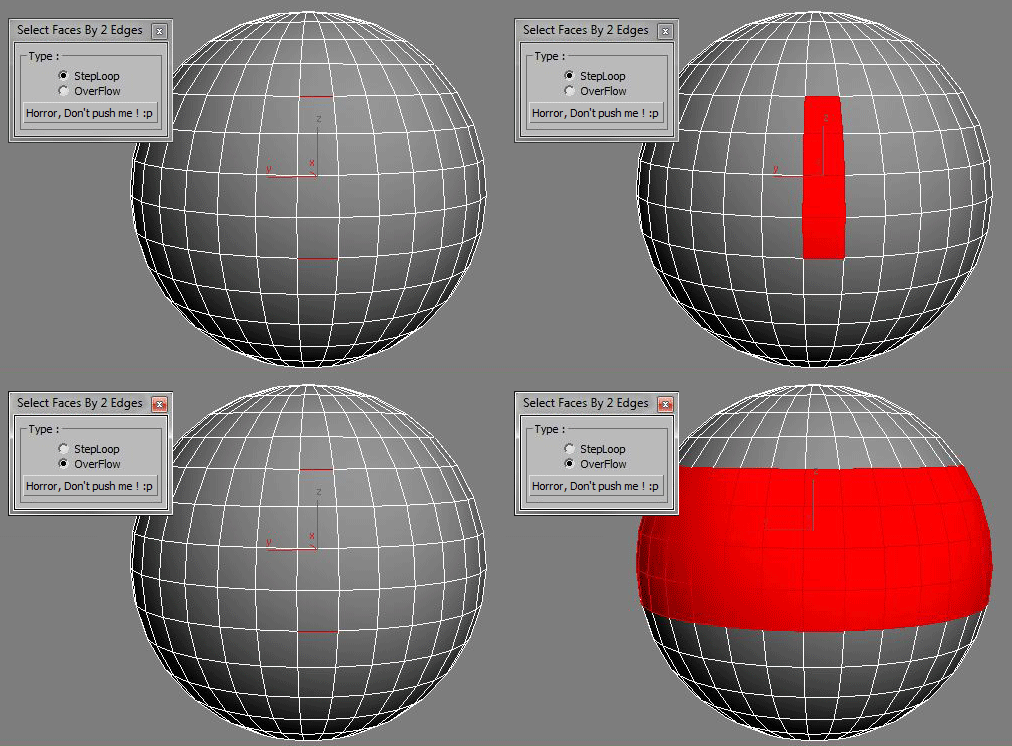
Select Faces By 2 Edges

2 votes

Select a Loop Faces between two selected Edges.

Uni-Chamfer

6 votes

Using single one hotkey of Chamfer, works with:
Используя единственную горячую кнопку для Chamfer, работает с:
Edit_Poly: [Vertices, Edges, Faces(inset)] 
Editable_poly: [Vertices, Edges, Faces(inset)] 
Edit_mesh: [Vertices, Edges] 
Editable_mesh: [Vertices, Edges] 
Edit_Spline: [knots (Fillet), 
Spline sub-obj (Outline)] 
SplineShape: [knots (Fillet), Spline sub-obj (Outline)] 
line: [knots (Fillet), 
Spline sub-obj (Outline)] 

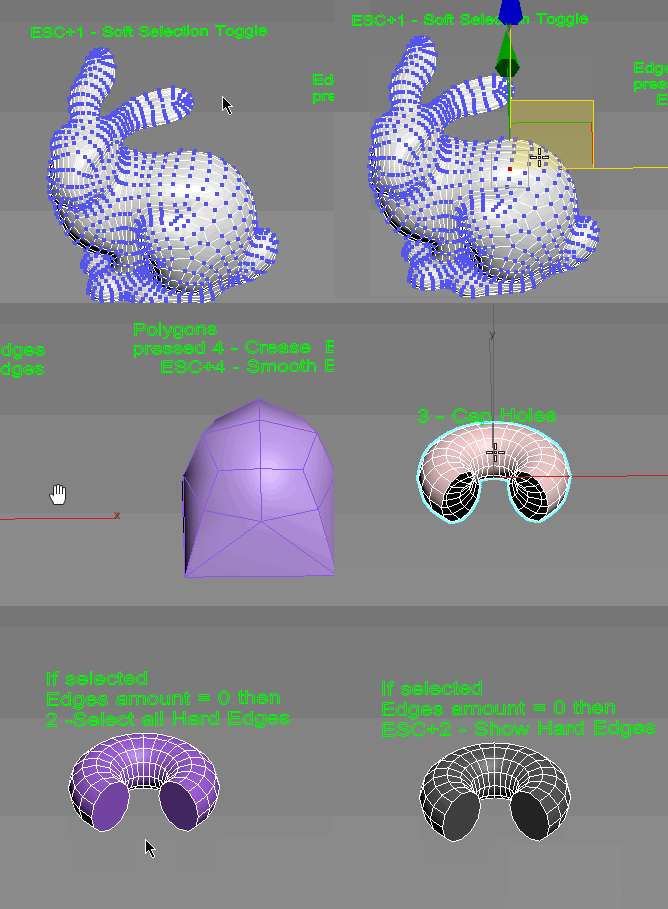
Subobjects Converter

9 votes


v3.07
Fixed Shift+1 Shift+2

v3.01
If Esc+Key of script keyboard pressed and current subobjectlevel is 4 or 5 (Face or Element) and selected all faces then will run Smoothing Groups floater (a separate special window)
Если нажата Esc+кнопка скрипта и текущий подобъект 4 или 5 (Грани или Элементы) и все грани выделены, то будет запущен Smoothing Groups floater (отдельным специальным окошком)

Fixed bug of switch from subobject 5 to 4
Added Extended Subobjects:

miauu's Script Pack vol.1

14 votes

miauu's Script Pack is a set of scripts that will help you to make faster and easier some of the tedious task when you use 3ds Max.

miauu's Script Pack include:

LiveMeasure

14 votes

Measure and show edges length, segments length and faces area in real time. Work with Splines, Editable_Poly and  Editable_mesh objects and Edit_Poly modifier.
--        In Polygon/Element sub-object level will show the selected faces area in generic units only.
--        In Edge/Border sub-object level will show the length of selected edges in user defined units.

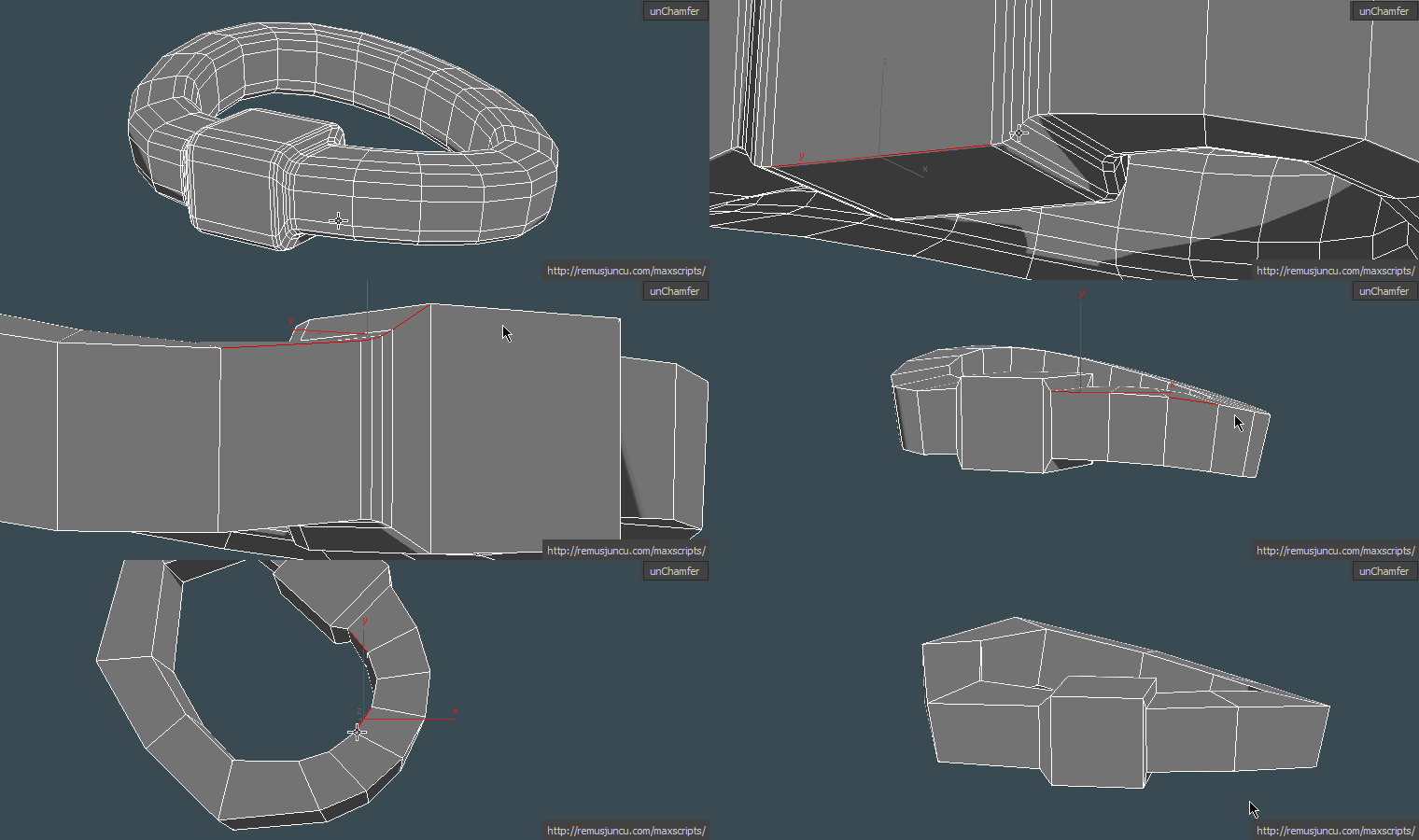
maxUnChamfer

7 votes

maxUnChamfer will help you produce low poly objects in less time with less amount of effort .

Here are some of the benefits you get:

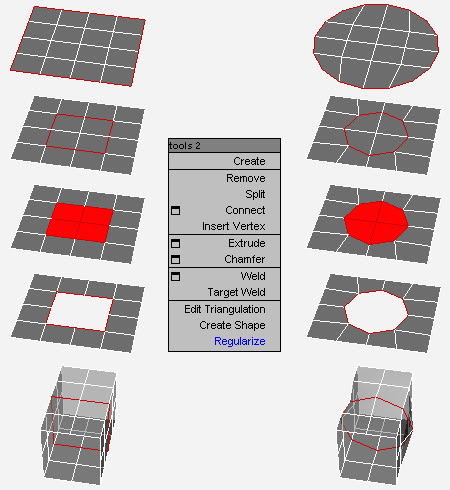
Loop Regularizer

102 votes

Rearranges loops in regular n-gons.

miauu's Select Edges by lenght

52 votes

With this script you can select edges which is less, equal or grater than the value that you want. Also, you can measure the lenght of single or multiple edges.

Instalation: Drag-n-drop mzp files in 3ds max. Go to Customize-Custumize User Interface, under "miauu" category you will find the script.

miauu's Edge Cutter

79 votes


Version 1.6 - added installator. Now the script is properly installed in OS: Windows VIsta, 7, 8

Version 1.5 - added Compact UI mode - idea by @Silix

Version 1.4 - added support for 3ds max 2012.

Step Gap Edge Loop - like modo selection

12 votes

Modo selections style in 3ds max, but only for edges.

Assign a hotkey(or button), select 2 verts/edges/faces woth desired gap between them and start pressing your hotkey.

Work only with Editable Poly objects

Instalation:
Drag-n-drop "StepGapEdgeLoopLR.mzp" and "StepGapEdgeLoopLR.mzp" in 3ds max. Go to Customize-Customize User Interface. Under "miauu" category you will find "Step Gap Edge Loop Right-Left" and "Step Gap Edge Loop Right-Left".

Big thanks to Anubis for his help.