Tagged 'manage'

Time-Ranger

2 votes

Sets up time-ranges in Max and embeds it to the max file.

Very useful tool when you have multiple time-ranges in your single animation file. Mostly used for games - but can be used for many other purposes as well.

Sometimes it's useful to have many animations of a character in one file - so its start and end positions match between the different animations. TimeRanger lets you choose which section of the animation to show in the timeline.

Smooth Control

1 vote

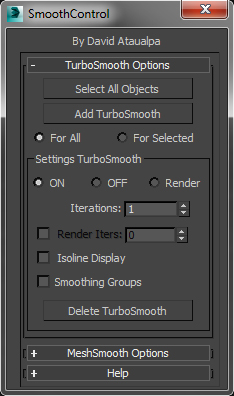
This scripts help management multiples Turbo Smooth Modifiers. I am a designer and this is my first max script. I hope you like it.

Notes:
- Don't work with Groups
Open all groups (Don't need ungroup)
Assign turbo smooth or mesh smooth in Objects
Be Happy :)

Reference Manager

2 votes

no more headaches unfreezing and unhiding refplanes manually
the RefManager does it for you and lets you focus on the modelling

A reference manager that automatic hides and shows reference planes based on the current viewport

by default it uses the following names, but you can click on >> to get acces to the pick buttons and pick your own reference planes

ref_top
ref_front
ref_back
ref_left
ref_right
ref_top
ref_bot

------
plans for next version : add refsetup: auto creates planes in correct size based o nthe resolution of the images

Easy Peasy 2

3 votes

Cheetah!

Lazy Manager

1 vote

Joker Martini has released Lazy Manager, a new tool for 3ds Max that allows users to copy and paste objects, materials, and modifiers across multiple instances of 3ds Max and includes support for sharing these assets across an entire studio of artists using a shared network location. Lazy Manager costs $10 and supports 3ds Max 2012 an upwards.