Tagged 'manage'

Time-Ranger

2 votes

Sets up time-ranges in Max and embeds it to the max file.

Very useful tool when you have multiple time-ranges in your single animation file. Mostly used for games - but can be used for many other purposes as well.

Sometimes it's useful to have many animations of a character in one file - so its start and end positions match between the different animations. TimeRanger lets you choose which section of the animation to show in the timeline.

Material Layer Interface MLI

142 votes

3 new versions and reduced prices: MLI Light 2.0, MLI 2.0, MLI Pro 2.0

With the Material Layer Interface (MLI) you can create Material Layers and passes in 3D Studio Max and it’s easy to handle them!

mli_banner

Just create the layers and pick the objects. Assign materials to the objects and feel free to use different renderer or render settings for every single layer.

ZOA Path Editor

39 votes

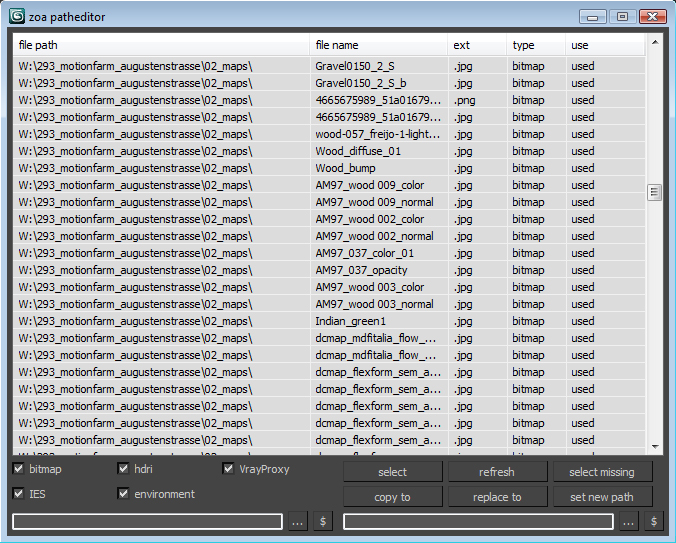
Simple Path relinker application for maps, ies, hdri corona proxy and vrayproxy objects. Features are: path text replacing and copy functions. The two text fields below each section are for "original" and for "future" paths. $ stand for string. Use it to copy a map path of a selected map to the desired text field.

User interface for the maps section. Others look the same.

HCG Asset Browser PRO

146 votes

Ver 1.2 - Check the New Video

HCG Asset Browser now FREE!

Current version:1.3.2

MatManager

47 votes


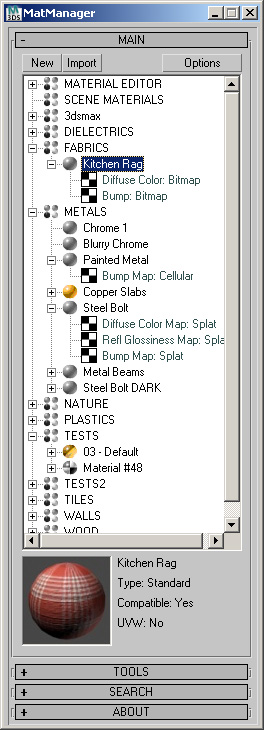
MatManager is a collection of tools created to help
you, the artist, control your materials and allow you to make the most of
them. It was designed to complement 3D Studio, keeping a clean and
streamlined interface where every action takes as few clicks as
possible.