Tagged 'auto'

Qpreview

12 votes

This script will make preview renders from the viewport using the default 'make preview' dialog, when completed it renames the preview file to match the camera's name.

This makes it easier to generate preview files for a ruff edit, without having to manually rename the preview files again and again.

DeltaMushToSkin

7 votes

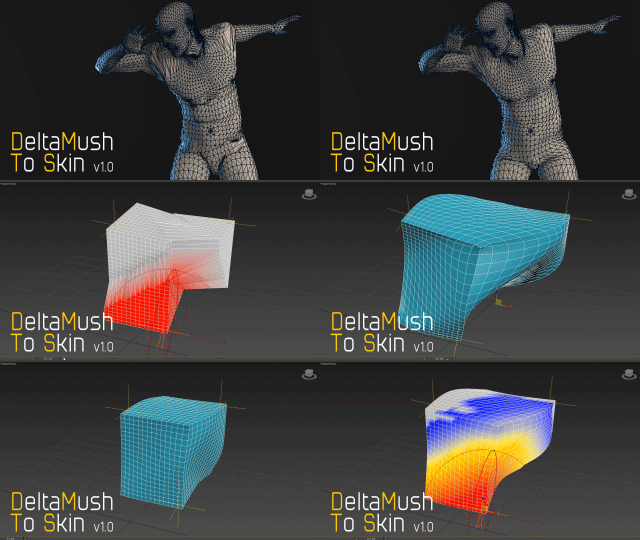
DeltaMush to Skin is a c++ 3ds Max modifier which smooths deformations while preserving details with "converting" to Skin feature - the plugin solves Skin weights matched as close as possible to the DeltaMush result. It enables the user to export such rigg to the game engine like Unity, Unreal etc. The whole process is incredibly fast thanks to multithreaded optimization.


Boujou2Max

1 vote

Boujou2max plug-in poster

Boujou2max imports raw markers from Boujou as an animated cubes or dummies. This is a good solution for raw motion tracking without camera solve.

Automaterial

4 votes

Material your scene in ONE click!

Weld and Smooth

1 vote

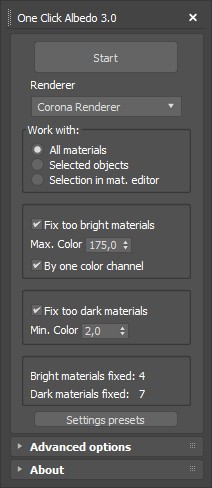
One Click Albedo for Corona render and V-ray

6 votes

Script Description:

This script is made to automatically adjust the albedo of materials in the scene. Too high albedo may slow rendering process down and make the materials look unrealistic. Especially when an object with a high albedo occupies the most part of frame area. Corona Render developers recommend to keep albedo of your materials under RGB 180 (For diffuse color or texture).

Auto instances

0 votes


Script Description

 This script automatically finds objects with the same geometry and turns them into instances. This can reduce RAM consumption, scene file size, and save and open times for a scene. This script will be especially useful when optimizing other people's scenes and 3D models.


Reference Manager

2 votes

no more headaches unfreezing and unhiding refplanes manually
the RefManager does it for you and lets you focus on the modelling

A reference manager that automatic hides and shows reference planes based on the current viewport

by default it uses the following names, but you can click on >> to get acces to the pick buttons and pick your own reference planes

ref_top
ref_front
ref_back
ref_left
ref_right
ref_top
ref_bot

------
plans for next version : add refsetup: auto creates planes in correct size based o nthe resolution of the images

RnQ-RenderingAndQuit

0 votes

Simple tool to turn off your PC at the end of rendering.

5 lines long script that does exactly this:

-Save the current max file.
-Launch the rendering.
-When the rendering end, close the current session and turns off the PC.