Tagged 'pipeline'

Project Manager

597 votes

After a long stretch of development, Project Manager 4 is officially out — the biggest release in the product's history, and now with full 3ds Max 2027 support.
The headline is AI Asset Classification.
Your library gets sorted automatically — by object type, material, and style — no manual tagging.

Project Manager 4 — What's New Since v3

Changelog · 3ds Max 2016–2027

AI-Powered Asset Classification

  • Automatic categorisation of 3D models and textures by object type, material, form, and style — no manual tagging required
  • Runs entirely on your machine — no cloud, no subscription, your assets never leave your computer
  • GPU-accelerated background processing at low priority — won't interfere with rendering or active work
  • Reclassify specific folders or categories on demand — no need to reprocess the entire library
  • Scale across a team: multiple workstations share the same database and classify in parallel

Colour Tools

  • Find assets by colour — pick from a palette and instantly see matching models or textures
  • Perceptual colour similarity search — finds visually related assets, not just exact hex matches
  • Find Similar by Colour in the right-click menu for models and textures

Find Similar

  • Find similar by content — AI matches 3D models by style, shape, and visual look
  • Find similar by colour palette — matches assets to a reference image or mood board by dominant colour proportions

Smarter Search & Filtering

  • Multi-keyword search: "Chair, Glass" finds a file named Chair.max described as "glass"
  • Category filter correctly includes all subcategories — filtering Furniture also returns Furniture → Chairs → Dining
  • Combine category and material filters: find glass-and-metal tables, or wooden ones, in one click
  • Categorised / Uncategorised quick filters — see which assets still need attention

Gallery & 3D File Browsing

  • Three gallery tabs for .max files: Models, Materials, and External Links
  • Drag materials directly from the gallery into your open 3ds Max scene
  • 3D viewport preview for FBX, 3DS, OBJ, and other formats — inspect geometry before importing
  • Edit external links inline — fix or replace missing textures without opening the .max file
  • Zoom & Pan for images — inspect textures at full resolution inside Project Manager

Migration & Compatibility

  • v3 and v4 share the same database format — point v4 at your existing library and go; no rebuild required
  • Run v3 and v4 side by side on the same team; supported from 3ds Max 2016 through 2027

Performance & Other Fixes

  • Significantly improved overall performance — faster navigation, filtering, search, and file/folder operations
  • Live sync in shared database mode — changes by colleagues appear automatically without reloading
More about new features   Project Manager version 4
 

FilePathFinder Pro & Light versions

410 votes

Using the FilePathFinder you can be sure that you have complete control over external links into your scenes.

Asset tracking features include support for XREF files and easy linking with external files.

Using the FilePathFinder (and Batch Render&Relink), you can search for missing assets and relink external files.

In addition, files that are linked to selected objects are displayed in Interactive Mode, and bitmap textures can be toggled and placed within the Material Editor.

Also with this tool, you can easily make an archive a 3ds Max scene.

Note that FilePathFinder supports the highest number of asset types of any plug-in.
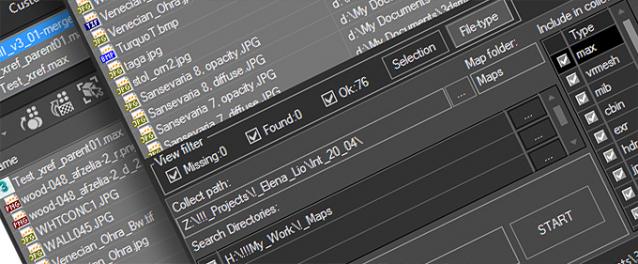
 

The Batch Render&Relink tool helps manage your asset files into the 3D model and material libraries in Batch Mode.

BR&R is capable of rendering thumbnails for 3D models, materials, and IES photometric files.

Batch Mode makes for an easy way to gather and compile many assets at once.


The new version of FilePathFinder is released with support to 3ds Max 2026

and many new features that improve managing scene assets

FilePathFinder Pro version 4.17.01

  • Adds support to 3Ds Max 2026
  • Play IFL, and animated GIFs directly in the list view
  • Play IFL and animated GIFs in the external Asset Viewer
  • Ability to change selected assets directly from the Asset Viewer using keyboard shortcuts
  • Adds an ability to include/exclude search directories by filename
  • More accurate material/texture placement in SME
  • Drops support to light theme
  • Fixes an issue with including/excluding search directories by filename
  • Fixes an issue with searching, relinking, collecting, and archiving the content of IFL files
  • Fixes an issue with relink assets in batch mode for Demo version [Batch Render&Relink]
  • Fixes an issue with renaming external scene links with status #Found
  • Fixes some issues with relink assets using exclude directories
  • Fixes a bug with relinking assets in huge scenes
  • Fixes a bug when using the tool together with Materials Manager and Models Manager
  • Some other optimizations, fixes and speed improvements

AutoBack File Loader Zorb

52 votes

*v1.31 - Bug fixes, removed error on opening on some max versions
*v1.30 - Now supports displaying 133 different date formats!! (Use the "Change Date Format" option in the right click menu)
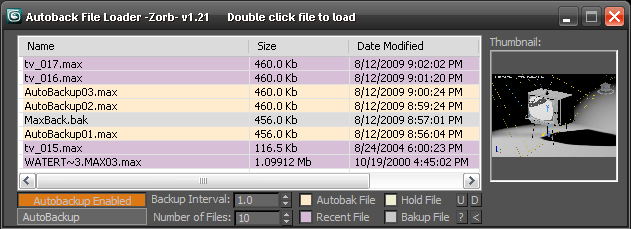
*v1.21 - Updated for 2010 and added thumbnail support!

Tired of navigating to the autoback dir, selecting view as detail then sorting by date to find your latest autobak file. then comparing it to your last good saved file? This script will make it easy for you. Brings up a list of max files in your autobak dir, max hold files and your last opened file, sortable by date, size and name. Double clicking will load the file, right clicking will give you a delete option.Sort settings and files displayed are saved between sessions

Unzip to your Max root dir, will be available in macroscripts under "Zorb Tools", or run it as a script from the scrips directory

Interactive Universal Renamer

17 votes

NEW VERSION: Asset Paths + Sorting + Filtering + Multiselection

Make sure to select items in the list to see the renaming preview and do the actual renaming!

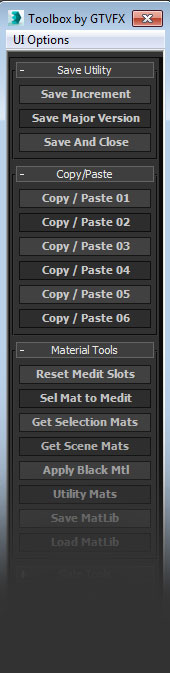
GTVFX_Toolbox

12 votes


 Updates:

===================================================================================

08/16/2014:

v2.34

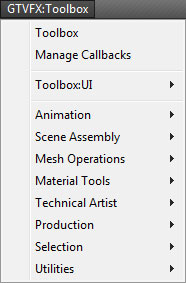
Some minor bug fixes to the Toolbox. Added additional tools to the system menu.

05/23/2014:

v2.32

Fixed a bug that prevented the system menu from generating.


04/20/2014:

v2.31

Patanouk

5 votes


Model Quality Checker

5 votes

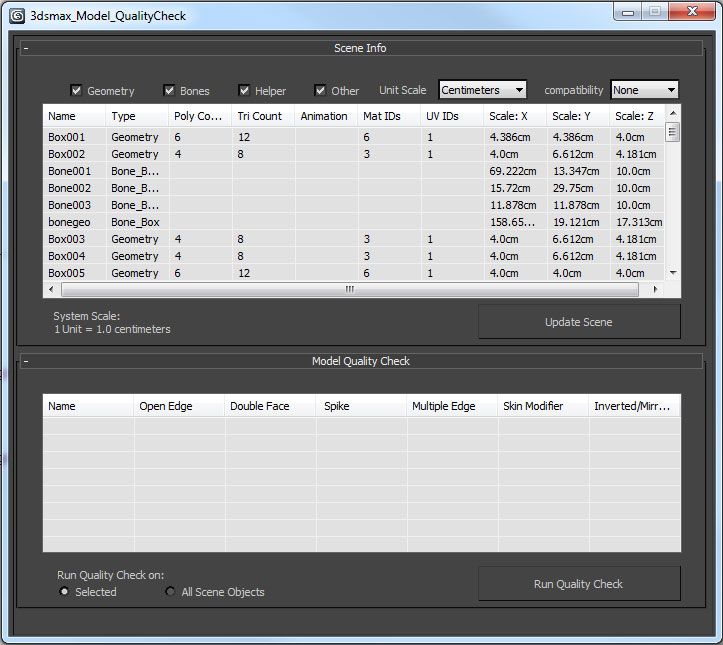
Designed for 3ds max 2012 and up, the 3ds Max Model Quality Check is a tool to help the user while modeling in 3ds Max. This tool contains two elements: Scene Info and a Model Quality check.

PRT Updater/Manager

2 votes

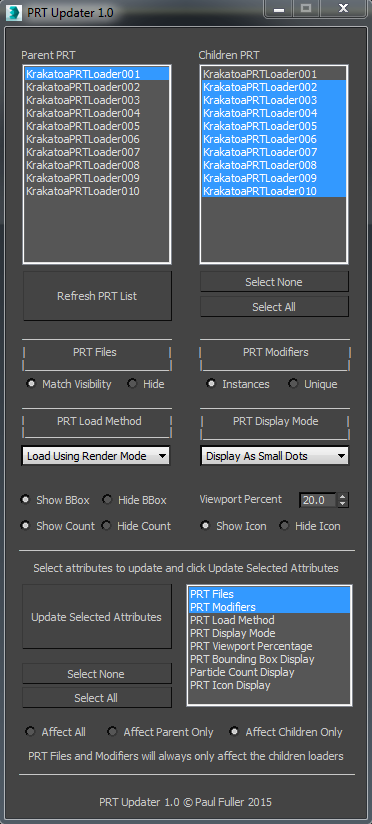
A tool I wrote to manage multiple PRT Loaders in a scene. It was especially useful for updating files when I was using one cache for multiple loaders with an offset, since Instancing wasn't an option. Aside from that, there are simple controls to update some of the main PRT Loader attributes quickly and on multiple loaders.

Here's a quick demonstration video of the tool >>> https://vimeo.com/130000485

Cheers!

WizardMeet Online Project Management

1 vote

It is a project management tool that let’s you focus on the right task at the right time by the right person, and WizPro offers you all the features you’ll ever need in a compact and easy to use application that’s always online, needs no setup cost, and doesn’t take away your valuable time to do the management, instead let’s you work on your highest priority task right away.

Syndicate content